As an Amazon Associate, we earn from qualifying purchases. Some links on this site are affiliate links at no extra cost to you. Our recommendations are based on thorough research and editorial judgment.


Cable Management That Doesn’t Hurt Airflow

Effective cable management is essential for maintaining airflow and preventing overheating. By using cable trays, Velcro straps, and grommets, we can keep cables organized without blocking vents. This prevents heat pockets and promotes better cooling. Choosing durable materials like alloy steel or eco-friendly options can further enhance airflow. Innovative solutions, such as modular systems and smart airflow monitoring, can also improve our workspace efficiency. For more tips and insights on achieving maximum airflow, explore further benefits and solutions.
Key Takeaways
- Use cable trays to elevate cables off the floor, ensuring unobstructed airflow around devices.
- Implement Velcro straps for adjustable bundling that allows airflow without compromising cable organization.
- Route cables away from air vents to prevent airflow obstruction and maintain consistent cooling.
- Opt for modular systems that allow reconfiguration and minimize airflow obstruction while effectively organizing cables.
- Consider ventilated designs with mesh structures to support both cable organization and airflow enhancement.
Understanding the Importance of Cable Management
When we think about setting up our technology, we often overlook the importance of cable management. An organized workspace not only looks neat but also affects the functionality of our devices.
Why Cable Management Matters:
- Prevention of Overheating: Disorganized cables can block airflow, leading to overheating and potential hardware failure.
- Efficient Operations: Proper cable management solutions like cable trays and organizers elevate cables, ensuring they don’t obstruct ventilation.
- Longevity of Equipment: Regularly maintaining an organized cable system promotes peak performance and extends the life of our electronics.
- Durability and convenience are enhanced when using durable materials like alloy steel or PVC, which also support easy installation and long-term cable organization.
The Benefits of Proper Cable Arrangement for Airflow

Effective cable arrangement plays a critical role in optimizing airflow around our devices, especially when it comes to electronic setups.
Here are some benefits of proper cable arrangement for airflow:
- Prevents Airflow Obstruction: Well-managed cables reduce airflow blockage around devices, helping them stay cool and perform efficiently.
- Extends Equipment Lifespan: By maintaining clear airflow pathways, we minimize thermal stress, which can extend our equipment’s lifespan.
- Enhances Work Environment: Organized cables improve airflow dynamics, creating more comfortable workspaces and reducing energy consumption for cooling.
- Safeguards Against Heat Buildup: Keeping cables routed away from vents helps maintain temperature consistency, protecting systems from potential damage.
- Improves System Diagnostics: Effective cable management allows easier detection of overheating issues by ensuring unobstructed airflow patterns.
Trays and cable organizers with adequate vented designs also help prevent overheating by allowing heat to dissipate more effectively.
Recommended Products

✔️ MEDIUM TO HIGH CAPACITY - The AeroVent 3X (Part #10004721) efficiently processes up to three aerosol cans at a time, making it ideal for medium to high-volume applications.

ADJUSTABLE DEPTH: 4- Post 32U 19" server rack enclosure with 4 vertical rails and adjustable mounting depth 5.7" to 33.0" (14,4cm to 83,8cm); IT rack works with various servers / switches / data / video / AV and other IT networking equipment

PROFESSIONAL IT & TELECOM RACK CABINET – 42U enclosed 19-inch rack enclosure designed for servers, switches, patch panels, UPS systems, structured cabling and telecom infrastructure in server rooms, network closets and commercial IT environments.
Common Cable Management Challenges Affecting Airflow

Cable clutter can create substantial challenges for maintaining ideal airflow around our devices. Poor cable management can easily obstruct airflow, causing devices to overheat and risking hardware failure. Here are some common issues we face:
- Tightly Bundled Cables: When we bundle cables too tightly, heat can build up, creating pockets that hinder cooling.
- Obstructed Vents: Cables laid across air vents or fans can greatly reduce cooling efficiency, leading to thermal shutdowns in sensitive electronics.
- Lack of Spacing: Without the right cable management tools, our cables may block vital pathways for airflow, which is essential for keeping our equipment running smoothly.
Adhesive cable holders can help maintain spacing and organization by providing secure, low-profile mounting points for cables, improving airflow and reducing strain on connectors with self-adhesive sticky pads.
Recommended Products
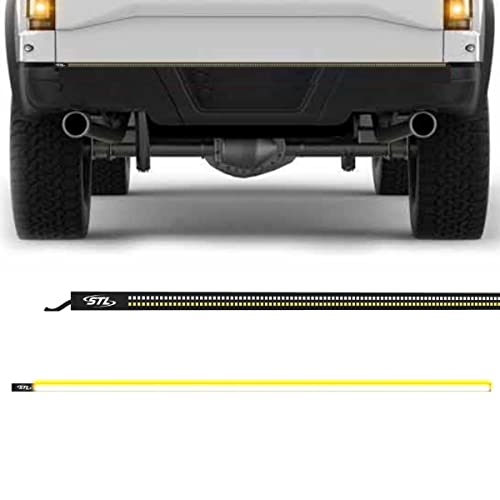
DUAL ROW: Emergency/Warning Strobe + Reverse/Work Light Functionality
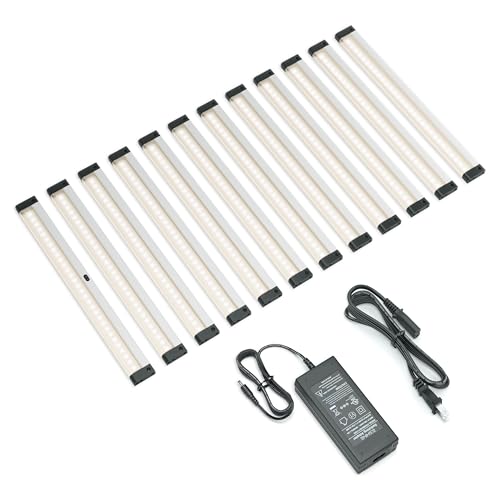
【Activates with a hand wave】Activate under cabinet LED lights with a simple wave of your hand for easy control - no remote or switch needed.

Advanced Imaging Technology: Equipped with a SMP IMX335 STARVIS sensor, Fl.6 aperture, and 7- element glass lens, the VIOFO A119 V3 dash cam records at 1440P QHD+ resolution at 60fps. (When HDR is on, it only supports 1440P 30fps) The H.264 compression ensures optimal video storage, delivering stunning clarity for daytime and nighttime recording. The 140° field of view minimizes distortion while capturing a comprehensive view of the road.
Practical Tips for Organizing Cables Without Obstructing Vents

To guarantee our devices stay cool and functional, organizing cables effectively is essential. Here are some practical tips that can help us achieve this:
- Use Cable Trays: Installing cable trays beneath desks or along walls keeps cables off the floor while allowing airflow around equipment.
- Bundle with Velcro Straps: Velcro offers adjustable bundling, preventing restrictions on individual cables and ensuring airflow isn’t compromised.
- Implement Grommets: These create clean pass-through points for cables without blocking vents, maintaining a tidy workspace.
- Keep Distance from Vents: Routing cables away from air vents and openings prevents obstructed airflow, essential for efficient cooling.
- Choose durable, all-metal boom arm mounting solutions to minimize desk clutter and reduce vibration that can affect airflow and equipment longevity.
Recommended Products

SPECS – Cable Tray Bulk Pack Straight Section | Width: 4” Inch (101.6mm) | Length: 10’ Feet | Depth: 2” Inch (mm) | Color – Chrome | Material – Zinc Plated Steel
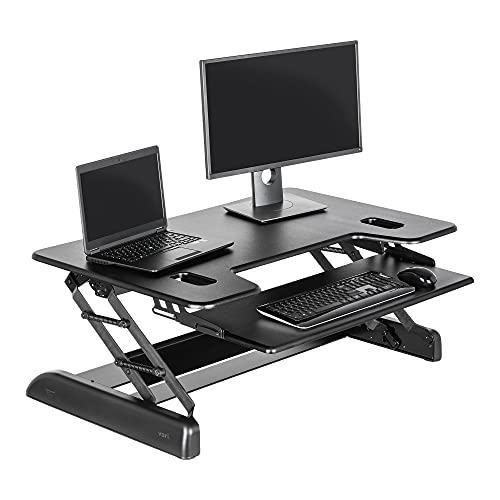
For Taller Users Needing More Height: The Tall 40 accommodates users up to 6'6" with ample surface space for dual monitors, papers, and accessories. The sliding lower tray fits a full-size keyboard and mouse with room to spare

FLAGSHIP COSMOS DESIGN Premium curved aluminum frame with full tempered glass panels preserves the iconic COSMOS look while integrated ARGB underglow elevates your build into a true showcase
Innovative Solutions to Enhance Airflow While Managing Cables

When we consider how to enhance airflow while managing our cables, innovative solutions can make a significant difference. Here are some effective options:
- Cable Management Trays and Conduits: Elevate cables off the floor, promoting airflow, and reducing overheating risks.
- Grommets in Desk Setups: Create clean pass-through points for cables, ensuring unobstructed airflow and a tidy appearance.
- Vertical Cable Spines: Facilitate organized, adjustable cable routing alongside standing desks, keeping airflow unobstructed as height changes.
- Cable Sleeves with Slack: Prevent sharp bends that restrict airflow, protecting devices from overheating.
- Smart Cable Management Solutions: Use built-in ventilation features to organize cables while enhancing airflow, avoiding clutter effectively.
Many popular trays, like the Cinati Under Desk models, combine durability and clamp installation to support airflow by keeping cables neatly suspended.
Recommended Products

Durable 5-Drive Storage with USB-C 10Gbps

DURABLE: The 24U server cabinet from the NavePoint Mid-Depth Series is made from durable cold-rolled steel with a black powder coat. It has a high weight capacity of 1000 lbs, making it suitable for a variety of network and server equipment.

19” FLOOR-STANDING SERVER RACK CABINET: Enclosed server rack cabinet for 19-inch IT, network and AV equipment including servers, switches, patch panels and UPS units, suitable for data rooms, home labs and professional installations.
Choosing the Right Materials for Effective Cable Management
Selecting the right materials for effective cable management can greatly improve both organization and airflow in our workspaces. Here are some key considerations:
- Breathable Mesh Sleeves: These allow air to flow around cables, reducing overheating risks and maintaining peak device performance.
- Open Trays or Raceways: These solutions let cables lie flat, improving air circulation and minimizing obstruction to airflow.
- Lightweight, Non-Conductive Materials: Using these for cable organizers decreases weight and prevents heat retention, ensuring devices run efficiently.
- Ventilated Cable Boxes: Rather than solid enclosures, opting for boxes with ventilation features promotes better air movement.
- Flexible Ties or Straps: Regularly inspect and organize cables to prevent tight bends, which can disrupt airflow.
A power strip with 900-Joule surge protection can help safeguard devices connected through managed cables.
Recommended Products

DEVICE PROTECTION - Secure Your Laptops and Gear Designed for ultimate protection, this 40L business backpack features a padded felt-lined compartment that fits laptops up to 18.4", with patented corner protection and a second laptop compartment for secure carry of an additional device. Ideal for IT professionals, consultants, businessmen, and engineers.

【OnePro Ultralight Outdoor Camera Bag】By utlizing high-strength nylon blend fabric and a suspended back panel for significant weight reduction, offering superior tear and abrasion resistance. 20L onepro ultralight backpack weighs 1.3kg, 30L bag weighs 1.45kg, 40L weighs 1.6kg(*Net weight of the backpack, excluding dividers and straps).

The outer size of the laptop backpack is 32 x 48 x 20,5 cm applies to computers up to 17.3”. The weight is about 0,8 kg with a capacity of 27,5 L
Integrating Cable Management With Modern Workspace Designs
Integrating effective cable management with modern workspace designs not only enhances aesthetics but also plays an essential role in maintaining airflow around our devices. Here’s how we can achieve this:
- Built-in Channels: Many modern desks have cable channels and pop-up power outlets, keeping our workspace tidy and allowing airflow.
- Vertical Cable Spines: These are perfect for standing desks, helping us keep cables contained and allowing for height adjustments without blocking airflow.
- Grommets: These provide neat pathways for cables through our desktops, preventing clutter beneath the workstation and ensuring proper airflow.
- Under-desk Trays: Using cable organizers with these trays helps manage cables discreetly, promoting airflow that enhances device performance.
- Eco-friendly Designs: Sustainable furniture often reduces cable reliance, encouraging a cleaner workspace that supports efficient airflow.
Many under-desk trays offer ventilated designs that reduce overheating and improve airflow around power strips and devices.
Future Trends in Cable Management and Airflow Solutions
As the demand for a more organized and efficient workspace grows, future trends in cable management and airflow solutions are evolving to meet these needs.
- Modular Systems: These allow easy reconfiguration, minimizing airflow obstruction while organizing cables effectively.
- Eco-Friendly Materials: New products are made from sustainable materials, reducing waste and enhancing airflow through better heat dissipation.
- Wireless Innovations: Reducing cable reliance altogether improves airflow and eliminates tangles.
- Smart Systems: Emerging cable management solutions now incorporate airflow monitoring, ensuring efficient heating and cooling without clutter.
- Ventilated Designs: Manufacturers are creating products with built-in ventilation, like perforations or mesh structures, to facilitate airflow while keeping cables orderly.
These advancements promise a future where workspace organization and airflow coexist seamlessly. Many popular solutions also emphasize child and pet safety by incorporating features like magnetic lids, ventilation holes, and stable designs to prevent tipping.
Frequently Asked Questions
Does Cable Management Affect Airflow?
Yes, cable management definitely affects airflow. By implementing flow optimization strategies, considering equipment placement tips, and addressing ventilation considerations, we can enhance our system’s cooling efficiency, leading to better performance and longevity of our devices.
Why Do You Have to Plan the Cable Layout to Avoid Blocking Airflow and to Keep Things Tidy?
Think of our setup like a highway—without planning, traffic jams occur. By focusing on cable routing, we enhance airflow optimization and achieve an organized workspace, making maintenance easier while keeping our devices running smoothly.
How to Hide Cords on Wall Renter Friendly?
We can easily hide cords on the wall using wall-mounted solutions like decorative cord covers. Flexible cable ties help keep everything organized and neat, ensuring our space looks tidy without causing any damage.
What Type of Cable Management Solution Is Best for High Traffic Areas?
In bustling spaces, our cables are like unruly vines needing guidance. Let’s embrace cable trays, secure cable clips, and floor grommets to tidy up, preventing chaos while allowing our tech to breathe and thrive.


