As an Amazon Associate, we earn from qualifying purchases. Some links on this site are affiliate links at no extra cost to you. Our recommendations are based on thorough research and editorial judgment.


Blue Light Filters: The Science and Eye Strain Facts

Blue light filters are often marketed to reduce eye strain, but the science indicates mixed results. While blue light from screens can contribute to digital eye strain, factors like poor posture and reduced blinking play a larger role. Studies show blue-light filtering glasses don’t markedly alleviate symptoms. Instead, we should focus on strategies like the 20-20-20 rule and ergonomic setups. For ongoing issues, consulting an eye care professional is essential. Let’s explore more about effective eye care solutions.
Key Takeaways
- Blue-light filtering glasses reportedly offer no significant reduction in digital eye strain symptoms, per a Cochrane review.
- The American Academy of Ophthalmology states there’s no evidence supporting the need for blue-light filtering eyewear.
- Digital eye strain results primarily from behavioral and environmental factors, such as reduced blinking and poor screen ergonomics.
- Effective strategies include following the 20-20-20 rule and optimizing screen position to reduce eye discomfort.
- Regular eye examinations are recommended for users experiencing persistent symptoms or other vision issues related to screen use.
Understanding Blue Light and Its Impact on Eye Health
You may be interested



While we enjoy the convenience of digital devices, it’s essential to understand the role of blue light in our daily lives. Blue light, emitted by sunlight and screens, can impact our eye health and sleep quality.
Here’s what we understand:
- Prolonged screen time can lead to digital eye strain, affecting around 66% of users.
- Symptoms include dry eyes and headaches, often termed visual fatigue.
- Though devices emit lower blue light levels than sunlight, concerns about cumulative effects persist.
- The American Academy of Ophthalmology does not endorse blue-light filtering glasses, instead highlighting regular eye care and ergonomic device use.
- Some screen protectors now use advanced filtering to block harmful blue light wavelengths, helping reduce eye strain and improve comfort during extended use, as seen in products that target the 400nm to 470nm range.
To maintain eye health, consider reducing screen time and practicing the 20-20-20 rule: every 20 minutes, look at something 20 feet away for 20 seconds.
Recommended Products

Applicable model: Compatible with iPhone 13/13 Pro/14/16e/17e(6.1Inch).Please check the model of your iPhone in “Settings”-General-About- Model Name, Choose the right screen protector according the model name of your iPhone

Dimension: 21.26 x 13.39 inch/L x W. Compatible with iMac 24 inch;compatible with Lenovo Ideacentre 23.8;compatible with HP Pavilion 24/Flagship 23.8;compatible with Inspiron 23.8,compatible with Dell P Series 24;compatible with Fast Elite 8300 FHD 23;compatible with Sceptre 24;compatible with Acer Aspire 23.8/XFA240 bmjdpr 24;compatible with ViewSonic 24 and diagonally measured 23,23.6,23.8,24 inch 16:9 widescreen desktop PC LED monitor. Please measure your modiagonal dimension before purchase

【BEFORE ORDERING】1. Measure monitor diagonal size without edges. 2. Please check the size chart to confirm the correct variation you need.3. The width and height of ZYY computer blue light blocking screen protector 23-24 inch (23 inch, 23.5 inch, 23.6 inch, 23.8 inch, 24 inch) is width 540 mm * height 340 mm. (COMPATIBLE FOR IMAC 24 inch screen and Curved Monitors)
The Evidence on Blue Light Glasses and Eye Strain

As we seek ways to alleviate digital eye strain, many of us wonder about the effectiveness of blue light glasses. The Cochrane review of 17 studies found that blue-light filtering glasses don’t greatly reduce eye strain during computer use.
- Lack of Scientific Evidence: The American Academy of Ophthalmology supports this by stating there’s no proof that special eyewear is necessary.
- Perceived Relief: Some users report symptom relief, likely due to placebo effects rather than actual benefits.
- Common Causes: Research shows that digital eye strain symptoms arise from behavioral factors, like extended screen time and inadequate blinking, not just exposure to blue light.
Hence, these glasses may not improve visual quality or comfort compared to standard lenses. Fast-charging active stylus pens with high precision tips are highly valued by digital creators for enhancing comfort and control.
Recommended Products

BLUE LIGHT BLOCKING GLASSES: Our blue light glasses for women boast UV400 protection, blocking harmful blue rays from computer screens. With these bluelight glasses women, you can enjoy gaming, reading, or watching TV with no worries of eye strain.

[Filter Blue light Glasses] Blue light filterer with UV400 protection, help you resist harmful blu-ray, reduce discomfort from TV, phone, digital screen and reading under fluorescent lights; Reduce glare, fatigue, eye strain and dry eye, protect your vision and help sleep better
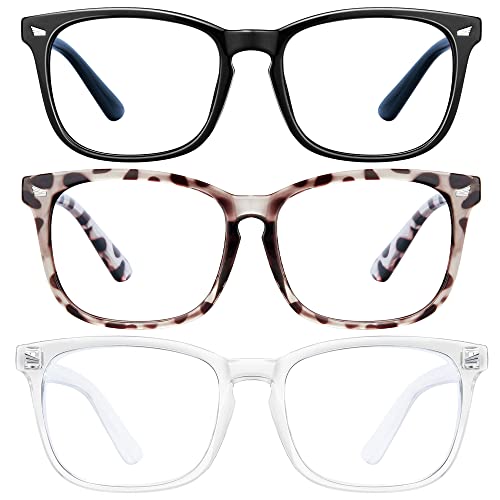
Filter Blue light Glasses for Woman/Men:Enjoy your digital time, helps you block blue light
Real Causes of Digital Eye Strain

Understanding the real causes of digital eye strain is essential for finding effective solutions.
Digital eye strain often stems from behavioral and environmental factors, rather than just blue light exposure. Key contributors include:
- Reduced Blinking: Our blinking rate can drop from 18 to 3-4 blinks per minute while using screens, leading to dry eye symptoms.
- Accommodation Stress: Prolonged near-vision tasks can cause eye fatigue. This is especially true when lighting is poor and screen positioning is inadequate.
- Screen Ergonomics: Improper screen setup can exacerbate issues related to Computer Vision Syndrome.
Adjusting screen height and angle with ergonomic laptop stands can help improve posture and reduce strain.
Recommended Products

[Healthy Use Habits] - Ergonomic laptop stand with wrist support, it can raise your laptop to a perfect 2.6-inch height, flush with your eyes, correcting your sitting posture helps reduce hunchback, and the humanized design increases wrist support. Ergonomic laptop stand black reduces the pressure on your wrist when typing, provides a rest for your wrist, is very comfortable to use, makes typing easier, and allows you to be healthy and happy.

Ergonomic Posture Correction: Designed to elevate your laptop to the perfect eye level, this adjustable laptop stand significantly reduces neck, shoulder, and spinal fatigue. Transform your desk into a healthier workstation, ideal for long hours of typing, Zoom meetings, or gaming.

【Adjustable & Ergonomic】:This laptop stand can be adjusted to a comfortable height and angle according to your actual needs, letting you fix posture and reduce your neck fatigue, back pain and eye strain. Very comfortable for working in home, office and outdoor.
Effective Strategies for Managing Eye Discomfort
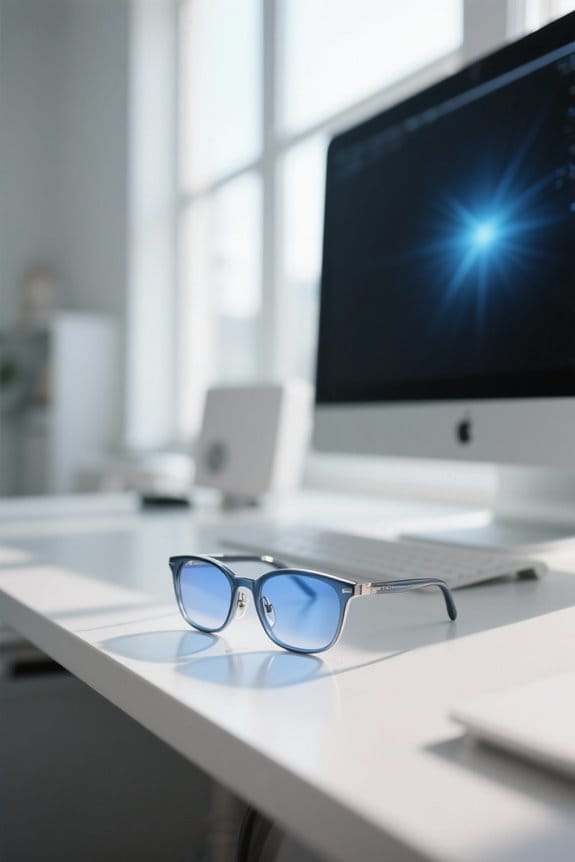
To tackle the discomfort we experience from extended screen time, several straightforward strategies can be put into practice.
- Follow the 20-20-20 Rule: Every 20 minutes, look at something 20 feet away for 20 seconds to reduce eye strain.
- Adjust Screen Distance: Maintain a distance of 20-26 inches from computer screens and verify the top of the screen aligns with or is below eye level.
- Practice Conscious Blinking: This helps with tear film distribution and combats dryness associated with digital device use.
- Optimize Workspace Ergonomics: Minimize brightness contrast between screens and surroundings for better visual comfort.
- Consider Extensive Eye Examinations: They can detect vision problems effectively, offering personalized recommendations beyond blue-light filtering lenses.
High-quality organization tools like clear acrylic organizers can also reduce visual clutter and improve focus by keeping your workspace tidy, especially when using multiple compartments for different items.
Recommended Products

ANTI BLUE LIGHT LENS : Enjoy your digital time. Reduces eye strain & discomfort caused from long periods of reading, digital screen, computer gaming and work under fluorescent lights.

[Say Goodbye to Neck Pain] - Elevate your laptop screen to a perfect 6-inch eye level. This ergonomic riser fixes your posture, preventing you from hunching over your screen, which effectively reduces neck, back, and eye strain during long "work-from-home" hours.

STYLISH STYLE DESIGN - A clean half-frame silhouette inspired by minimalist retro aesthetics. Whether you are in a meeting, working at your desk, or even in your daily outfit, these glasses will make you stand out and exude confidence. Impress and turn heads with your unique style.
When to Consult an Eye Care Professional

What signs should we watch for that might indicate a need to visit an eye care professional?
- Persistent Headaches: If headaches worsen during screen use, it’s time to consult a doctor.
- Blurred Vision: Blurred vision that doesn’t improve with rest could point to visual health issues.
- Double Vision: Struggling to focus may indicate refractive errors needing assessment.
- Eye Redness and Irritation: Frequent redness or tearing may suggest dry eye disease.
The American Academy of Ophthalmology advises regular thorough eye exams, especially for those who use digital devices frequently. Staying proactive in addressing these symptoms can help manage vision problems and maintain our overall eye care. Prioritizing eye health is essential for our daily comfort and productivity. Newer advice also recommends considering regular eye exams for those frequently using digital devices to monitor for issues related to prolonged screen time.
Key Research and Resources on Blue Light and Eye Health
With the growing concern around screen time and eye health, many of us are turning to research on blue light exposure. Recent studies show that blue light filtering glasses don’t markedly reduce eye strain or improve sleep quality. Importantly, a 2023 Cochrane review analyzed 17 randomized controlled trials with similar findings.
The American Academy of Ophthalmology advises that eye strain stems more from behavioral factors and screen ergonomics than from blue light itself.
To manage eye strain effectively, we can employ these evidence-based methods:
- Optimize screen ergonomics.
- Take regular breaks using the 20-20-20 rule.
- Maintain proper blinking habits.
These approaches help enhance visual performance without relying solely on blue-light blocking glasses. Many users complement these strategies with webcam covers to protect privacy while using devices.
Frequently Asked Questions
Do Blue Light Filters Actually Reduce Eye Strain?
We don’t believe blue light filters considerably reduce eye strain from screen time. User experiences suggest artificial lighting and extended use impact eye fatigue and sleep quality more, affecting our productivity levels and long-term visual comfort.
Is the Blue Light Filter Scientifically Proven?
We’re like travelers maneuvering through a digital jungle, seeking visual comfort amid screen exposure. Sadly, blue light filters haven’t proven scientifically effective for eye health, despite user experiences suggesting otherwise. Preventive measures matter more than optical recommendations.
Does Blue Light Lead to Eye Strain?
No, blue light doesn’t directly lead to eye strain. We often experience eye fatigue from long hours of screen usage, inadequate lighting conditions, and poor ergonomics, affecting our visual comfort and overall eye health.
What Is the Downside of a Blue Light Filter?
The downside of a blue light filter includes questionable effectiveness for comfort, potential impacts on color perception and screen brightness, and uncertain long-term implications for light sensitivity. We must consider user preference and productivity factors carefully.


