As an Amazon Associate, we earn from qualifying purchases. Some links on this site are affiliate links at no extra cost to you. Our recommendations are based on thorough research and editorial judgment.


MacBook Charger Wattage: 30W to 140W Use Cases

Understanding MacBook charger wattage is essential for peak performance. Our 13-inch models require 61W, while the 14-inch offers 67W or 96W options. The 16-inch models need between 96W and 140W. Using a lower wattage charger can lead to slow charging or overheating, which harms battery life. Selecting a higher wattage charger enhances performance by speeding up charging times and efficiently running demanding applications. If you’re curious, we’ll explore more details to help you choose the best charger.
Key Takeaways
- 30W chargers are suitable for charging iPads or smaller devices, but insufficient for MacBooks.
- The 61W charger caters to the 13-inch MacBook Pro, ideal for general use.
- For the 14-inch MacBook Pro, a 67W charger is efficient, but 96W enhances rapid charging in demanding situations.
- 87W is advisable for 15-inch MacBook Pros, ensuring adequate power during intensive tasks.
- The 16-inch MacBook Pro requires 96W to 140W for optimal performance, especially under heavy use.
Understanding MacBook Charger Wattage Requirements
You may be interested


When we talk about MacBook charger wattage requirements, it’s important to know that different models have specific needs. Here’s a quick overview:
- 13-inch MacBook Pro: Requires a 61W charger.
- 14-inch models: Comes in 67W and 96W versions.
- 16-inch models: Demand between 96W to 140W for peak performance.
Using a charger with lower wattage may lead to slow charging or even prevent charging under heavy use. Higher wattage chargers, like the 140W for the 16-inch Pro, enable fast charging, reaching 50% in about 30 minutes. It’s advisable to use genuine Apple chargers that match or exceed the specified wattage to maintain battery life and performance. Understanding these wattage requirements guarantees we get the most out of our MacBooks. Newer MacBooks often work best with USB-C/Thunderbolt connections for charging and accessories.
Recommended Products

The 96W USB-C Power Adapter offers fast, efficient charging at home, in the office or on the go.

Super Fast Charging: full charge for MacBook Pro 16 inch in only 1h 47mins, fast charge MacBook Pro 14 inch to 50% in only 30 mins, much faster than 67W for 14 inch; higher charging performance than 87W, 67W, 61W, 30W USB C charger while charging for MacBook Pro 16/15/14/13/12 inch, New M4 M3 M2 M1 MacBook Air 13 15 inch

Quick Charging: The Djsanu MacBook Pro Charger has 96W power output capacity, allowing for fast charging in just 1 hour and 25 minutes. It can charge mobile phones from 0% to 80% in just 20 minutes, making it perfect for those who are constantly on-the-go.
Effects of Using Incorrect Charger Wattage

Using the wrong charger wattage can lead to a variety of performance issues for our MacBooks. Here’s what can happen:
- Charging Speed: Using a charger that doesn’t meet the power requirements can greatly slow down charging speeds, especially for MacBook Pro models.
- Battery Health: Continually relying on an underpowered charger risks overheating and strains the battery, negatively impacting its longevity.
- Warning Messages: Incorrect wattage often triggers warning messages, indicating the charger isn’t functioning at its best, which can hinder device charging.
- Efficient Performance: Our MacBook Pro models, like the 14-inch requiring 67W or 96W, demand specific wattages for efficient performance. Failing to use the right charger could prevent full charge during intensive tasks, affecting overall functionality and performance.
Backpack materials like water-resistant ballistic nylon also matter for protecting devices and chargers during travel.
Recommended Products

High-efficiency Fast Charger: Sunveza 118W USB C macbook pro charger has a high charging efficiency of up to 96%, our charger can provide fast and stable energy inflow, the charger can fully charge the macbook pro 16inch in about 1H 25mins. It can charges most of the mobile phones from 0% to 80% in 20 minutes

Super Fast Charging: fast charge your MacBook Pro 14 inch or MacBook Air 13 inch up to 50% in only 30mins, provide you greater charging stability and higher efficiency than 70W / 40W / 35W / 30W to meet the high-speed processing capacity of M1, M2, M3, M4, M5 Pro Max chip.

High-Speed Charging: The 100W USB C port pumps out enough power to charge a wide range of devices in record time. Charge your MacBook Pro 16" (M1 Max, 2021) to 100% in 1 hour and 20 minutes, so you can stay productive all day.
Choosing the Right Charger for Different MacBook Models
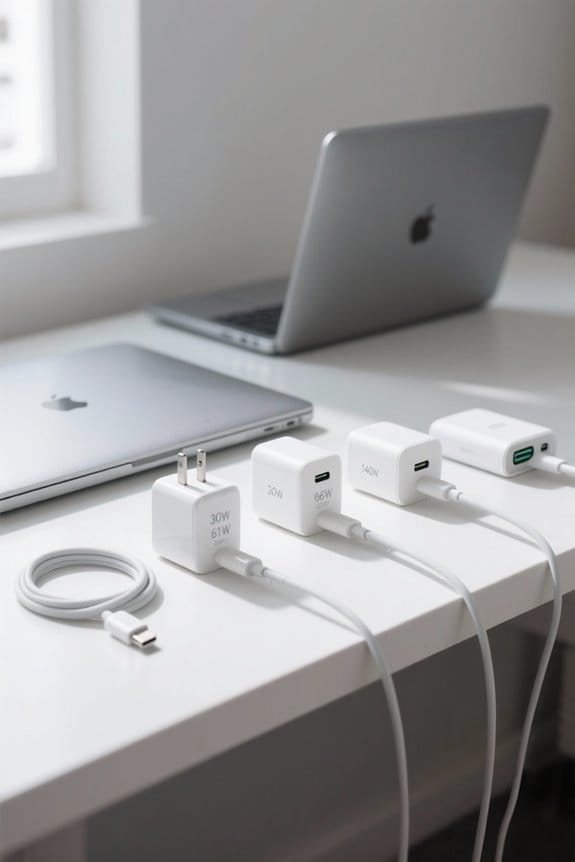
Choosing the appropriate charger for our MacBook models is vital to guarantee peak performance and battery health. Here’s a quick guide on which MacBook Pro chargers to use:
- 13-inch MacBook Pro: Requires a 61W charger for adequate power during demanding tasks.
- 14-inch MacBook Pro: Options vary between 67W and 96W, with the 96W charger enhancing the fast charging experience.
- 15-inch MacBook Pro: Typically uses an 87W watt charger to meet higher power needs effectively.
- 16-inch MacBook Pro: Needs chargers between 96W and 140W, with the 140W version designed for maximum output under heavy loads.
Using a USB-C connector is vital, as opting for lower wattage can lead to unreliable charging and potential device harm. Cases that offer proper ventilation can help prevent overheating during heavy charging vented designs.
Benefits of Higher-Watt Chargers for MacBook Performance

- Fast Charging Experience: Higher wattage chargers, like the 96W and 140W USB-C Power Adapter, enable us to charge our MacBook Pro considerably faster, reaching 50% in about 30 minutes.
- Enhanced Performance: They provide extra power headroom, allowing us to run demanding applications while multitasking without performance dips.
- Battery Health: By preventing overheating during intensive tasks, these chargers contribute to better battery health, ensuring longevity.
- Efficient Charging: With effective power consumption, we can also charge multiple devices without compromising charging speed or safety.
Higher-wattage chargers also support more reliable power delivery for peripherals and external devices, similar to how certain wireless lavalier systems offer extended battery life and stable connections with longer battery life enhancing overall reliability.
Tips for Safely Using Third-Party Chargers and Cables
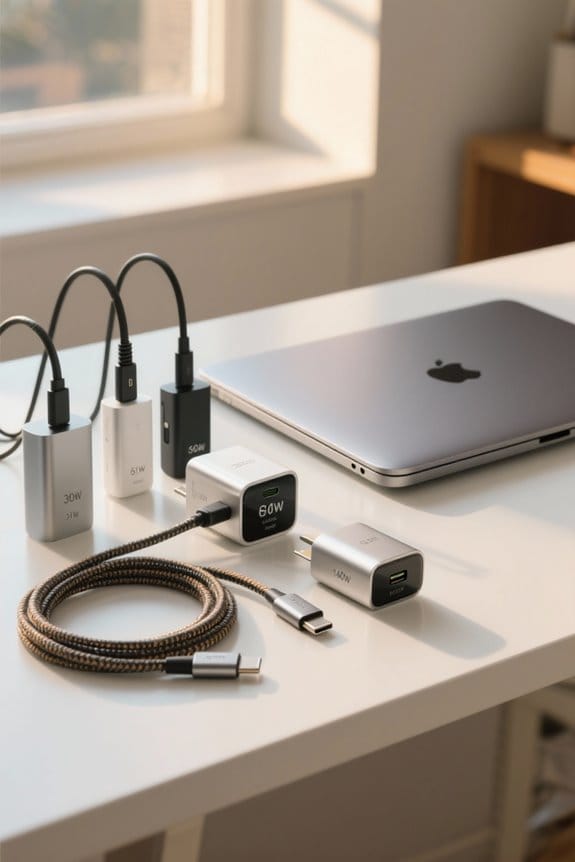
When looking to charge our MacBooks safely, it is vital to take into account a few important factors regarding third-party chargers and cables. Here are some tips:
- Support USB Power Delivery (PD): Confirm the third-party charger meets your MacBook’s wattage requirements to avoid charging issues.
- Choose Reputable Brands: Opt for chargers with safety certifications such as UL or ETL to prevent overheating.
- Use a Certified Cable: A certified 5A USB-C cable is essential for supporting fast charging capabilities.
- Monitor Temperature: Keep an eye on the charger’s temperature during use; excessive heat can indicate inefficiency.
- Avoid Old Chargers: Using older chargers can lead to slow charging and may harm your MacBook’s battery lifespan.
For charging multiple devices in a car, consider a dual-port charger with dual USB‑C ports to maintain fast charging for both your MacBook and other gadgets.
Frequently Asked Questions
Is It Safe to Use a 140W Charger for a Macbook Air?
Yes, it’s safe for us to use a 140W charger with our MacBook Air. The device regulates power delivery, ensuring charging efficiency, device protection, and battery longevity while minimizing heat generation despite wattage differences.
Is It Safe to Charge an Iphone With a 140W Macbook Charger?
Sure, charging an iPhone with a 140W MacBook charger is safe. Despite concerns over overheating risks, Apple’s power delivery technology guarantees device longevity. Fast charging benefits outweigh alternatives, as voltage matches perfectly. Charger compatibility is surprisingly universal!
Is a 140W Charger Fast?
Yes, a 140W charger offers impressive charging speed and power efficiency. While compatible with various devices, we should consider wattage needs and heat generation to guarantee device safety and maintain battery lifespan during demanding usage scenarios.
Is a 30W Charger Safe for a Macbook?
Using a 30W charger for a MacBook’s like trying to fill a bathtub with a garden hose; it’s not safe. Performance, efficiency, and compatibility suffer, and overheating issues can compromise the charger’s longevity. We recommend alternatives.