As an Amazon Associate, we earn from qualifying purchases. Some links on this site are affiliate links at no extra cost to you. Our recommendations are based on thorough research and editorial judgment.

Clean Screens Properly: Cloths, Fluids, Pressure

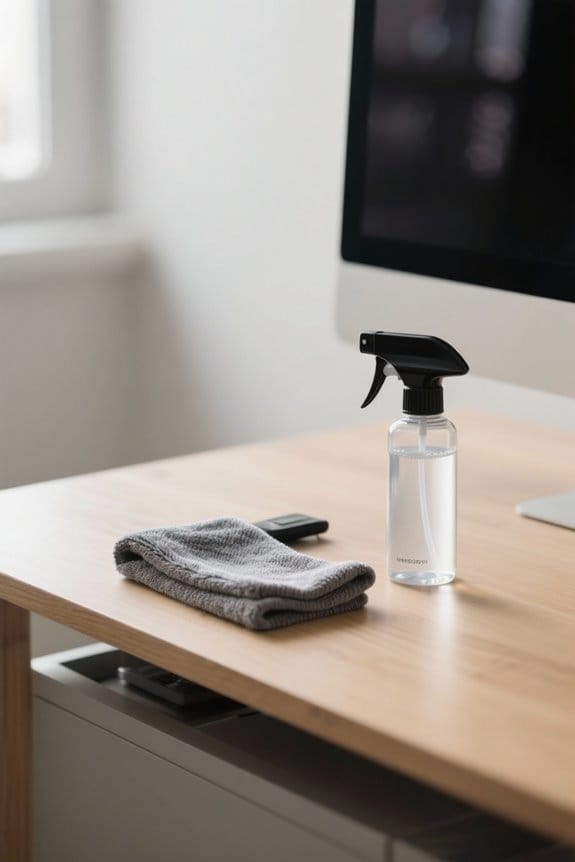
To clean screens properly, we should follow a few essential tips. First, use soft microfiber cloths or anti-static wipes—these are gentle on surfaces. For fluids, stick with distilled water or a vinegar solution mixed with equal parts water. Apply light pressure in circular motions to prevent scratches. Avoid aggressive scrubbing or using harsh cleaners like ammonia. Systematic cleaning can greatly enhance display clarity and longevity. If you’re curious about more techniques, we’ve got further recommendations.
Key Takeaways
- Use a soft microfiber cloth to avoid scratches and effectively clean screens without leaving lint.
- Dampen the cloth with distilled water or a safe cleaning solution; never apply liquids directly on the screen.
- Apply light pressure while cleaning, using gentle circular motions to minimize the risk of streaks and scratches.
- Regularly replace cleaning cloths to maintain cleaning effectiveness and prevent dirt transfer to screens.
- Avoid harsh chemicals and abrasive materials that can damage screen coatings and reduce display quality.
Importance of Using the Right Cleaning Tools
When we think about keeping our screens clean, using the right cleaning tools is essential. We should always opt for a soft microfiber cloth designed specifically for electronics. These cloths prevent scratches and residue buildup on our screens, ensuring a clear display. When cleaning, we must dampen the cloth with distilled water or a safe cleaning solution, rather than applying liquids directly to the screen. This avoids any risk of damage to internal components. It’s also important to apply light pressure while cleaning; excessive scrubbing can cause scratches. Finally, let’s remember to avoid using paper towels, as they can leave lint and scratches behind. Regular maintenance of our screens keeps them looking great and extends their lifespan. Many users find that using an alcohol-free cleaner designed for electronics gives streak-free results and is safe for most screen types.
Recommended Cleaning Cloths and Their Uses

Choosing the right cleaning cloth is essential for maintaining our screens effectively.
Microfiber Cloth
- The ideal option for screen cleaning.
- Soft and lint-free, it prevents scratches and lint transfer.
Specialized Anti-Static Wipes
- Convenient for quick clean-ups, especially on electronic devices.
- These wipes effectively remove fingerprints and residues.
Regular Replacement
- We should frequently replace our cleaning cloths to guarantee peak performance.
- This practice prevents dirt from being transferred back onto the screen.
Avoid Rough Fabrics
- Using rough materials or paper towels increases the risk of scratches.
- Stick to microfiber cloths and specialized wipes for safe cleaning.
Many effective cleaners are non-toxic and formulated to be safe for sensitive screens.
Recommended Products

Personalize with Your Logo or Design – Add your logo, brand, or artwork to microfiber cloths that clean glasses, screens, and lenses while keeping your name in customers hands.

1. Product Specs Material: Microfiber. Size: 6"x6" (15cm x 15cm) - custom sizes available. Print: Single-sided by default, double-sided optional. We accept any logo or image. Keep important design away from edges - trimming may slightly cut into the border but won't affect the overall look.

Custom Logo & Bulk Promotional Solutions Personalize these microfiber cloths with your logo or design when ordering from 100 to 1000 pcs. An ideal high-value, practical promotional giveaway for trade shows, corporate events, and brand-building campaigns, ensuring your brand gets noticed and appreciated.
Choosing the Right Fluids for Screen Cleaning

Selecting the right cleaning fluids plays an essential role in effectively maintaining our screens. Here are some key recommendations:
- Distilled Water: Always the first choice. It doesn’t contain impurities that can leave streaks or scratch surfaces.
- Vinegar Mixture: For tough smudges, a 50/50 blend of distilled water and white vinegar works well and is safe for most monitors.
- Rubbing Alcohol: For non-LCD screens, a 50/50 mix of distilled water and rubbing alcohol can tackle stubborn stains. However, we must exercise caution with LCD screens.
- Avoid Harsh Chemicals: Stay away from cleaners with ammonia or bleach, as they can degrade screen coatings and cause lasting damage.
Kits that include high-quality microfiber cloths and alcohol-free solutions are often recommended for streak-free cleaning and safe, effective results.
Recommended Products

Quantum Matrix w/ Mini LEDs: The mini LEDs all work to make your picture more intense | Neo Quantum HDR+: Take in a realistic picture with 4K color and contrast. Appreciate rich, accurate shades and tones in each scene

NQ4 AI Gen3 Processor: Powered by 128 neural networks to deliver AI-enhanced picture and optimized sound, resulting in an exceptional 4K experience for streaming, gaming, live sports and more | Glare Free: Watch everything you love without distracting reflections so you can get lost in your content —even with sun streaming through your windows or that one lamp you keep on while watching the latest thriller

Modern Frame Design with Wireless One Connect: Customizable bezels sold separately. Wireless One Connect must be connected to the TV wirelessly for full TV functionality | Art Mode: Your personal art gallery on your TV. Samsung account login and internet connection are required
Safe Cleaning Techniques for Different Monitor Types

Cleaning techniques should vary based on the type of monitor we’re dealing with to guarantee their longevity and peak performance.
For Different Monitors:
- IPS Monitors: Start with a dry microfiber cloth for dust, then use a slightly damp cloth with distilled water or a 50/50 mix of water and vinegar for smudges.
- VA Monitors: Begin with a dry cloth; for tougher spots, employ a 50/50 solution of distilled water and white vinegar.
- Touch Screen Monitors: Clean these daily with a dry microfiber cloth, using dampening only for stubborn marks to prevent damage.
General Guidelines:
- Always turn off your device before cleaning for safety and visibility.
- Use gentle circular motions, applying minimal pressure to avoid streaks or scratches.
Many recommended products feature eco-friendly formulas that are non-toxic and safe for family use.
Effective Methods for Tackling Stubborn Stains

After confirming our monitors are appropriately cleaned based on their type, we might still encounter stubborn stains that need extra attention. To effectively tackle these stains, we can use a cloth lightly moistened with a 70-percent isopropyl alcohol solution. This guarantees the cloth isn’t dripping wet, reducing moisture risks to our devices. For those tough smudges, applying gentle, circular motions helps remove dirt while avoiding scratches. We can also consider cleaning wipes designed for electronics if we prefer convenience. Finally, a 50/50 mixture of distilled water and white vinegar is a safe alternative for hardened residues. Frequent cleaning every 1-2 weeks will keep our screens clear and minimize stubborn stains. Always test new solutions on a small area before using them! Many users report that combining proper cleaners with a high-quality microfiber cloth delivers the best streak-free results.
Recommended Products

【Superior Cleaning for Glasses & Electronics】Crafted for those who demand clarity, our custom microfiber cloth is the ultimate tool for glasses cleaning and polishing screens. Effectively removes dust, fingerprints, and grime from eyeglasses, sunglasses, phone displays, laptops, and cameras without any harsh chemicals.

✔️【 HIGHLY ABSORBENT, EASY TO CLEAN 】Clean smarter not harder. These super soft, non-abrasive microfiber cloths pack a punch. Cleans deep, but won't damage delicate surfaces. Perfect for dusting, scrubbing, polish and drying your entire home, office and car with less effort! Works great with home, kitchen and for car/auto detailing.

✔️【 HIGHLY ABSORBENT, EASY TO CLEAN 】Clean smarter not harder. These super soft, non-abrasive microfiber cloths pack a punch. Cleans deep, but won't damage delicate surfaces. Perfect for dusting, scrubbing, polish and drying your entire home, office and car with less effort! Works great with home, kitchen and for car/auto detailing.
What Not to Use When Cleaning Screens
When it comes to maintaining our screens, knowing what not to use is just as essential as knowing what to use. Here are the key things we should avoid:
- Household Cleaners: Stay away from window cleaners and ammonia-based formulas, as they can damage protective coatings.
- Abrasive Materials: Paper towels and rough fabrics can scratch the screen, leading to permanent damage.
- Hand Sanitizers and Wipes: These can harm screen coatings and leave residues.
- Direct Spraying: Never spray liquids directly on the screen; always apply cleaning solutions to a microfiber cloth instead.
- Harsh Cleaning Solutions: Don’t use vinegar, bleach, or hydrogen peroxide, as they can greatly harm screen materials.
Use only ammonia-free wipes or specially formulated screen cleaners to protect coatings and ensure a streak-free finish.
Recommended Products

【Superior Cleaning for Glasses & Electronics】Crafted for those who demand clarity, our custom microfiber cloth is the ultimate tool for glasses cleaning and polishing screens. Effectively removes dust, fingerprints, and grime from eyeglasses, sunglasses, phone displays, laptops, and cameras without any harsh chemicals.

CUSTOM LOGO GLASSES CLOTH FOR BRANDING:Personalize these microfiber cleaning cloths with your logo, artwork, or event design. Perfect as corporate gifts, trade show giveaways, and promotional items that people actually use—keeping your brand visible daily.

Made of microfiber cloth. We use specification microfiber cloth, which is thick, not a one time use item.
Maintenance Tips for Keeping Screens Clean
Maintaining clean screens is just as important as knowing the right and wrong products to use. Here are some effective tips for screen maintenance:
- Regular Cleaning: Clean the screen every 1-2 weeks using a soft microfiber cloth to prevent dust and smudges.
- Turn Off Devices: Always turn off and unplug your device before cleaning for safety and better visibility.
- Proper Techniques: Dampen the microfiber cloth slightly with distilled water or a recommended cleaner. Apply light pressure in gentle circular motions to avoid streaking.
- Environmental Care: Store screens in a dust-free area, using dust covers when they’re not in use.
- Food and Beverages: Avoid eating or drinking near your devices to reduce spills and grime.
- Use ammonia-free cleaners for sensitive displays to prevent damage to anti-reflective coatings and finishes, as many top wipes and sprays are ammonia-free.
Cleaning Methods for Touch Screen Devices
Cleaning touch screens requires a slightly different approach compared to other screens, due to their sensitive nature. Here’s how to keep them clean:
- Use a microfiber cloth: It’s non-abrasive and perfect for gentle cleaning.
- Lightly dampen the cloth: Use distilled water or a screen-safe solution. Make sure it’s just a little moist, not wet.
- Wipe in circular motions: This reduces streaks and prevents damage.
- Avoid harmful products: Never use paper towels or cleaners containing ammonia or alcohol, as they can harm the screen’s coating.
For best results, we recommend cleaning touch screens weekly or bi-weekly. Routine maintenance enhances clarity and responsiveness, ensuring our devices stay in top shape. Many high-quality microfiber cloths are reusable for hundreds of washes and help reduce waste when maintained properly, such as with machine washing.
Recommended Products

Panasonic AG-CX350 4K Camcorder (International Model) - 1" MOS Sensor, 20x Optical, 32x Intelligent Zoom, UHD 4K, 1080p, Variable Frame Rate, Supports LANC Control, 2 x Media Card Slot, HLG Recording, 3.2" LCD Screen, OLED Viewfinder, Individual Zoom, Focus, Iris Rings, Front-Mounted Mic with Front Audio Level, TC In/Out, 3G-SDI, HDMI Out, USB 3.0, USB 2.0 Host, LAN Port.

Effortlessly Track And Train Your Pack With The Garmin Alpha 300i Handheld Training and Tracking, Monitor Up To 20 Dogs Using Compatible Collars, With A Range Of Up To 9 Miles. Get Vital Hunt Metrics Like Distance, Speed, And Time On The Dog Info Screen. Receive Real-time Alerts For "treed" Or "on Point" Dogs, Improving Your Hunting. Organize Hunts By Grouping Dogs And People. Store Info For 250 Dogs For Seamless Collar Switching In The Field.

SIMPLIFY AT-HOME COFFEE BREWING: Whether you're in the mood for a latte macchiato, cappuccino, or espresso, the large touchscreen display makes it easy to make and personalize each drink
Special Considerations for Matte and Curved Screens
Matte and curved screens present unique challenges that require special attention during cleaning. To properly care for these surfaces, we should follow these key recommendations:
- Matte Finish: Use a gentle touch to avoid scratching. Opt for a microfiber cloth specifically designed to minimize lint. This prevents additional smudging and maintains clarity.
- Curved Screens: Clean them evenly, making certain our microfiber cloth covers all areas. This avoids streaks and missed spots.
- Cleaning Solution: A mixture of distilled water and isopropyl alcohol works well for stubborn marks without damaging the coating.
Regular cleaning helps maintain peak display quality and reduces fingerprints. Following these steps will guarantee we keep both matte and curved screens looking their best. For added safety, verify that cleaning products meet relevant safety certifications before use.
How to Prevent Dust Buildup on Monitors
Dust can quickly accumulate on our monitors, diminishing their clarity and performance. To prevent this, we should adopt a few simple practices:
- Regular Cleaning: Use a soft, lint-free microfiber cloth regularly to wipe our screens and prevent dust buildup.
- Dust Covers: When we’re not using our monitors, protect them with a dust cover to minimize exposure to airborne particles.
- Tidy Workspace: Keeping our workspace clutter-free helps reduce debris, which can contribute to dust accumulation.
- Prevent Dirt Transfer: For laptops, placing a microfiber cloth on the keyboard before closing it can prevent dirt transfer.
- Air Purifiers: Using air purifiers or regularly vacuuming the area helps decrease overall dust levels in our workspace.
A high-capacity portable charger like a 25,000mAh power bank can also keep cleaning devices charged when you’re working away from an outlet.
When to Seek Professional Help for Screen Cleaning
Have you ever thought about when it’s time to seek professional help for cleaning our screens? Here are key situations to keep in mind:
- Stubborn Smudges: If smudges won’t budge despite using recommended methods, consulting a professional helps protect the screen coating.
- Scratches and Marks: For noticeable scratches or deep marks, getting professional assistance guarantees proper repairs without worsening the damage.
- Liquid Spills: If a spill occurs, immediate professional help is essential to prevent internal damage and maintain functionality.
- Uncertainty about Cleaning Products: When unsure which cleaning products or techniques suit our specific monitor type, professionals provide tailored solutions.
Regular professional maintenance can also extend the life of high-end displays, requiring specialized care.
Frequently Asked Questions
How to Pressure Wash Screens?
We can’t pressure wash screens, as it damages them. Instead, let’s focus on screen maintenance tips and effective screen cleaning methods, using DIY screen solutions like microfiber cloths and gentle cleaning mixtures for ideal results.
What Is the Best Method for Cleaning Screens?
Like a gentle breeze clearing a foggy morning, we can use microfiber cloths with ideal cleaning fluids to reveal our screens’ clarity. With proper screen cleaning techniques, we enhance visibility without worry of damage or streaks.
How to Properly Clean Your Screen Monitor?
To properly clean our screens, let’s use gentle cleaning techniques like a microfiber cloth and avoid excess moisture. Regular screen care and monitor maintenance keep our displays clear and reduce eye strain for everyone.
How to Properly Wash a Screen?
Washing a screen? We wouldn’t dream of using just any method! Instead, we prefer effective cleaning methods that involve safe cleaning products and gentle screen cleaning techniques—ensuring our displays stay pristine while avoiding potential disasters.