As an Amazon Associate, we earn from qualifying purchases. Some links on this site are affiliate links at no extra cost to you. Our recommendations are based on thorough research and editorial judgment.


Apple Pencil Tips: Pressure, Tilt, Latency, Care

When using the Apple Pencil, we find its features enhance our drawing experience considerably. Pressure sensitivity adjusts stroke width and opacity, while tilt functionality allows for dynamic shading. Low latency, ideally below 20 milliseconds, guarantees our strokes follow seamlessly, mimicking traditional tools. To maintain peak performance, we should regularly check the tip’s snugness, keep it clean, and update the software. Proper care extends its lifespan, allowing us to create with ease. Let’s explore these aspects further.
Key Takeaways
- Adjust pressure sensitivity settings for optimal stroke width and opacity based on your drawing style and pressure application.
- Utilize tilt functionality to create dynamic shading by angling the Apple Pencil for varied opacity and width.
- Aim for low latency (20 ms or less) for a smoother drawing experience; newer iPad models typically provide better performance.
- Regularly check and clean the tip of your Apple Pencil to ensure it’s snug and free from dirt or scratches.
- Consider pairing your Apple Pencil with quality accessories, like a keyboard case, to enhance your overall usability and efficiency.
Understanding Pressure Sensitivity and Its Effects
When using the Apple Pencil, understanding pressure sensitivity is essential for achieving desired artistic effects. This feature allows us to control stroke width and opacity, with harder pressure creating thicker lines. Here are some key points to take into account:
- Adjusting Settings: We can modify the pressure threshold settings to establish minimum and maximum pressure levels.
- Consistent Performance: Inconsistent pressure sensitivity can occur if the pencil tip isn’t secured properly or when using certain iPad models.
- Common Issues: Users often face problems like lack of response during drawing sessions.
- Troubleshooting Tips: To enhance performance, verify the pencil tip is installed correctly and update the device’s software regularly.
Replacement tips made from durable materials like POM or copper can help maintain consistent pressure and reduce wear.
Recommended Products

[SCAN & COPY 16 MILLION REAL-WORLD COLOR]: Instantly capture any color from your surroundings—flowers, fabrics, or everyday objects. Just tap the advanced RGB color sensor of the stylus on any surface, and the Colorpik Artist stylus pen precisely copies the color for immediate use in your digital art, make your world becomes your infinite color palette.

SHORT ROUND PENCIL SHORT PENCIL SHORT PENCIL SHORT PENCIL SHORT PENCIL SHORT PENCIL SHORT PENCIL SHORT PENCIL SHORT PENCIL

Ergonomic triangular pencil shape with soft digital eraser: look and feel for a very natural writing, drawing and erasing experience on compatible devices with EMR technology.
Exploring Tilt Functionality for Enhanced Shading

Exploring the tilt functionality of the Apple Pencil opens up new avenues for enhanced shading in digital art. This feature allows us to adjust stroke opacity and width based on the angle of the Pencil’s nib against the screen. Here’s how we can leverage it:
- Dynamic Shading Effects: Tilting the Pencil creates nuanced variations from light to dark.
- Pressure Sensitivity Integration: As we apply pressure while tilting, it alters the line characteristics in real-time.
- Realistic Techniques: This functionality helps replicate traditional shading methods effectively.
- Supported Applications: Tools like Procreate and Adobe Fresco fully harness the tilt, enhancing our artistic expression.
- Many artists also combine tilt with high pressure sensitivity levels to achieve smoother, more natural strokes.
Recommended Products

WHY APPLE PENCIL — With pixel-perfect precision, tilt and pressure sensitivity, and imperceptible lag, Apple Pencil (1st generation) transforms into your paintbrush or your pencil. It makes painting, sketching, doodling, and note-taking better than ever.

WHY APPLE PENCIL — With pixel-perfect precision, tilt and pressure sensitivity, and imperceptible lag, Apple Pencil (1st generation) transforms into your paintbrush or your pencil. It makes painting, sketching, doodling, and note-taking better than ever.

Wireless Freedom & Wired Precision: Dual-mode Bluetooth 5.0 (up to 133 PPS) and USB-C wired (up to 300 PPS) gives you cable-free creativity or ultra-responsive desktop use. Enjoy 24-hour battery, 2-3x the battery life of most wireless tablets in this category.
Importance of Low Latency in Drawing Experience

The seamless drawing experience we enjoy with the Apple Pencil depends greatly on low latency. This minimal delay between our strokes and the visual response on the iPad Pro is essential for creating art. A latency of 20 milliseconds or less is ideal for professional drawing, enhancing both accuracy and responsiveness.
Key benefits of low latency include:
- Precision: Artists can replicate the nuances of traditional tools with accuracy.
- Versatility: It allows for varied stroke widths and opacities, thanks to combined pressure sensitivity.
- Improved Performance: Newer iPad models further reduce latency, making the drawing experience smoother compared to older devices.
Battery-free styluses like those common on many graphics tablets also contribute to uninterrupted, natural drawing with high pressure sensitivity.
Recommended Products
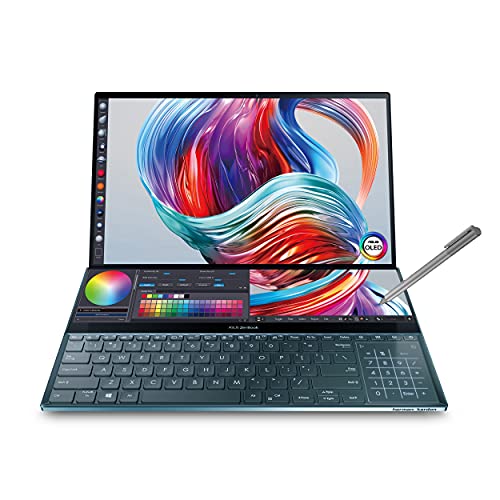
ScreenPad Plus: 14 inch 4K matte touchscreen, giving your endless way to optimize your multitasking experience by extending the screen or split windows and apps on both displays

World's first 6k touchscreen monitor – Experience breathtaking 6016×3384 resolution on a massive 32” display with ultra-precise touch control. Navigate your Mac or PC like a 32" iPad, or create detailed artwork on this expansive digital canvas using the pressure-sensitive Alogic Active Stylus.
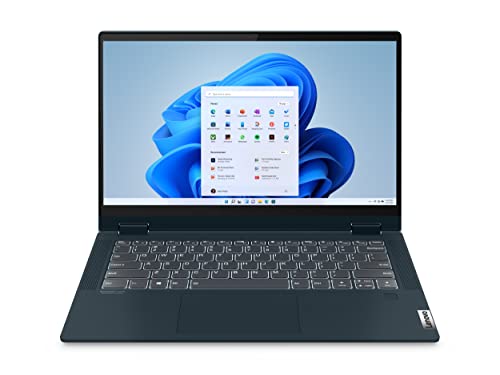
Powered by an AMD Ryzen 5 5500U mobile processor with Radeon graphics, this portable notebook computer has 16GB DDR4 RAM and 256GB NVMe SSD Storage
Maintaining Your Apple Pencil for Optimal Performance

Maintaining our Apple Pencil is essential for guaranteeing best performance and longevity. Here are some key maintenance practices to follow:
- Check the Tip: Regularly inspect the Apple Pencil tip to make sure it’s snug. A loose or overly tight tip can impact performance.
- Clean the Tip: Use a soft, lint-free cloth to clean the pencil tip often. This helps prevent scratches on our iPad’s screen.
- Charge Properly: Always guarantee our Apple Pencil is charged and connected correctly to avoid latency issues.
- Protect Storage: Store it in a protective case to prolong its lifespan.
- Software Updates: Keep our iPad updated, as these software updates improve compatibility and can enhance the Apple Pencil’s performance.
Consider pairing the Pencil with a quality keyboard case that offers a full-area trackpad to create a more laptop-like workflow.
Recommended Products

Unstoppable protection featuring a rugged, versatile smooth exterior material. Featherlight construction with armor shell and impact resistant bumpers.
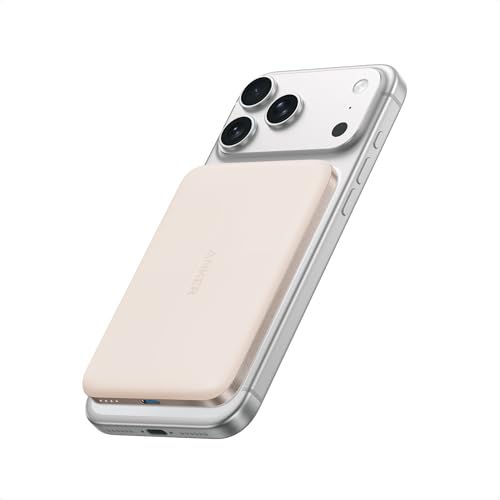
Ultra-Slim Qi2-Compatible Magnetic Power Bank: At just 0.3 inches thin, this ultra-slim power bank suppots Qi2 certification and offers 5,000mAh of reliable wireless charging, perfect for daily carry and among the trusted iPhone power banks available.

100 Pens is a must-have for anyone looking to keep small accessories organized and close at hand. The name says it all; you can fit up to 100 pens or pencils inside its roomy interior.
Frequently Asked Questions
How to Fix Apple Pencil Latency?
To fix Apple Pencil latency, we should check Apple Pencil settings, address Bluetooth connectivity issues, optimize iPad performance, perform app compatibility checks, and keep firmware updated. These steps usually enhance our drawing experience greatly.
Does the Apple Pencil Have Tilt Sensitivity?
Yes, the Apple Pencil features tilt functionality, enhancing our artistic applications. User reviews highlight its effectiveness in drawing techniques across various tablet compatibility, making it easier for us to create dynamic, expressive art effortlessly.
How to Fix Pressure Sensitivity With Apple Pencil?
To fix pressure sensitivity, we should check pencil settings and app compatibility. Let’s try recalibrating our device, restarting it, and following these troubleshooting steps to restore functionality and enhance our drawing experience.
What Is Latency on an Apple Pencil?
Latency on an Apple Pencil refers to the slight delay in stroke appearance. It’s essential for Apple Pencil performance. This feature enhances our drawing experience, and with compatible accessories, we can optimize that performance even further.


