As an Amazon Associate, we earn from qualifying purchases. Some links on this site are affiliate links at no extra cost to you. Our recommendations are based on thorough research and editorial judgment.


Tactile Feedback: Paperlike Films Vs Glass, Nib Wear

When comparing tactile feedback from Paperlike films and glass protectors, we find distinct differences affecting Apple Pencil nib wear. Paperlike films offer a textured feel for better control, but increase nib wear, requiring replacement every 4-6 months. Conversely, tempered glass protectors maintain clarity and minimize nib wear due to a smoother surface. This means less friction and potential longevity for your stylus. If you’re curious about our recommended products and deeper insights, there’s more to explore.
Key Takeaways
- Paperlike films enhance tactile feedback but may increase wear on Apple Pencil nibs, requiring replacements every 4-6 months.
- Tempered glass protectors maintain smooth surfaces, minimizing nib wear and potentially extending the lifespan of Apple Pencil tips.
- The installation of paperlike films can be challenging, often resulting in air bubbles and reduced display clarity.
- Users must balance tactile feedback preferences with the durability of nibs when choosing between paperlike films and glass protectors.
- Multiple options, like Rock Paper Pencil and KCT Paperfeel, offer varying textures and durability benefits for different user needs.
Understanding Tactile Feedback in Digital Drawing
You may be interested


When we think about tactile feedback in digital drawing, the surface we choose to draw on plays an essential role.
- Tactile Feedback Defined: It refers to how textures impact our drawing experience.
- Paperlike Screen Protector: This option offers a matte finish that simulates the feel of paper. It enhances grip, allowing for more controlled strokes. However, it can increase wear on the Apple Pencil nib, requiring replacements every 4-6 months.
- Smooth Glass Screens: These minimize resistance but can lead to a slippery feel, potentially affecting control. Users may find they replace their Apple Pencil nibs less frequently when drawing on glass.
Ultimately, selecting the right drawing surface depends on personal preference, balancing control, comfort, and durability. Fast charging and long battery life also influence overall drawing sessions, especially for professionals who need reliable fast charging during extended work.
Pros and Cons of Paperlike Films

While we explore the pros and cons of Paperlike films, it’s important to weigh their benefits against potential drawbacks.
Recommended Products

Compatibility: Specifically designed Compatible with iPad Pro 12.9 Inch (2022 & 2021 & 2020 & 2018 Models Without home button), iPad Pro 12.9-inch 6th Generation 2022, iPad Pro 12.9-inch 5th Generation 2021, iPad Pro 12.9 Inch 4th Generation 2020, iPad Pro 12.9 Inch 3rd Generation 2018,compatible with the Apple Pencil. Fit Models: A2378/A2461/A2379/A2462/A2229/A2069/A2232/A2233/A1876/A2014/A1895/A1983/A2436/A2764/A2437/A2766

Compatibility: Designed exclusively for iPad 11" (A16, 2025) and iPad (10th Gen, 2022). Compatible model numbers: A3354, A3355, A2696, A2757. Not compatible with any other iPad models, including iPad Air 11" or iPad Pro 11".
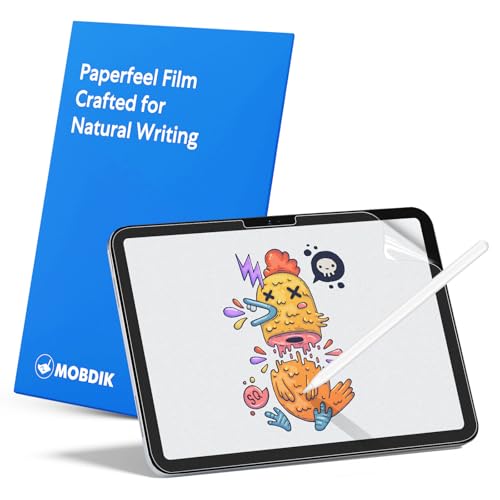
Compatibility: This paperfeel screen protector is compatible with iPad 11th Generation 2025, iPad 10th Generation 2022, iPad Air 11 M4 2026, iPad Air 11 M3 2025, iPad Air 11 M2 2024. Compatible with these models: A3354 A3355 A3356 A3266 A3267 A3270 A3459 A3460 A3463 A2696 A2757 A2777 A3162 A2902 A2903 A2904. Please check the size of your iPad before purchasing to ensure that when you receive this product, it will be suitable for your iPad
Pros:
- Tactile Experience: Paperlike films offer a textured surface that enhances the feeling of drawing on paper, improving tactile feedback with the Apple Pencil.
- Artistic Control: The texture can provide better control and precision for artists.
Cons:
- Apple Pencil Tip Wear: Users often notice increased wear and tear on Apple Pencil tips, requiring replacements more frequently—typically every 4-6 months.
- Installation Challenges: Applying Paperlike films can be difficult, risking air bubbles without careful installation.
- Clarity Issues: Some users report reduced display clarity and potential pixel issues over time.
- Maintenance: Textured surfaces attract grime, necessitating regular cleaning to maintain peak performance.
Kits like the Camkix Camera Lens Cleaning Kit include air blowers and microfiber cloths that can help with regular maintenance and cleaning cleaning tools.
The Advantages of Tempered Glass Protectors

Tempered glass protectors stand out as a practical solution for safeguarding our devices, especially when we consider their various advantages.
- Superior Scratch Resistance: They protect our screens from scratches and damage during everyday use and accidental drops.
- Clarity & Vibrancy: Unlike textured films, tempered glass doesn’t affect screen clarity or color vibrancy, ensuring a high-definition experience.
- Longevity for Apple Pencil: The smooth surface minimizes wear on Apple Pencil tips, potentially extending their lifespan compared to textured alternatives.
- Easy Installation: Installing and removing tempered glass is straightforward, reducing the chance of air bubbles.
- Responsive Touch: These protectors maintain the original touchscreen responsiveness, ensuring smooth functionality without any lag.
They also complement screen privacy solutions by working well with privacy screens to maintain clarity while protecting the display.
Recommended Products
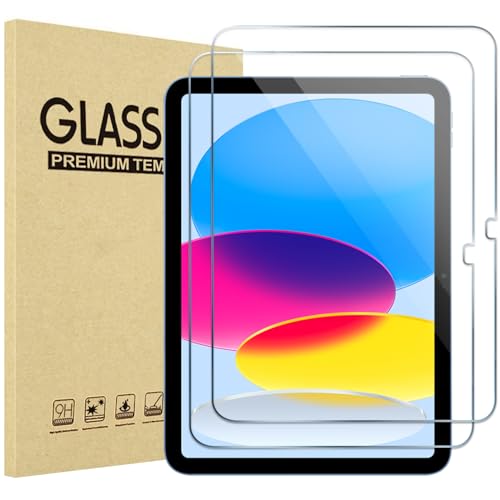
Exclusively for iPad A16 2025 11th/2022 10th Generation: 11-inch 2025 (model: A3354 A3355 A3356)/10.9 10 Gen 2022 (A2696 / A2757 / A2777); Please verify the model number at the back of your iPad before purchase

Compatibility: Specially designed for 2025 iPad A16 11th gen/2022 10th gen. Fit iPad Model Numbers: A3354 A3355 A3356 A2757 A2777 A2696. Please carefully check the model number at the back of the iPad to find the model. (NOT fit for Pad air/pro series models)
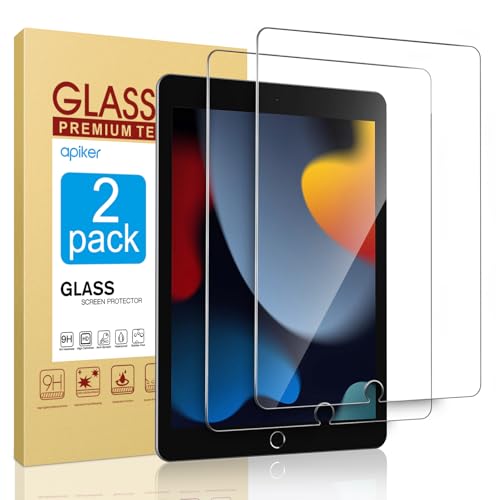
Only Fit: Compatible with iPad 7th/8th/9th generation(10.2 inch Retina Display), not fit for IPad 10th gen 2022 (10.9 Retina Display), iPad 5th/6th generation(9.7 inch Retina Display). 10.2 inch is measured by the diagonal of Retina display
Comparing Wear on Apple Pencil Nibs

As we explore various screen protector options, an important aspect to evaluate is how they affect Apple Pencil nibs.
- Textured vs. Glass: Textured screen protectors, like Paperlike, can lead to increased wear, with users often replacing nibs every 4-6 months. In contrast, glass surfaces provide a smoother experience, resulting in less nib wear.
- Matte Screen Protectors: While matte screen protectors enhance drawing friction and may improve control, they also accelerate wear compared to glass, impacting the durability of the Apple Pencil tips.
- User Preferences: Experiences vary; some users appreciate the tactile feedback from textured surfaces, despite the wear, while others opt for the longevity offered by glass options. Understanding these factors can help improve our overall drawing experience.
Many users also choose accessories that support Apple Pencil integration, like cases with Apple Pencil support, to balance protection and usability.
Recommended Products

Compatible Apple Pencil Models – Designed for Apple Pencil Pro, Apple Pencil USB-C, and Apple Pencil 1st and 2nd Generation. Please confirm your stylus model before ordering.
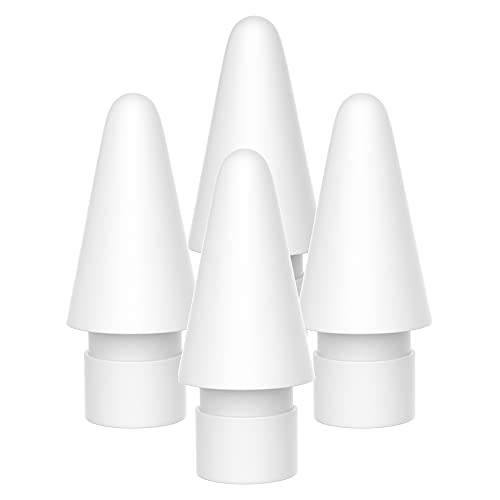
PRECISE REPLACEMENT PENCIL TIPS FOR SEAMLESS WRITING — Engineered to replicate the feel of original stylus nibs with pixel-perfect precision. Each tip delivers smooth, consistent strokes for writing, sketching, and note-taking on your Pad. Made from premium POM plastic that glides effortlessly across any screen protector without scratching.

Keep extra tips for your Apple Pencil at the ready.
Recommendations for Screen Protectors

When choosing a screen protector for your iPad, it is essential to take into account several factors that can greatly affect your drawing experience and Apple Pencil durability. Here are some recommendations:
- Paperlike Screen Protectors: Products like Paperlike provide a textured surface that simulates paper but may lead to increased nib wear.
- Rock Paper Pencil: This option features NanoCling technology for easy application and maintains a paper-like feel with less nib wear.
- KCT Paperfeel Screen Protector: It offers a nice balance of texture and tempered glass protection, ideal for those who seek durability.
- Ocushield Anti Blue Light Protector: This tempered glass protector helps reduce eye strain while still safeguarding your device.
We encourage you to research and read reviews to find what works best for you. A textured finish can improve control and reduce glare for artists who prefer a paper-like surface.
Recommended Products
Compatibility: Specifically designed Compatible with iPad Pro 11″ (2022 & 2021 & 2020 & 2019) iPad Air 5 2022 & iPad Air 4 2020 (Compatible Model : A2588, A2589, A2591, A2316, A2324, A2325, A2072, A2377, A2459, A2301, A2460, A2228, A2068, A2230, A2231, A1980, A2013, A1934, A1979, A2759, A2435, A2761, A2762), please check the back bottom with your iPad to find the model number

Compatibility: Designed Exclusively for iPad (A16)11th Generation 2025, iPad 10th Generation 2022, iPad Air 11 M4 2026, iPad Air 11 M3 2025, iPad Air 11 M2 2024. Compatible Models: A3354 A3355 A3356 A3266 A3267 A3270 A2696 A2757 A2777 A3162 A2902 A2903 A2904. Please verify the model number on the back of your iPad

Compatibility: Specifically compatible with iPad A16 11th Generation and iPad 10th Generation & Air 11 Inch M4/M3/M2 (2026/2025/2024). Compatible with these models: A3354 A3355 A3356 A2696 A2757 A2777 A3267 A3270 A2902 A2903 A2904. Make sure the camera is on the long side of the iPad, not the short side. Please check your iPad model before purchasing short side
Community Insights and Feedback on Screen Protectors
Understanding community insights is essential for selecting the right screen protector, especially for artists using the Apple Pencil.
- Nib Wear: Many artists report increased nib wear with textured paper-like protectors, such as Paperlike and Rock Paper Pencil.
- Tactile Feedback: Feedback varies; some love the paper-like texture, while others say it impacts drawing accuracy and comfort.
- Replacement Frequency: Users note that while these protectors can enhance the drawing experience, the trade-off is more frequent nib replacements.
- Personal Preference: Ultimately, individual choice plays a significant role. Shifting back to a glass screen after using a paper-like protector can also present a learning curve, as adapting to different sensations requires time and practice.
We recommend carefully weighing these factors based on your drawing style and comfort. Many users also consider the built-in DAC chip in USB-C headphones as an important audio-quality factor when choosing accessories for their devices, because it directly affects sound quality.
Recommended Products

【Compatibility & Application】Only compatible with Apple iPad 10th 10.9 inch & iPad 11th A16 11inch, Released in 2022 and 2025. Fit Models: A3354 A3355 A3356 A2696 A2757 A2777. Please check the model number on the back bottom of your iPad.Use Peslv like-paper screen protector ipad 10th gen to replace the paper you use for drawing, writing or taking notes, accelerate the world's transition to paperless, and contribute to the protection of the earth!

True paper-feel for iPad: Better handwriting, more precise drawings, and less hand strain. Paperlike’s refined Nanodots surface adds the natural friction and control of paper to your iPad screen. Trusted by 2.4M+ creators worldwide.
True paper-feel for iPad: Better handwriting, more precise drawings, and less hand strain. Paperlike’s refined Nanodots surface adds the natural friction and control of paper to your iPad screen. Trusted by 2.4M+ creators worldwide.
Frequently Asked Questions
Does Paperlike Wear Down Quickly?
Yes, Paperlike can wear down quickly, leading to a durability comparison with other options. We’ve found that user preferences often lean towards smoother surfaces to avoid frequent nib replacements and maintain performance. Alternative options exist!
Do Glass Screen Protectors Reduce Touch Sensitivity?
While we might encounter a decline in touch sensitivity with thicker glass screen protectors, user experience feedback indicates variability. A thoughtful touch sensitivity comparison reveals how materials and thickness can influence our interaction with the device.
Does Paperlike Make the Screen Grainy?
Yes, Paperlike can make the screen grainy. We find that while it enhances the drawing experience with its textured surface, some of us prefer higher screen clarity, depending on our texture preferences.
Is Paperlike Better for Eyes?
When it comes to eye comfort, we’ve found Paperlike does reduce eye strain. Its matte finish increases reading comfort, especially under bright screens. So, we’d say it’s a smart choice for longer use.


