As an Amazon Associate, we earn from qualifying purchases. Some links on this site are affiliate links at no extra cost to you. Our recommendations are based on thorough research and editorial judgment.


SSD Vs HDD for Backups: Reliability, Heat, Noise

When choosing between SSDs and HDDs for backups, we should consider their reliability, heat output, and noise. SSDs generally last longer and have a lower failure rate than HDDs. They produce less heat, helping maintain system efficiency, and operate silently, unlike HDDs which can be noisy. Additionally, SSDs are more shock-resistant, making them suitable for portable use. If we explore more, we’ll uncover additional details on how these factors impact our backup decision.
Key Takeaways
- SSDs have a lower annual failure rate (<1%) compared to HDDs, making them more reliable for backups over time.
- SSDs generate less heat during operation, promoting better thermal efficiency and reducing failure risks associated with high temperatures in HDDs.
- SSDs operate silently, while HDDs produce noise due to their mechanical components, making SSDs ideal for quieter environments.
- SSDs are more resistant to physical shock, enhancing their reliability for portable backup solutions compared to bulk storage with HDDs.
- High read speeds of SSDs significantly reduce backup windows, improving overall efficiency compared to slower HDDs.
Importance of Backups in Data Security
When we think about data security, having regular backups is fundamental. Backups protect us from data loss due to theft, natural disasters, or hardware failures, whether we’re using SSDs or HDDs.
To achieve reliability, we should adopt a solid backup strategy, like the 3-2-1 rule. This means keeping three copies of our data, two local but on different devices, and one off-site. Regular backups guarantee redundancy and help us maintain data integrity.
Given the limited lifespan of SSDs and HDDs—along with their tendency to fail without warning—frequent backups become critical. By using effective storage solutions, we can minimize downtime and guarantee continuity, safeguarding our essential information from unforeseen incidents. Always remember, a proactive approach to backups is the best defense. Additionally, consider using portable power stations with multiple AC outlets to keep backup systems and drives running during outages.
Recommended Products

(1) 1GB = 1 billion bytes and 1TB = 1 trillion bytes. Actual user capacity may be less depending on operating environment.

The External Hard Drive includes both USB-C and USB-A Cables to make your out-of-box experience great. Ready for any USB-C or USB-A ports on your computer, laptop, or other systems with USB support. Full USB 3.2 Speeds up to 5MBs.

The External Hard Drive includes both USB-C and USB-A Cables to make your out-of-box experience great. Ready for any USB-C or USB-A ports on your computer, laptop, or other systems with USB support. Full USB 3.2 Speeds up to 5MBs.
Reliability of SSDs Compared to HDDs

Backing up our data is only part of the equation; choosing the right storage medium plays a significant role in data reliability. When we compare SSDs to HDDs, the reliability of SSDs proves superior.
- Average Lifespan: SSDs last 5 to over 10 years, while HDDs typically last 3 to 5 years.
- Failure Rate: SSDs have an annualized failure rate of 1% or less in early years, while HDDs exhibit higher rates after four years.
- Mechanical Failures: SSDs contain no moving parts, making them less vulnerable to mechanical failures and physical shocks.
- Power Loss Protection: Many SSDs include this feature, enhancing data integrity.
Regular checks on SSD health using SMART attributes help preempt issues, offering another reliability advantage over aging HDDs. Bamboo organizers also show that durable, well-designed storage solutions can combine functionality with sustainability, so consider materials and build quality when selecting backup hardware to ensure long-term reliability and organization space-saving design.
Recommended Products

Full-Scale Professional Network-Attached Storage – Business storage solution with hard drives included and optimized to store, share, and back up data for environments of any size.

Intel Core i9 with 8 Performance Cores, 8 Efficient Cores, and 24 threads processor with 64GB DDR4 RAM

HPE SMART CHOICE PROLIANT MODEL P83315-005: Preconfigured and factory-tested for reliability, this HPE ProLiant ML30 Gen11 Smart Choice model includes 16GB DDR5 memory, 2 x 1TB SATA HDDs, 350W power supply, Intel VROC SATA controller, and embedded 1GbE 4-Port Ethernet adapter—ready for small business deployment
Heat Generation and Its Impact on Performance
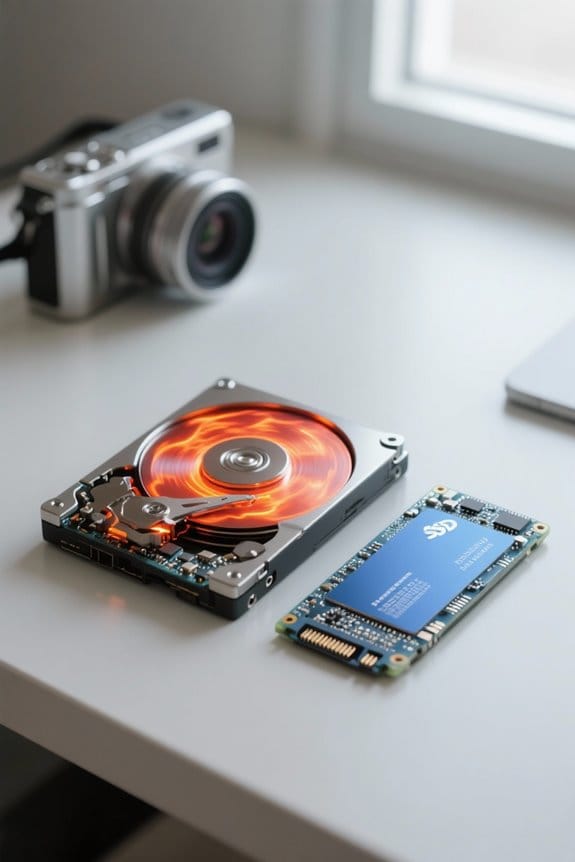
Heat generation is often overlooked, yet it can greatly influence the performance and longevity of storage devices. Here’s how heat affects SSDs and hard disk drives (HDDs):
- Power Consumption: SSDs generally consume less power under load, averaging around 3 watts, while HDDs can exceed 6 watts.
- Thermal Efficiency: This lower heat generation enhances the overall thermal efficiency, making SSDs suitable for environments with limited ventilation.
- Impact of High Temperatures: HDDs suffer from increased failure rates in high temperatures, but SSDs maintain reliability and durability.
- Durability: SSDs are designed to operate safely in higher temperature conditions, withstanding significant forces without compromising performance.
Multiple-device setups can further benefit from improved airflow and quiet operation to manage heat effectively.
Recommended Products

HPE SMART CHOICE MODEL – P71687-005 – TOWER SERVER: HPE ProLiant ML110 Gen11 4514Y 2.0GHz 16-core 1P 64GB-R 8SFF MR408i-o 2x960GB SSD 2x800W PS NA Server (P71687-005) equipped with one Intel Xeon Silver 4514Y processor, ideal for small to mid-sized businesses needing balanced compute and storage performance.
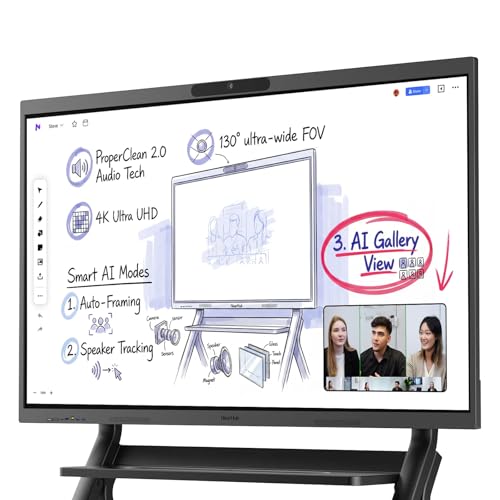
Powerful Windows 11 Pro Performance: Runs full desktop Windows 11 Pro on an Intel Core i5 (12th Gen) with 16GB RAM and 256GB SSD. Use native MicrosoftOffice, Google Workspace, Adobe Creative Suite, and any Windows application — not limited to mobile or web apps. Includes an intuitive touch-optimized interface for seamless whiteboard navigation.
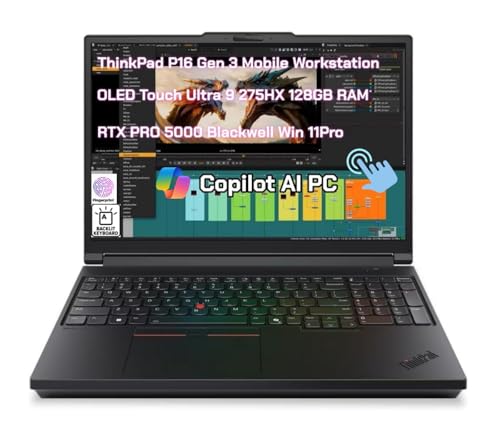
Processor: Ultra 9 275HX Processor (E-cores up to 4.60 GHz P-cores up to 5.40 GHz with Turbo Boost, 24 Cores, 24 Threads, 36 MB Cache)
Noise Levels and Operational Efficiency

While factors like speed and capacity often dominate discussions about storage solutions, noise levels and operational efficiency also play significant roles in choosing between SSDs and HDDs for backups.
- Noise Levels: SSDs operate silently due to no moving parts, making them suitable for noise-sensitive environments. In contrast, HDDs generate noticeable sounds from their mechanical arm moving across spinning platters during data access.
- Operational Efficiency: SSDs offer better power consumption, using around 3 watts under load, while HDDs consume 6 watts or more. This lower usage not only results in quieter operation but also produces less heat, needing less cooling in data centers. With their heat tolerance and quiet operation, SSDs are ideal in conditions with limited ventilation, whether for personal use or enterprise applications. A number of modern low-profile devices also prioritize reduced operating force to improve energy efficiency and user comfort.
Recommended Products

NVIDIA GeForce RTX 5080 Graphics: This Alienware Aurora R16 gaming desktop tower PC experiences breathtaking visuals with the RTX 5080 16GB GDDR7 GPU, powered by NVIDIA’s Blackwell architecture. Enjoy real-time ray tracing, DLSS 4, and advanced AI features that deliver ultra-smooth gameplay, cinematic realism, and a competitive edge in every title

With 32 GB of memory, users can run many programs without losing execution

AMD Ryzen 7 9850X3D 4.7GHz (5.6GHz Turbo Boost) CPU Processor | 2TB NVMe M.2 SSD – Up to 30x Faster Than Traditional HDD | 360mm AIO Liquid CPU Cooler with ARGB Fans, say goodbye to outdated and inefficient air coolers.
Choosing the Right Storage Solution for Backups

When we choose the right storage solution for backups, understanding our needs and priorities makes a significant difference.
Recommended Products

VectoTech 16TB External SSD USB-C Portable Solid State Drive (USB 3.1 Gen 2) | 3D NAND Flash | Rapid
PERFORMANCE – Ultra fast read/write speeds of up to 540MB/s, lets you transfer conveniently large files, 4K videos, high end gaming in seconds. With USB 3.1 Gen 2 interface (Type-C connection) and 3D NAND technology VectoTech portable SSD provides transfer speeds 5x faster than conventional hard drives

LARGE CAPACITY, LASTING PERFORMANCE: With its SATA III interface, the 870 EVO combines reliable performance with massive storage capacities so you get the most out of your SSD. It features high speeds and pro-level performance—and it can withstand everything from casual use to 4K/8K video processing

【Leading AI NAS Processor】MINISFORUM N5 MAX NAS has next-generation AI technology, AMD Ryzen AI Max+ 395 processor, 16x Zen 5 architecture, 16 cores, 32 threads, up to 5.1GHz, up to 126 TOPS, bringing unprecedented high performance. Supports multi-user access and concurrent file retrieval, and delivers ultra-fast media decoding. With the support of AMD Radeon 8060S Graphics, you can play your favorite AAA games with smooth, stunning graphics and zero latency.
SSD vs HDD: Our Considerations
- Reliability: SSDs usually have a lower failure rate of about 1% in the early years, while HDDs see increased failure rates after four years.
- Heat Management: SSDs produce minimal heat, aiding in system temperature control, unlike HDDs, which are heat-sensitive.
- Noise Levels: SSDs operate silently, perfect for quiet environments, while HDDs generate noise from moving parts.
- Durability: SSDs resist physical shock, making them reliable for portable backups. HDDs are more cost-effective for bulk storage.
Top SSDs now offer very high read speeds and can dramatically reduce backup windows.
Frequently Asked Questions
Should I Use an SSD or HDD for Backups?
We’d recommend an SSD for backups when speed, data security, and portability are priorities. However, for cost-effective large storage, an HDD might suit our needs better. Let’s weigh our usage scenarios and energy efficiency together.
Does SSD Produce Less Heat Than HDD?
Yes, SSDs produce less heat than HDDs, enhancing device longevity. Their lower energy consumption results in fewer cooling solutions needed, making them ideal for various usage scenarios while maintaining data integrity over time and improving performance.
What Is the Mtbf of SSD Vs HDD?
When we look at SSD lifespan comparison against HDD performance metrics, SSDs show better reliability testing methods, write endurance ratings, and evolving consumer preferences. Ultimately, they provide superior data recovery potential and handling of varied workloads.
Are SSD Drives Reliable for Backup?
Are SSDs reliable for backup? Absolutely! We’ve seen data integrity tests show lower SSD failure rates, ensuring long-term storage. Their backup speed beats HDDs, enhancing our strategies while balancing cost effectiveness and write endurance.


