As an Amazon Associate, we earn from qualifying purchases. Some links on this site are affiliate links at no extra cost to you. Our recommendations are based on thorough research and editorial judgment.


Ipad Handwriting to Text: Accuracy, Languages, Formatting

Handwriting-to-text technology on iPads excels in several areas:
- Accuracy: It performs well with neat handwriting, though messy writing can reduce accuracy.
- Languages: Most apps support multiple languages like English, Spanish, and French, making them versatile.
- Formatting: Many applications offer intuitive editing features, allowing easy formatting of the converted text.
You may be interested

For users looking for advanced features and better performance, exploring detailed app comparisons and integrations could prove beneficial.
Key Takeaways
- Handwriting-to-text technology on iPads offers high accuracy, especially for neat cursive and block handwriting while messy writing may hinder recognition.
- Multilingual support includes major languages such as English, French, Spanish, and allows for mixed-language text recognition.
- Formatting options are integrated into many apps, facilitating easy adjustments to converted text and enhancing presentation quality.
- Advanced apps like Nebo learn from user inputs to improve accuracy over time, while others excel in handling mixed-language inputs.
- Regular updates and stable writing conditions are vital for maintaining optimal performance and recognition accuracy in handwriting-to-text applications.
Overview of Handwriting-to-Text Technology
Handwriting-to-text technology has evolved considerably, making it easier for us to convert our handwritten notes into digital formats. This advancement primarily relies on Optical Character Recognition (OCR), which processes our handwriting into editable text.
Key features include:
- Multilingual Support: Many apps can recognize multiple languages simultaneously, including English, French, Spanish, and German.
- High Accuracy Rates: Users report impressive accuracy rates for neat cursive and block handwriting, making these applications effective.
- User Accessibility: Features like the Scribble tool on iPad allow seamless integration across various applications, enhancing our experience.
However, ideal recognition performance often requires high-quality scans, as messy handwriting can pose challenges. Overall, this technology makes digitizing handwritten notes more efficient than ever before. Many users pair handwriting-to-text apps with accessories like full-area trackpads and backlit keyboards to create a more laptop-like, productive setup.
Accuracy and Recognition Performance
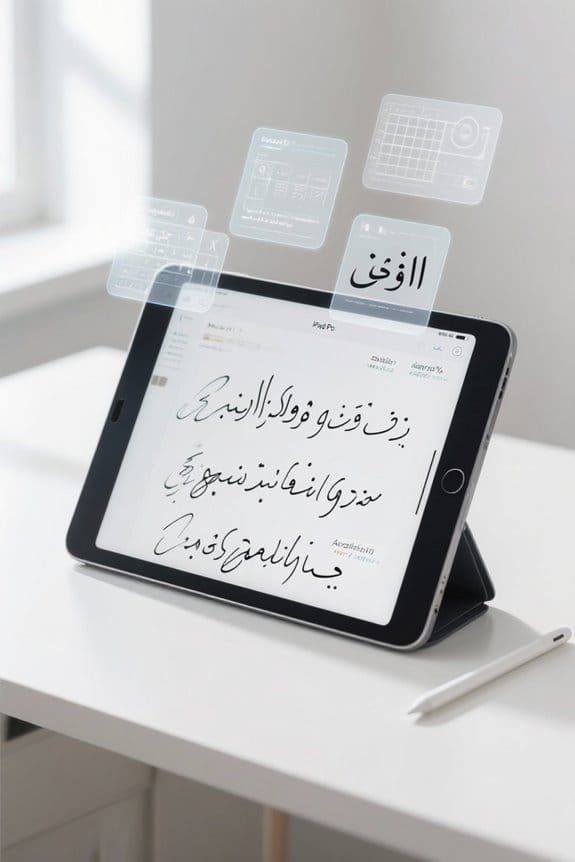
When we explore the world of handwriting recognition on the iPad, it’s clear that accuracy plays an essential role in user satisfaction. Different apps, such as Pen to Print and Apple Notes, demonstrate varying levels of transcription accuracy, often achieving high performance with well-formed handwriting. Users frequently report impressive results, even with messy handwriting, under ideal conditions.
Key points to take into account:
- Handwriting recognition technology effectively handles multiple languages, including English, Spanish, and Italian.
- Advanced algorithms adapt over time, improving accuracy as they learn from user corrections.
- Factors influencing effectiveness include scan quality, legibility, and writing speed. A stylus with palm rejection can significantly improve the input quality and therefore transcription results.
Supported Languages and Accessibility

As we look at the range of handwriting recognition options available on the iPad, it’s evident that supporting multiple languages adds significant value for users. The apps readily accommodate a variety of supported languages, including Dutch, English, French, German, Italian, Portuguese, and Spanish. This functionality enhances accessibility, allowing us to upload images featuring mixed languages for seamless text recognition within a single note.
Key features include:
- High accuracy in transcribing legible handwriting, which is essential for multilingual users.
- The ability to easily edit converted text, making formatting intuitive.
- Adaptability to various handwriting styles, catering to individual preferences.
- Many apps also offer offline recognition so users can convert handwriting without an internet connection.
Comparison With Advanced Handwriting Apps

In our exploration of advanced handwriting apps, it’s important to highlight how they compare to built-in options like Scribble.
- Accuracy and Learning: Advanced handwriting apps like Nebo utilize adaptive learning features, improving handwriting recognition as users make corrections. Scribble lacks this personalization.
- Language Support: Apps such as Pen to Print excel in supporting multiple languages, even handling mixed-language inputs, which is ideal for multilingual users.
- Feature Set: Advanced apps often enable handwriting to text conversion across multiple pages, alongside export options for various file formats—features Scribble doesn’t offer.
For all-encompassing capabilities, especially for users needing consistent accuracy and optical character recognition, exploring subscription-based advanced handwriting apps may be beneficial. Many advanced apps also offer adjustable compartments for organizing converted notes and exports.
Recommended Products


【Free APP-Ophaya Pro+】 Instantly Sync,Effortlessly Captures handwritten notes and drawings with precision, synchronizing them in real-time to devices with the Ophaya Pro+ app(Suitable for iOS and Android smart phone), Never miss an idea again.【What's in the box】 1x Smart pen, 1x Pu Notebook (60 sheets), 1×Writing Board, 4x Ballpoint Refills, 2x Plastic Pen Nib, 1x USB-Cable.
Formatting Capabilities of Ipad Applications
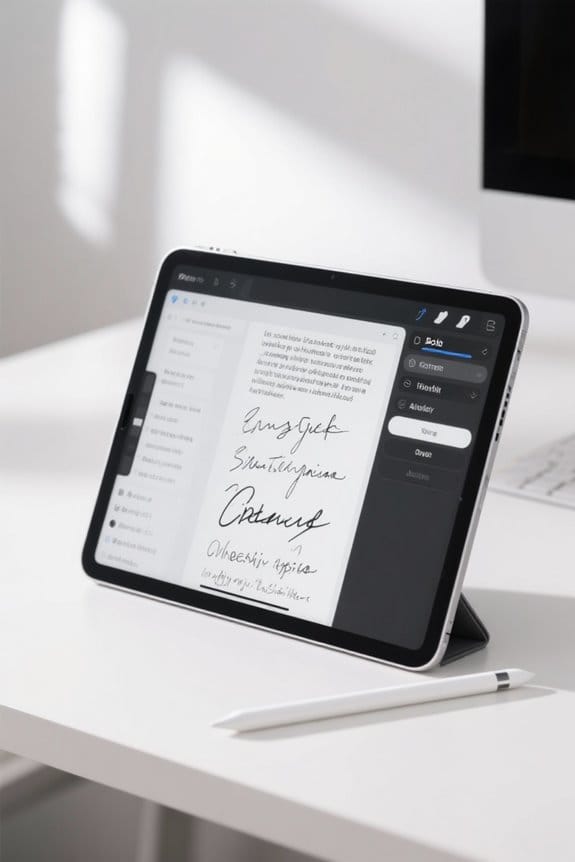
iPad handwriting applications offer robust formatting options, making it easier for us to manage our notes effectively. Here are some key features that enhance our experience:
- Editing and Exporting: Apps like Apple Notes allow us to convert handwritten notes into digital text, supporting formats like Word and PDFs for easy sharing.
- Handwriting Recognition: These applications accurately recognize diverse styles, whether cursive or block letters, ensuring reliable conversion.
- Direct Formatting: We can select text with the lasso tool in Apple Notes and use “Copy as Text” to retain formatting when pasting elsewhere.
- Advanced Features: Subscription-based apps provide enhanced options like multi-page conversion and customizable templates, improving our note organization considerably.
Many iPad cases, such as the ZUGU CASE, offer built-in stands and drop protection that make handwriting and reviewing notes more comfortable on the go.
Recommended Products

WHY APPLE PENCIL - With pixel-perfect precision, tilt sensitivity, and low latency, Apple Pencil (USB-C) makes note-taking, signing documents, and drawing easy at an affordable price. It pairs and charges via USB-C and can magnetically attach to your iPad.

Please Note: It is NOT an e-ink Tablet, it is a Normal Android Tablet. The XPPen digital notetaking tablet comes with an X-key, you can choose between Monochrome LCD, Light Color, and Nature Color modes with one press. 3 color modes can meet all kinds of needs

Compatibility - Exclusively compatible with iPad Air 11"((M4 2026 / M3 2025 / M2 2024) & iPad Air 10.9"(5th 2022/4th 2020)(Model: A3266, A3267, A2902, A2903, A2588, A2589, A2591, A2316, A2324, A2325, A2072). Note: It will not be compatible other model. Please check your iPad model before purchase. For questions about compatible models, please feel free to contact us.
User Experience and Feedback
After exploring the formatting capabilities of iPad applications, it’s clear that user feedback reveals a positive overall experience with handwriting recognition apps.
- High Accuracy: Users report impressive accuracy, often converting messy handwriting into clear text with minimal errors.
- Multilingual Support: These apps excel in recognizing multiple languages, enhancing their usability across diverse linguistic contexts.
- Convenience: Organizing handwritten notes digitally boosts productivity, making it easy to search through content.
- Efficiency: Many users enjoy quicker note-taking, expressing thoughts faster than traditional typing allows.
- Ease of Use: Feedback highlights the apps’ user-friendly interfaces, often ranking higher compared to competitors in the handwriting recognition market.
With these features, we recommend trying out handwriting recognition apps for anyone looking to enhance their digital note-taking experience.
Many users also appreciate that these apps offer plug-and-play functionality, enabling straightforward setup without additional drivers.
Technical Issues and Troubleshooting Tips
While using handwriting recognition apps on our iPads, we might occasionally run into technical issues that can hinder our note-taking experience. Here are some troubleshooting tips to enhance our handwriting experience:
- Update Regularly: Verify our iPad’s iOS and handwriting apps are up-to-date for improved accuracy and bug fixes.
- Restart Apps: If recognition isn’t working, restart the app and check if our Apple Pencil is charged and properly connected.
- Improve Writing: Writing legibly with clear letter formation can greatly boost the accuracy of handwriting-to-text conversion.
- Free Up Storage: Make certain there’s enough storage space, as low storage can affect app functionality.
- Check Network Connection: A stable Wi-Fi connection is vital for cloud-dependent features in handwriting recognition apps.
- Consider adjusting sensitivity and DPI settings on external input devices like wireless mice to reduce input lag and improve responsiveness when using handwriting tools.
Recommended Products

【2-In-1 Dual Rubber Tip Design】:Each passive capacitive stylus is equipped with rubber tips of two different diameters on both ends: a 0.27-inch wider tip and a 0.21-inch precision fine tip. The fine tip delivers accurate control for handwriting, detailed sketching and precise icon selection, while the wider soft tip is ideal for scrolling, color filling and daily screen navigation. No charging or Bluetooth pairing required — ready to use straight out of the package.

【PREPARE YOUR IPAD BEFORE USE】Before using our iPad pen, ensure the "Only Draw with Apple Pencil" feature is off in Settings > Apple Pencil. Disabling this option is crucial for proper stylus functionality.

【Compatible with 2018-2026 iPad & iPad Pro】The stylus supports for iPad series 2018-2026 model: iPad Pro 13" (M4), iPad Pro 12.9"(3rd/4th/5th/6th), iPad Pro 11"(All Generations), iPad Air M4/M3/M2/5th/4th/3rd Gen, iPad 11th/10th/9th/8th/7th/6th, iPad Mini 7th/6th/5th Gen. Please confirm your devices before you place an order, another model is invalid
Workflow Optimization for Handwritten Notes
How can we streamline our workflow for handwritten notes on the iPad? Here are some effective strategies:
- Batch Processing: Use apps like Pen to Print or Apple Notes to process multiple pages at once, which saves time.
- Templates for Consistency: Implement templates for formatting our converted notes. This helps maintain a uniform look.
- Custom Shortcuts: Set up custom shortcuts for repetitive tasks, making handwritten text conversion quicker and easier.
- Cloud Sync Features: Make sure to enable cloud sync features. This allows us to access our handwritten notes seamlessly across devices like our iPad and iPhone.
- Handwriting Recognition: Combine handwriting recognition tools, such as Scribble and third-party apps, to create a personalized and efficient workflow.
- Consider using ring light tripods to improve video lighting when filming note-taking or tutorial sessions for better visual clarity with consistent lighting.
Recommended Products

【0.1 mm Pixel Precise Without Delay】: The upgraded smart chip delivers pixel-level accuracy of 0.1 mm with high responsiveness, no breakpoints, and no delays. You can enjoy writing small words and drawing fine lines with ease, just like using a real pencil! NOTE: The iPad stylus does not support pressure sensitivity

Compatibility: Specifically compatible with iPad A16 11th Generation and iPad 10th Generation & Air 11 Inch M4/M3/M2 (2026/2025/2024). Compatible with these models: A3354 A3355 A3356 A2696 A2757 A2777 A3267 A3270 A2902 A2903 A2904. Make sure the camera is on the long side of the iPad, not the short side. Please check your iPad model before purchasing short side

Compatible Apple Pencil Models – Designed for Apple Pencil Pro, Apple Pencil USB-C, and Apple Pencil 1st and 2nd Generation. Please confirm your stylus model before ordering.
Advanced Features and Integrations
When we explore the advanced features and integrations of handwriting-to-text applications, we uncover a range of tools designed to enhance our efficiency and productivity.
- Handwriting OCR: This technology recognizes various handwriting styles, providing accurate transcription in multiple languages like English, French, and Spanish.
- Multi-page Conversion: Some apps, like Pen to Print, allow us to convert multiple pages at once, optimizing our workflow for lengthy notes.
- Cloud Services: Integrations with cloud services enable seamless syncing of our handwritten notes across devices, ensuring we have access anytime, anywhere.
- User-Friendly Interface: These apps often feature intuitive designs, simplifying text editing after conversion and making format adjustments quick and easy.
With these advanced features, we can truly streamline our note-taking process. Many users also value multi-display support for expanding their workspace when reviewing converted notes.
Recommended Products

Multi-functional Reading Translation Pen: A versatile translator pen and reading pen for students and adults. This dyslexia tools supports online voice and scanning translation in 142 languages, as well as offline translation for 10 major languages (including Chinese, Japanese, Spanish, French, German, etc.), making it suitable for travel, learning, and multilingual environments, A reading pen for students, and language learners.

【Instant Smart Scan Translation Pen】Our translation pen scanner enables high-precision scan and translate functions. Features include voice translation, text excerpt, online/offline scanning translation, photo translation, and scan reading-making it a dyslexia reading tool and reading helper for students. A language translator device for students and global travelers. (This device supports Bluetooth connected)

Text to Speech Device:The Scanner reader pen with OCR recognition technology, can scan words or whole lines of text in one second. You can get the original and translated texts in the most popular 55 languages. The scanner translation pen will read the text to you in real time while scanning! Very concerned about people with dyslexia and poor eyesight. The accurate recognition rate of the pen reader scanner is up to 98%.
Privacy and Data Security Practices
Privacy and data security practices are increasingly essential when using handwriting-to-text applications like Pen to Print and Apple Notes. For both apps, handling of data is designed to meet privacy expectations.
- Pen to Print:
- Includes a thorough privacy policy.
- Guarantees secure processing measures for user-uploaded data.
- Privacy practices may vary depending on the features used or the user’s age.
- Apple Notes:
- Uses devices’ built-in security but lacks advanced learning capabilities for handwriting adaptation.
Users are encouraged to review the app’s privacy practices, provide feedback about privacy features, and suggest enhancements. This active involvement can shape future updates, ensuring our data remains secure while we benefit from these innovative tools. A useful consideration is the organizer’s material quality which affects long-term maintenance and durability.
Future Developments and Updates in Technology
As handwriting recognition technology continues to advance, we’re poised to see significant enhancements that promise to elevate our user experience.
- Improved Accuracy: Advanced machine learning algorithms will boost transcription accuracy, especially for diverse languages.
- Adaptive Learning: Software is expected to adopt adaptive learning models, refining recognition based on our handwriting styles.
- Compatibility: We’ll likely see better integration with popular note-taking apps, making our workflow smoother across platforms.
- Formatting Options: Enhanced formatting features will allow us to organize converted text with customizable templates, aligning text and adding bullet points for a polished look.
- Image Quality Processing: Upcoming improvements in image quality processing will enable accurate recognition from lower-quality images, enhancing functionality in various conditions.
These developments promise to make our handwriting to text experience more user-friendly and efficient.
Frequently Asked Questions
How Do I Get My Ipad to Auto Correct Handwriting?
Have we ever thought about how to enhance our handwriting recognition techniques? By adjusting iPad settings for auto-correction and exploring digital pen options, we can improve input precision and get better results with handwriting apps.
Can an Ipad Translate Handwriting to Text?
Yes, our iPads can translate handwriting to text using advanced handwriting recognition technology. Different iPad apps offer diverse experiences, so it’s worth comparing them to find what suits our handwriting learning curve and digital note-taking needs best.
How Accurate Is Handwritten to Text?
Handwriting recognition accuracy often varies; we’ve noticed device compatibility issues and the impact of handwriting style play significant roles. Regular software updates can enhance performance, as many of us frequently share positive user experience feedback.
How to Make Your Handwriting Better on an Ipad?
To improve our handwriting on an iPad, let’s focus on stylish fonts, practice techniques, and adjust writing speed and pressure sensitivity. With regular practice, we’ll see our legibility and style enhance greatly!


