As an Amazon Associate, we earn from qualifying purchases. Some links on this site are affiliate links at no extra cost to you. Our recommendations are based on thorough research and editorial judgment.


3‑2‑1 Backup Strategy for Creators: How to Structure It

To structure the 3-2-1 backup strategy, we should follow these steps:
- Maintain three copies of our data: one primary and two backups.
- Use two different media types, like an external hard drive and a cloud service.
- Store one backup offsite to protect against disasters.
We can automate this process to avoid human error. This setup helps guarantee our creative work’s safety. There’s more to explore about effective backup methods and disaster recovery plans.
Key Takeaways
- Maintain three copies of your data: one working copy and two backup versions for maximum protection against loss.
- Use two different media types for backups, such as external hard drives and cloud storage, to enhance data security.
- Ensure at least one backup is stored offsite to guard against physical disasters like fire or theft.
- Automate your backup process to minimize the risk of human error and ensure regular, consistent updates.
- Regularly test and verify your backup integrity to ensure successful recovery during emergencies or data loss incidents.
Understanding the 3-2-1 Backup Rule
When we think about protecting our valuable data, it’s essential to understand the 3-2-1 backup rule. This backup strategy guarantees we have three copies of our data: one primary copy and two backups. We recommend storing these on at least two different media types, such as external hard drives and cloud backup services.
One important aspect is having one backup offsite, which protects us from disasters like fires or floods. This data protection strategy minimizes risks linked to hardware failures or accidental deletions. To keep everything running smoothly, implementing automated solutions is fundamental, guaranteeing backups happen consistently without us needing to remember. Following the 3-2-1 rule provides the peace of mind needed to continue our creative work without fear of data loss. High-capacity drives like the Western Digital 8TB Elements Desktop External Hard Drive are a good option for archival storage when you need high capacity and reliable backup.
Importance of Data Backup for Creatives

Data protection is essential for creatives who depend on their work for income and expression. Data loss is an inevitable reality, stemming from hardware failures, cyberattacks, and human error. To avoid setbacks, we need robust backup strategies that protect our hard work.
Here are key points to reflect upon:
- Costs: A data breach can cost an average of $4.35 million, which highlights the financial risks of losing critical files.
- The 3-2-1 Rule: This strategy involves maintaining three copies of data: one primary and two backups on different media.
- Automated Backups: Using automated backup solutions minimizes the risk of human error, ensuring that our valuable content is always safeguarded.
- Portable devices like lightweight printers can help creators maintain physical copies while traveling, especially when using inkless thermal technology that reduces maintenance and supports on-the-go workflows.
Backup Methods: Full, Incremental, and Differential

Understanding different backup methods is essential for our data protection strategy. We have three primary backup methods to evaluate:
- Full Backups: These capture all data at a specific time, creating a complete digital copy. They’re ideal for initial backups or significant changes.
- Incremental Backups: These store only the changes made since the last successful backup, whether that was full or incremental. They require less storage and happen quickly.
- Differential Backups: These capture all changes since the last full backup. While needing more storage than incremental backups, they offer quicker restoration because only the last full and last differential backup are needed.
Aluminum stands often provide excellent effective ventilation which helps prevent overheating during prolonged use.
Recommended Products

Easy-to-use desktop hard drive—simply plug in the power adapter and USB cable

Usb-c connector and USB 3.1 Gen 1 interface for universal data transfers
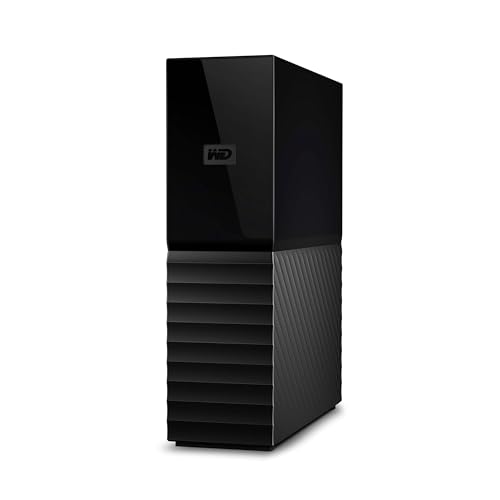
(1) 1GB = 1 billion bytes and 1TB = 1 trillion bytes. Actual user capacity may be less depending on operating environment.
Choosing Backup Locations: Onsite and Offsite Options

Choosing the right backup locations is essential for effective data protection, as it directly impacts our ability to recover information in emergencies. Here’s how we can approach our backup strategy:
Onsite Backup:
- Use external hard drives or NAS systems for quick access.
- These help us recover data fast during hardware failures.
Offsite Backup:
- Consider cloud storage services or physically relocating copies, like LTO tapes.
- Offsite backups safeguard our data from disasters such as theft or floods.
- For portability and ease of transport, some teams also use portable lumbar support pillows or drawstring bags when moving physical backup media between locations.
Recommended Products

(1) 1GB = 1 billion bytes and 1TB = 1 trillion bytes. Actual user capacity may be less depending on operating environment.

The External Hard Drive includes both USB-C and USB-A Cables to make your out-of-box experience great. Ready for any USB-C or USB-A ports on your computer, laptop, or other systems with USB support. Full USB 3.2 Speeds up to 5MBs.

The External Hard Drive includes both USB-C and USB-A Cables to make your out-of-box experience great. Ready for any USB-C or USB-A ports on your computer, laptop, or other systems with USB support. Full USB 3.2 Speeds up to 5MBs.
Implementing Automated Backup Solutions
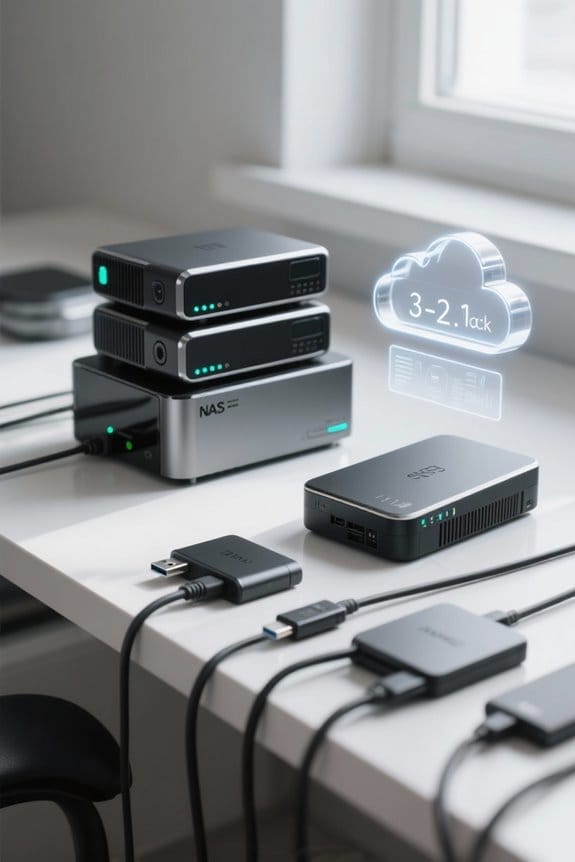
While choosing backup locations is a key part of our data protection strategy, implementing automated backup solutions takes this process a step further. Automated backups guarantee we don’t miss steps due to human error, essential for our thorough backup strategy.
Here are key points to reflect upon:
- Backup Method: Tools like Arq automate encrypted incremental backups, perfect for both NAS and cloud storage.
- Devices: Using Synology NAS allows us to configure automatic backups, maintaining multiple copies across different media types.
- Scheduling: Set backups during off-peak hours to minimize disruption during our creative work.
- Testing: Regularly test and verify these automated backups to guarantee they function correctly and maintain data integrity.
Additionally, consider integrating incremental backups into your workflow to save storage space and speed up backup operations.
Recommended Products
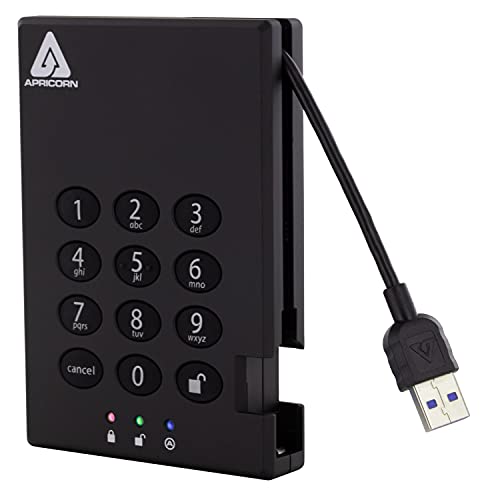
Separate Admin and User Modes

The SonicWall TZ670 is the first desktop-form-factor next-generation firewall (NGFW) with 10 Gigabit Ethernet interfaces.

Set up a personal cloud in minutes and get right into data managing works
Ensuring Data Security in Your Backup Strategy
To guarantee our backup strategy is secure, we must pay careful attention to various protective measures. Here are some key steps we can take:
- Automate Backups: Using tools like Arq for consistent automated backups guarantees that our data is regularly saved without needing manual effort.
- Encrypt Data: By employing open-source encryption methods for cloud backups, we safeguard our data against unauthorized access and potential ransomware attacks.
- Use Multiple Storage Options: Combining external hard drives with cloud storage strengthens our offsite backup, providing multiple recovery options.
- Establish Access Controls: Implementing strict access controls helps protect backup management from unauthorized users.
- Monitor Energy Use: Periodically checking backup hardware power consumption with a USB power meter helps identify failing drives and optimize energy use.
Testing and Verifying Backup Integrity
How can we be certain that our backups are reliable and intact? To maintain backup integrity, we need regular testing and verifying of our data backup strategy. Here are some key steps we should follow:
- Recovery Drills: Conduct drills to confirm our data can be restored effectively within acceptable recovery time objectives (RTO) and recovery point objectives (RPO).
- Integrity Checks: Verify the integrity of stored data across different files and environments, checking for any corruption during the backup process.
- Automated Monitoring: Implement systems that alert us to failures or discrepancies in our backups, which helps us respond promptly.
- Multiple Solutions: Use different backup software for redundancy, reducing the risk of total failure in one system.
Dynamic microphones with a cardioid pickup pattern can help reduce background noise during live recovery drills and test recordings.
Establishing a Regular Backup Schedule
Regularly establishing a backup schedule is essential for safeguarding our data. Here’s how we can implement an effective backup system:
- Align with Workflow: Set backup frequency based on project milestones or significant changes to avoid data loss.
- Automate Backups: Utilize automated solutions to guarantee regular backups without manual effort, reducing human error.
- Set Specific Intervals:
- Daily for active projects,
- Weekly for ongoing work,
- Monthly or quarterly for archival data.
- Incorporate Testing: Regularly verify restoration processes to confirm reliable disaster recovery when needed.
- Review Periodically: Adapt the schedule as project sizes, data sensitivity, and workflows change, making sure we maintain solid data protection. Many creators also benefit from using dedicated smart charging ports on powered USB hubs to ensure external backup drives remain reliably powered during scheduled backups.
Managing Long-Term Storage and Archiving
When managing long-term storage and archiving, it is crucial to choose solutions that guarantee data safety and accessibility for years to come. We recommend creating three copies of important data for ideal security. Using LTO tapes for long-term storage is a smart choice, as they can last over 30 years and provide a low cost per terabyte.
Here’s how we can enhance our approach:
- Copy Management: Store two copies of LTO tapes in an off-site location.
- Air Gap Protection: LTO tapes are offline, shielding data from cyber threats like ransomware.
- User-Friendly Access: Using LTFS technology allows for easy file navigation, similar to external drives.
Combining these with cloud solutions offers greater flexibility and automated backups, ensuring lasting data safety. High-quality, durable media such as LTO tapes with gold-plated connectors can further reduce the risk of signal degradation and improve long-term reliability.
Recommended Products

Tape Technology: LTO-9
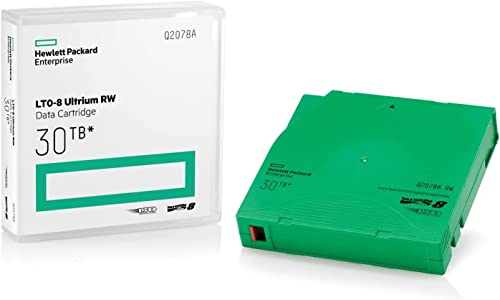
High Capacity Storage: Provides 30TB recording capacity for extensive data archiving
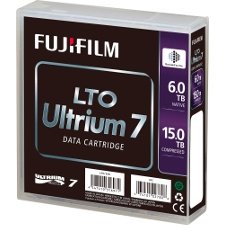
Storage Capacity of 6TB (native) and up to 15TB compressed
Best Practices for Disaster Recovery Plans
A solid disaster recovery plan is essential for any organization, guaranteeing we can bounce back quickly after unexpected disruptions. Here are some best practices to take into account:
- Focus on RTO and RPO: Define your Recovery Time Objective (RTO) and Recovery Point Objective (RPO) to minimize data loss and downtime.
- Conduct Regular Drills: Simulate various scenarios to test our backup copies and keep the team familiar with recovery procedures.
- Multi-Tiered Backups: Use both on-premises storage for quick access and offsite/cloud backups for disaster protection.
- Inventory of Backup Assets: Maintain an updated list of all backup copies and their locations for easy access during emergencies.
- Ongoing Monitoring: Regularly evaluate and verify backup performance to guarantee reliable restoration when needed.
Choose durable, tested solutions and consider material durability when selecting hardware and mounts for on-site backup equipment to ensure longevity and reliability.
Recommended Products

Secure private cloud - Safely access and share files and media from anywhere, and keep friends, partners, or collaborators on the same page

Secure private cloud - Enjoy 100% data ownership and multi-platform access from anywhere

Massive 3TB capacity provides plenty of room for downloading PC games or storing many hours of high - definition video content
Frequently Asked Questions
What Is the 3 2 2 Rule for Backup?
The 3-2-2 rule for backup means we keep three copies of our data: one primary and two backups stored on different media types, including cloud storage, to meet our creator needs and guarantee reliable data retrieval.
What Is the 3/2/1 Rule for Backup?
The 3/2/1 rule for backup’s like having a safety net for our digital lives! We need three copies: two local backups and one in cloud storage, ensuring redundancy and enhancing our chances of successful data recovery.
What Is the 4 3 2 Backup Rule?
The 4-3-2 backup rule means we should keep four data copies, using three types of media, with two offsite. This method enhances data redundancy and requires thoughtful backup frequency, including offline storage and cloud solutions.
What Is the 4 3-2-1 Rule?
The 4-3-2-1 rule strengthens data redundancy by advising four total copies, three different storage options, and two backup locations, with one offsite for security measures. Together, we can guarantee our valuable data remains safe and accessible.