As an Amazon Associate, we earn from qualifying purchases. Some links on this site are affiliate links at no extra cost to you. Our recommendations are based on thorough research and editorial judgment.


NVME Enclosures: Gen2 Vs Gen2x2 Vs Thunderbolt 3/4

When comparing NVMe enclosures like Gen2, Gen2x2, and Thunderbolt 3/4, we find distinct performance levels. Gen2 offers speeds up to 10 Gbps, while Gen2x2 doubles that to 20 Gbps. For those needing high bandwidth, Thunderbolt 3 and 4 deliver a remarkable 40 Gbps. Each option has unique features, such as thermal management and compatibility with different SSD sizes. Choosing the right enclosure depends on your specific needs and use cases. Continue with us to explore these options further.
Key Takeaways
- USB 3.2 Gen2 offers maximum speeds of 10 Gbps (~1,000 MB/s), suitable for basic storage tasks.
- USB 3.2 Gen2x2 significantly boosts transfer rates to 20 Gbps (~2,000 MB/s), ideal for high-bandwidth applications.
- Thunderbolt 3 and 4 provide up to 40 Gbps (~4,000 MB/s), perfect for demanding tasks like gaming and video editing.
- High-quality NVMe enclosures feature thermal management solutions to prolong SSD lifespan and maintain performance.
- Compatibility and correct keying of M.2 NVMe SSD with enclosures are essential for optimal functionality and performance.
Understanding NVMe Enclosures
When we talk about NVMe enclosures, it is essential to understand their role in enhancing SSD performance. These enclosures provide external storage solutions that leverage PCIe technology, markedly improving data transfer rates.
Key Features to Contemplate:
- Interface Compatibility: NVMe enclosures utilize interfaces like USB 3.2 Gen2 and USB 3.2 Gen2x2, offering up to 10Gbps and 20Gbps, respectively.
- Thunderbolt 3 and 4: These enclosures can reach speeds up to 40Gbps, ideal for high-bandwidth tasks.
- SSD Longevity: Quality materials and effective thermal management help prevent throttling, extending your SSD’s lifespan.
- Chipset Quality: Choosing high-quality chipsets, such as ASMedia or Intel, guarantees sustained speeds and reliable performance.
- For users who need wide device compatibility and power delivery, consider hubs and adapters that support 100W Power Delivery for simultaneous charging and connectivity.
Data Transfer Speeds: Gen2 Vs Gen2x2 Vs Thunderbolt 3/4

- USB 3.2 Gen2: Offers maximum speeds up to 10 Gbps (approximately 1,000 MB/s) for external SSDs.
- USB 3.2 Gen2x2: Doubles that capability to 20 Gbps, reaching around 2,000 MB/s, a notable upgrade for compatible devices.
- Thunderbolt 3: Supports speeds up to 40 Gbps, roughly 4,000 MB/s, making it ideal for high-performance applications like gaming and video production.
- Thunderbolt 4: Maintains the same 40 Gbps, enhancing compatibility and power delivery.
When performance matters, Thunderbolt 3 and 4 consistently outperform USB Gen2 and Gen2x2, especially during intensive data transfers. Many high-end enclosures also include advanced heat dissipation features to prevent throttling and preserve sustained performance.
Recommended Products

Powered by JHL9480 Chip – Built with advanced JHL9480 (B2) controller, this Thunderbolt 5 enclosure delivers PCIe-level performance, making external NVMe SSDs function as if installed directly in your computer, ensuring low-latency, stable data transfers for video editing, 3D rendering, and other demanding content creation tasks

Unleash 80Gbps Thunderbolt 5 Speed: Experience the next generation of connectivity with an 80Gbps Thunderbolt 5 USB-C port. Transfer massive files in seconds and enjoy ultra-responsive external storage for demanding workflows like video editing and large data backups.
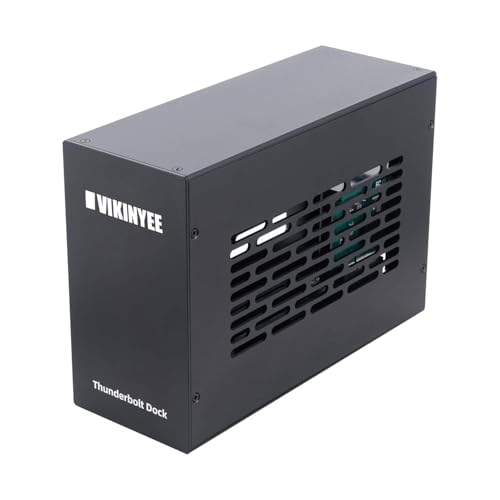
Expand Your Connectivity: Instantly add two external PCIe 3.0 x16 slots to any Thunderbolt 3, Thunderbolt 4, or USB4 enabled laptop and desktop. This expansion chassis is fully compatible with Mac, Windows, and Linux systems, ideal for pro hardware integration.
Key Features of NVMe Enclosures

A well-designed NVMe enclosure offers several key features that can enhance user experience and performance.
- Data Transfer Rates: With options like USB3.2 Gen2 at ~10Gbps, Gen2x2 at ~20Gbps, and Thunderbolt 3/4 reaching up to 40Gbps, these enclosures guarantee fast data movement.
- Thermal Design Features: Good enclosures use aluminum and heatsinks to manage heat, preventing throttling during intensive transfers.
- Performance Stability: Quality chipsets from ASMedia and Intel maintain SSD performance under heavy loads.
- Enhanced Functions: Many support advanced features like TRIM, S.M.A.R.T., and UASP, boosting SSD performance and longevity.
Together, these features greatly impact how we use NVMe enclosures for various applications. Many enclosures also include customizable hotkeys and ergonomic designs to improve workflow and portability.
Recommended Products

THUNDERBOLT 3 PCIE EXPANSION CHASSIS: Add PCI Express support to a Thunderbolt 3/4 capable laptop / desktop computer; Increased productivity with Thunderbolt 3 and up to 40Gbps bandwidth; One external PCIe 3.0 x16 slot; Thunderbolt cable included

Blazing 80Gbps Real-World Transfer — A native USB4 v2 controller pushes up to 6,500 MB/s read on supported hosts, backing up an entire 4K wedding card in under 30 seconds and cutting 8K RAW render previews to a fraction of the time you need with ordinary 10Gbps cases.

80G Lightning Transfer Speed: This 80G enclosure is equipped with JHL9480 chip, and the actual theoretical test speed is up to 7000MB/s when it is compatible with Thunderbolt 5. It is backward compatible with Thunderbolt 4/USB4/USB3.2/3./3.0 Note:Thunderbolt 5 speed requires Thunderbolt 5 cables and interfaces
Compatibility and Use Cases

Understanding the compatibility of NVMe enclosures is essential for maximizing their effectiveness across various applications.
- M.2 NVMe SSDs: Verify your SSD matches the enclosure’s size and keying to prevent connectivity issues.
- USB 3.2 Gen2: With 10Gbps speeds, these are great for basic storage and backup needs.
- USB 3.2 Gen2x2: Doubling the bandwidth to 20Gbps, it enhances data transfers where compatible.
- Thunderbolt 3/4: Perfect for high-bandwidth tasks like gaming and video editing, offering up to 40Gbps!
- Cross-Platform Usability: Most enclosures work on Windows, macOS, and Linux with proper formatting.
- Consider the enclosure’s material quality since high-quality acrylic or PET designs improve durability and clarity for any desktop setup.
Recommended Products

Highly Capable: Up to 3200MB/s real-world performance

Ultra-Fast 40Gbps Speeds for Demanding Workflows: The D4 SSD NVMe enclosure delivers 40Gbps speeds, and it's compatible with Thunderbolt 5/4/3, USB 4/3.2/3.1/3.0/2.0. It delivers speeds up to 3,224MB/s with 4x 990 PRO SSDs, or 1,608MB/s with a single SSD, ideal for 4K video editing and large file transfers. Note: No built-in RAID; supports four individual disks (soft RAID via third-party tools).

Transmission files in seconds: The maximum speed can reach 3600MB/s; compatible with USB4/3.2/3.1/3.0/2.0 & Thunderbolt 3/4. NOTE: Thunderbolt 4 cables and devices are required to achieve 3600MB/s speed
Performance Comparison Across Standards

How do NVMe enclosures stack up against each other with respect to performance? Let’s break down the data transfer rates for these popular standards:
- USB 3.2 Gen2: Offers a maximum rate of 10 Gbps (~1,250 MB/s), suitable for moderate tasks.
- USB 3.2 Gen2x2: Doubles the speed to 20 Gbps (~2,500 MB/s), providing a noticeable improvement.
- Thunderbolt 3 and 4: Both support an impressive 40 Gbps (~5,000 MB/s), making them ideal for demanding applications like video editing or gaming.
While USB interfaces offer decent speeds, they still can’t match the peak performance of Thunderbolt. For users looking to maximize SSD speeds in their external storage devices, Thunderbolt is the recommended interface due to its superior bandwidth and efficiency. Many enclosures also implement UASP and thermal-friendly materials like aluminum to improve real-world performance and reliability with UASP support.
Choosing the Right Enclosure for Your Needs
When we think about selecting the right NVMe enclosure, it’s important to match our needs with the features available. Here are some key points:
- USB 3.2 Gen2: A solid choice for general use, offering a data transfer rate of up to 10 Gbps, perfect for routine storage needs and backups.
- USB 3.2 Gen2x2: If we need higher speeds for heavy data transfers, this option delivers 20 Gbps when paired with compatible devices.
- Thunderbolt 3 and 4: These enclosures provide exceptional performance, supporting up to 40 Gbps—ideal for high-bandwidth tasks like video editing.
And don’t forget to check compatibility with our SSD’s size and keying. Good thermal management features can also prevent performance throttling during intensive use. Enclosures that support Power Delivery can also simplify power management when connected to compatible hosts.
Recommended Products

Innovative Storage: The D8 Hybrid 2 hdd enclosure can hold 4 SATA HDDs/SSDs and 4 M.2 2280 NVMe SSDs, supporting up to 152TB (30TB×4 + 8TB×4). It combines the advantages of...
Future Outlook for NVMe Enclosures
As we look ahead, the future of NVMe enclosures appears promising, especially with the rising demand for faster storage solutions driven by advancements in content creation.
- Market Growth: As content creators increasingly rely on 4K and 8K media, the need for fast SSDs will boost NVMe enclosure sales.
- USB4 Adoption: By 2026, USB4 will enhance plug-and-play functionality, making these enclosures more versatile and user-friendly.
- Importance of External Solutions: Despite the rise of cloud storage, external NVMe enclosures are crucial for offline access and portability.
- Performance Gaps: While external NVMe solutions won’t match PCIe Gen5 speeds, they will cater to specific user needs.
- Enhanced Features: Manufacturers will focus on thermal management and durability to prevent throttling during intensive content creation tasks.
- The trend toward travelers and creators preferring compact, multi-device solutions will also increase demand for robust multi-port enclosures.
Frequently Asked Questions
Is USB 3.2 Gen 2×2 the Same as Thunderbolt?
USB 3.2 Gen 2×2 isn’t the same as Thunderbolt. While both offer high data transfer speeds and share USB-C, Thunderbolt advantages include better performance, more connection methods, and wider device compatibility, especially for demanding use cases.
What Are the Benefits of Using an NVME Enclosure?
Using an NVMe enclosure feels like releasing a cheetah—speed and performance surge! We gain exceptional portability, thermal management, and cost efficiency, ensuring reliability across diverse usage scenarios while enhancing storage upgrades without breaking the bank.
Is There a Big Difference Between Gen 3 and Gen 4 NVME?
Yes, there’s a significant difference between Gen3 and Gen4 NVMe. The performance comparison shows clear speed benchmarks that benefit gaming. Considering future-proof technology, we should evaluate compatibility issues, cost analysis, and upgrade paths for ideal storage capacity.
Is USB 3.2 Faster Than NVME?
No, USB 3.2 can’t match NVMe speeds. With USB bandwidth limitations, we don’t achieve the same file transfer efficiency. NVMe technology benefits greatly enhance external storage options, impacting gaming performance and storage device longevity positively.


