As an Amazon Associate, we earn from qualifying purchases. Some links on this site are affiliate links at no extra cost to you. Our recommendations are based on thorough research and editorial judgment.


Real Bandwidth Limits: USB 3.2 Vs USB4 Vs Thunderbolt

When comparing real bandwidth limits, here’s what we found:
- USB 3.2 tops out at 20 Gbps.
- USB4 commonly reaches 40 Gbps, with future potential for 80 Gbps.
- Thunderbolt 4 consistently delivers 40 Gbps speeds, excelling in video output and data-intensive tasks.
Each technology suits different needs, so consider your usage. We’ll explore more about these options and their applications in the following sections for a clearer picture.
Key Takeaways
- USB 3.2’s maximum speed caps at 20 Gbps, suitable for everyday file transfers and device connections.
- USB4 can achieve speeds up to 40 Gbps, with potential for future advancements to reach 80 Gbps.
- Thunderbolt 4 consistently delivers 40 Gbps, ideal for high-resolution video and data-intensive applications.
- USB4 and Thunderbolt 4 both support up to 100W power delivery, enhancing charging capabilities for devices.
- Cable quality significantly impacts performance, with certified Thunderbolt 4 cables ensuring reliable high-speed data transfer.
Understanding USB 3.2
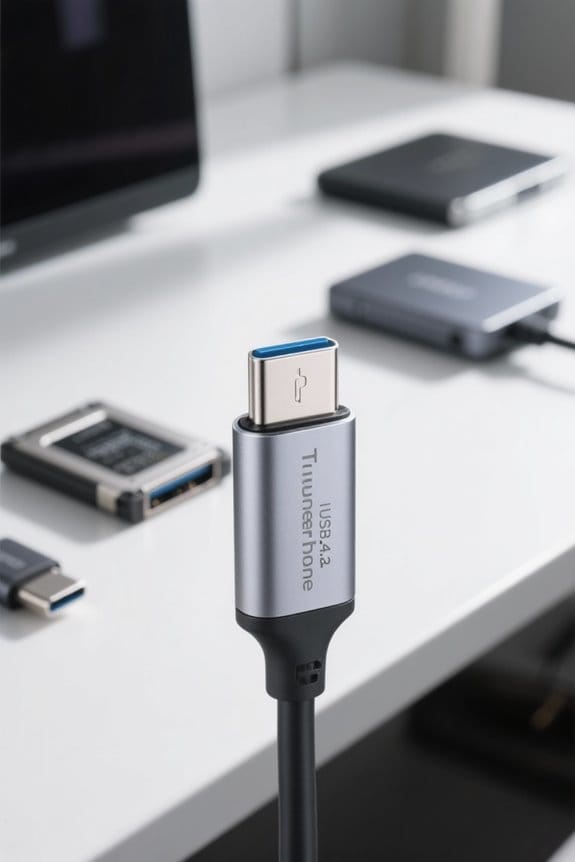
When we explore USB 3.2, we notice it introduced some exciting updates to USB technology. Key variations include:
- USB 3.2 Gen 1: Offers data transfer speeds of up to 5 Gbps.
- USB 3.2 Gen 2: Reaches impressive speeds of up to 10 Gbps.
- USB 3.2 Gen 2×2: Doubles the bandwidth by using two lanes, achieving maximum speeds of 20 Gbps.
One of the biggest advantages of USB 3.2 is its backward compatibility with USB 3.1, USB 3.0, and USB 2.0. This allows us to connect a wide range of devices seamlessly. Additionally, USB 3.2 exclusively uses USB-C connectors, promoting a modern, reversible design, making connections simpler and more universal ideal for today’s technology landscape. Many modern USB-C hubs now offer 10Gbps ports and pass-through charging to combine high data rates with laptop power delivery.
Overview of USB4

USB4 represents a significant evolution in the USB landscape, building upon its predecessors to enhance connectivity and performance. Introduced in 2019, the USB4 specification supports maximum data transfer speeds of up to 40Gbps. Here are key features of USB4:
- Backward Compatibility: USB4 is compatible with USB 3.2 and USB 2.0, ensuring broad device support.
- Single Connector: It exclusively uses the USB-C connector for power, data, and video, simplifying connections.
- Display Support: Natively supports DisplayPort 1.4a, allowing high-resolution visuals like 4K at 144Hz.
- Configurable Performance: Offers performance variants of 40Gbps or 20Gbps, based on device capabilities.
- Power Delivery: Enables up to 100W charging, enhancing overall usability and connectivity.
USB4 also enables high-quality video output such as 4K@60Hz on compatible devices.
Performance of Thunderbolt 4

Thunderbolt 4 stands out for its impressive performance capabilities, making it an attractive choice for users seeking high-speed data transfers and exceptional display support.
- It guarantees a maximum data transfer speed of 40 Gbps, ensuring consistency across devices.
- Thunderbolt 4 supports dual 4K displays at 60Hz or a single 8K display, which meets high-resolution needs for gaming and professional work.
- With a minimum power delivery of 15 watts and support for up to 100 watts, charging devices becomes convenient.
- All Thunderbolt 4 certified cables work seamlessly with USB4 and previous USB standards, enhancing flexibility.
- Advanced security features, like Intel VT-d DMA protection, help safeguard against physical data transfer attacks.
- Many docking stations leverage Thunderbolt 4 to provide multi-display support and high power delivery for enhanced productivity.
Recommended Products
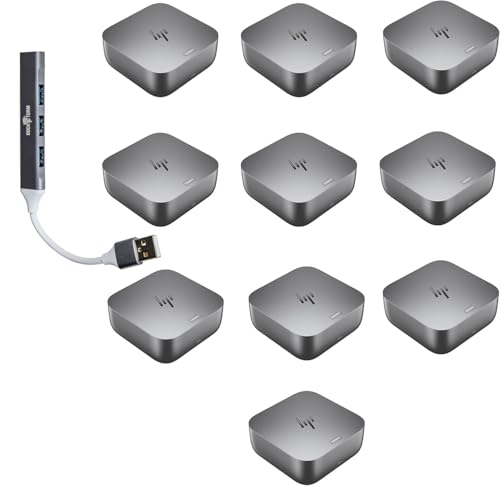
Power Connections – HP Quick Connect wakes your devices before you even take a seat. Stay in your flow all day with up to 280W of power delivery and 40 Gbps of data transfer speeds via Thunderbolt 4 technology and all the ports you need to connect your setup.
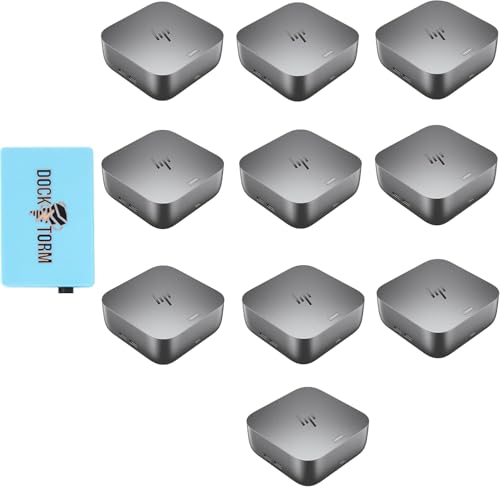
Power Connections – HP Quick Connect wakes your devices before you even take a seat. Stay in your flow all day with up to 280W of power delivery and 40 Gbps of data transfer speeds via Thunderbolt 4 technology and all the ports you need to connect your setup.
Power Connections – HP Quick Connect wakes your devices before you even take a seat. Stay in your flow all day with up to 180W of power delivery and 40 Gbps of data transfer speeds via Thunderbolt 4 technology and all the ports you need to connect your setup.
Data Transfer Speeds Comparison

In comparing data transfer speeds, we find notable differences between USB 3.2, USB4, and Thunderbolt 4.
- USB 3.2: Offers a maximum of 20 Gbps in its top variant. This bandwidth is relatively modest compared to the newer technologies.
- USB4: Commonly reaches speeds of 40 Gbps, and can achieve up to 80 Gbps in its second version. The dual-lane capability plays a key role here.
- Thunderbolt 4: Guarantees a consistent 40 Gbps, providing more reliable performance compared to the variable speeds of USB4.
Ultimately, USB4 and Thunderbolt 4 surpass USB 3.2, making them ideal for high-resolution video and data-intensive tasks. For robust performance, we recommend opting for USB4 or Thunderbolt 4 when possible. Modern USB-C KVM switches often leverage 4K@60Hz support and high data rates to enable dual-monitor setups and peripheral sharing.
Recommended Products

Powered by Intel Core Ultra 9 275HX, a 24-core CPU (8P+16E) reaching up to 5.4 GHz, built for top-tier gaming, multitasking, and creative workflows.
Powered by Intel Core Ultra 9 275HX, a 24-core CPU (8P+16E) reaching up to 5.4 GHz, built for top-tier gaming, multitasking, and creative workflows.
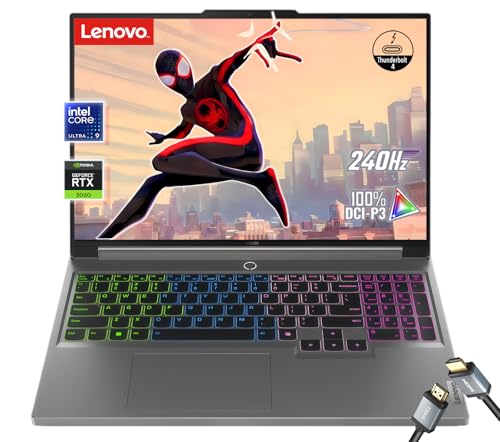
【Powered by Intel Core Ultra 9 275HX】A 24-core CPU (8P+16E) reaching up to 5.4 GHz, built for top-tier gaming, multitasking, and creative workflows.
Video Output Capabilities
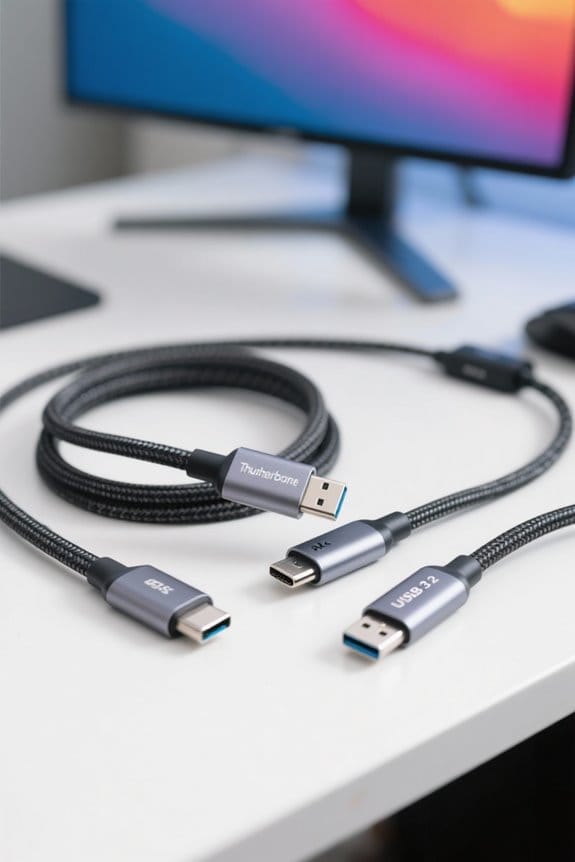
When considering video output capabilities, we see significant advancements with each technology.
- USB 3.2 supports up to two 4K displays at 60Hz using DisplayPort 1.4, but this requires ideal conditions.
- USB4 takes a leap forward, natively supporting DisplayPort 2.0, enabling up to three 4K displays at 144Hz or one 8K display at 60Hz.
- Thunderbolt 4 guarantees one 8K display or two 4K displays at 60Hz, providing consistent performance across different setups.
Both USB4 and Thunderbolt 4 offer enhanced bandwidth for video output, allowing better management of video data. While USB4 is backward compatible, using older versions may limit performance. For high-quality video output, we recommend utilizing either USB4 or Thunderbolt 4 for the best experience. Advanced testers can help verify cable capabilities and eMarker chip information to ensure optimal video performance.
Power Delivery Features
As we explore the power delivery features of each technology, we find notable differences that can impact our device usage.
- USB 3.2: Offers up to 15 watts for basic charging. It’s sufficient, but not for demanding applications.
- USB4: Considerably boosts power delivery to 100 watts via USB-C. This allows for faster charging across various devices, accommodating their needs efficiently.
- Thunderbolt 4: Also supports up to 100 watts, ensuring great compatibility with high-power devices while providing consistent performance.
- Thunderbolt 5: Further enhances power delivery, with a minimum of 140 watts and support up to 240 watts, making it perfect for high-performance laptops and peripherals.
Understanding these distinctions helps us choose the right technology for our charging needs. Another consideration is mount durability and strong suction for stable in-vehicle device positioning.
Backward Compatibility
Backward compatibility is an essential feature that enhances our experience with newer technologies. Both USB4 and Thunderbolt 4 provide this capability, allowing us to connect older devices without issues.
- USB4 is backward compatible with USB 3.2 and USB 2.0, meaning we can use these older devices without losing performance.
- Thunderbolt 4 offers full backward compatibility with Thunderbolt 3 and USB4 devices, guaranteeing they work seamlessly together.
However, not all USB-C ports support USB4; some may only work with USB 3.2 or USB 2.0. We need to verify device specifications to verify peak performance when using various generations of USB or Thunderbolt technology. Embracing backward compatibility helps us maximize our investment in devices while enjoying the latest advancements. Many users also consider weight capacity and physical durability when choosing peripherals to ensure long-lasting use.
Use Cases for USB 3.2, USB4, and Thunderbolt 4
Understanding the various use cases for USB 3.2, USB4, and Thunderbolt 4 helps us make informed choices based on our specific needs. Here’s a quick look at what each technology offers:
- USB 3.2: Supports data speeds up to 20 Gbps. It’s perfect for everyday tasks like file transfers and basic external device connections.
- USB4: Boosts speeds to 40 Gbps and excels in high-resolution video output. It’s a great option if we need fast data transfer for multimedia applications.
- Thunderbolt 4: Also reaches 40 Gbps, but can handle multiple 4K displays. This makes it the go-to choice for demanding tasks like video editing and gaming.
Many modern peripherals also prioritize ergonomic design and multi-device connectivity to enhance usability and comfort.
Recommended Products

【AMD Ryzen AI Max+ 395 Processor】 Features the 16-core, 32-thread Ryzen AI Max+ 395 workstation processor (up to 5.1GHz, 80MB cache) with an integrated NPU. Built for software compiling, 3D rendering, and local AI workflows. This desktop runs 128B models (like GPT-OSS-120B) at over 40 Tokens/s and 235B MoE models at 15 Tokens/s right on your desk.

VectoTech 16TB External SSD USB-C Portable Solid State Drive (USB 3.1 Gen 2) | 3D NAND Flash | Rapid
PERFORMANCE – Ultra fast read/write speeds of up to 540MB/s, lets you transfer conveniently large files, 4K videos, high end gaming in seconds. With USB 3.1 Gen 2 interface (Type-C connection) and 3D NAND technology VectoTech portable SSD provides transfer speeds 5x faster than conventional hard drives

[TOP-TIER AI & PROCESSING POWER] The ACEMAGIC M1A PRO+ is built with the AMD Ryzen AI Max+ 395 processor (16C/32T, Zen 5 architecture, 4nm FinFET process, 64MB L3 cache), with a base clock of 3.0GHz and boost clock up to 5.1GHz. Integrated with 2nd Gen XDNA 2 NPU, it delivers 50 TOPS dedicated AI performance and 126 TOPS combined NPU+GPU+CPU power, crushing AI generative tools, machine learning tasks, and heavy multitasking with ease for tech enthusiasts and professionals.
Choosing the Right Technology for Your Needs
When it comes to selecting the right technology for our connectivity needs, we should consider several factors.
- Performance Requirements: For high-performance tasks like video editing or gaming, we should choose Thunderbolt 4 or USB4, as they support speeds up to 40Gbps or higher.
- Device Compatibility: USB4 is backward compatible with USB 3.2, so we won’t lose access to older devices.
- Consistency: Thunderbolt 4 guarantees consistent performance, ideal for professionals who need reliable connections for dual 4K or single 8K displays.
- General Use: If our needs are casual, USB 3.2’s 20Gbps may suffice for basic connectivity with our devices.
Ultimately, understanding our specific needs will help us make the best choice among these technologies. REBEL Dual 65W chargers are an example of modern devices that offer high output for charging multiple gadgets on the go.
Recommended Products

Power your Everyday – This dock starts working before you even take a seat. HP Quick Connect wakes your devices when approaching so you never have to slow your rhythm. Keeps the power flowing all day with a high-speed Thunderbolt 4 connection and plenty of ports to connect your devices.

This Renewed product is tested and certified to look and work like new, with limited to no signs of wear. The refurbishing process includes functionality testing, inspection, and repackaging. The product comes with 90-day warranty.

REDUCED ENERGY CONSUMPTION - With the Auto Shut Off feature, the laminating machine will automatically power down after 30 minutes, reducing the laminators energy consumption.
Impact of Cable Quality on Performance
The quality of cables we use can greatly influence the performance of our USB 3.2, USB4, and Thunderbolt connections. Choosing high-quality cables is essential; inferior options can cause significant bandwidth drops.
- Thunderbolt 4 Cables: These maintain a consistent 40 Gbps speed, ensuring peak performance.
- USB4 Cables: Speeds can range from 20 Gbps to 40 Gbps, depending on cable quality and device compatibility.
Using cables not certified for Thunderbolt 4 may limit your data transfer rates to USB 3.2 levels, even with compatible devices.
Recommendations:
- Always select cables marked for USB 40 Gbps or Thunderbolt 4.
- Avoid poorly constructed cables to prevent issues with charging and video outputs.
High-quality cables often include durable materials like nylon braided construction that help ensure longevity and consistent performance.
Recommended Products

NVMe M.2 PCIe Gen4 x4 Interface. PCIe 4.0 Compliant / NVMe 1.3 Compliant Compatible with PS5.

Intel Core Ultra 7 155U, 12C (2P + 8E + 2LPE) / 14T, Max Turbo up to 4.8GHz, 12MB. This new Intel Core Ultra processor delivers the next generation of hybrid architecture for supercharged computing. Thanks to a three tier multi-processing unit, business users can manage complex workloads by sending the right task to the right engine at the right time. A CPU manages lightweight low-latency AI tasks, a GPU manages media and visual AI rendering, and an NPU, manages sustained AI and AI offload.

Eight universal 2.5 or 3.5-inch SSDs/HDDs drive bays w/ Dual Thunderbolt 3 ports (Thunderbolt 2/Thunderbolt backward compatible)
Future of USB and Thunderbolt Technologies
As we look towards the future of USB and Thunderbolt technologies, we can expect significant advancements that will enhance our digital experience. Here’s what we can look forward to:
- USB4 and Thunderbolt 5: Both standards boast speeds up to 80 Gbps, with Thunderbolt 5 reaching up to 120 Gbps using Bandwidth Boost.
- Power Delivery: They support up to 240W, enabling faster charging for our devices.
- Universal Compatibility: Utilizing the USB-C connector, USB4 and Thunderbolt 4 guarantee seamless connections across various devices.
- Emerging Applications: The focus on high-performance will cater to gaming, multimedia, and content creation needs.
Frequently Asked Questions
Is USB 3.2 Faster Than Thunderbolt?
No, USB 3.2 speeds max out at 20 Gbps, while Thunderbolt’s advantages deliver 40 Gbps. When we consider data transfer comparisons, it’s clear Thunderbolt outperforms USB 3.2 for high-performance tasks and device versatility.
What Is the Maximum Bandwidth of Thunderbolt 4?
Thunderbolt 4 offers a maximum bandwidth of 40 Gbps, ensuring high speed data transfer. Its compatibility with previous versions helps eliminate potential compatibility issues, making it a versatile choice for our connectivity needs.
How Much Bandwidth Does Thunderbolt 5 Vs 4 Use?
Thunderbolt comparisons showcase bandwidth specifications brilliantly! Thunderbolt 5 boasts up to 80 Gbps, promising remarkable performance, while Thunderbolt 4 caps at 40 Gbps, paving pathways for future technologies in our fast-paced, digital domain.
Is USB4 Better Than Thunderbolt?
We’d argue USB4 has advantages in flexibility and broader device compatibility, but Thunderbolt’s superior performance and power management make it preferable for reliability. Considering future technology trends, Thunderbolt’s compatibility guarantees lasting relevance in advanced applications.


