As an Amazon Associate, we earn from qualifying purchases. Some links on this site are affiliate links at no extra cost to you. Our recommendations are based on thorough research and editorial judgment.


Usb‑C Vs Thunderbolt Vs Displayport: Key Differences

When comparing USB-C, Thunderbolt, and DisplayPort, we see important differences. USB-C is a versatile connector supporting various functions such as data transfer, power delivery, and video output. Thunderbolt enhances USB-C with faster data transfer and multiple displays. DisplayPort excels in high-resolution video output and daisy-chaining capabilities. Each standard serves different needs, from everyday tasks to high-performance setups. Understanding these differences helps us make the best choice for our devices and activities. Let’s explore more details to clarify our options.
Key Takeaways
- USB-C is a versatile connector supporting various data transfer, power delivery, and video output standards, but functionalities may vary by device.
- Thunderbolt, using USB-C ports, offers superior data transfer speeds up to 40 Gbps and supports daisy-chaining multiple devices.
- DisplayPort primarily focuses on high-definition video and audio output, supporting up to 8K resolution and high refresh rates.
- Thunderbolt and DisplayPort allow multiple displays from a single connection, while USB-C’s capabilities depend on individual device implementations.
- When choosing between these standards, assess device specifications to ensure compatibility and optimal performance for your needs.
What Is USB-C?
You may be interested



When we talk about USB-C, we’re referring to a versatile connector that’s become the standard for many modern devices. It provides several options for data transfer, power delivery, and even video output. Here are some key specifications:
- Data Transfer: USB-C supports speeds up to 20 Gbps, with USB4 capable of reaching 40 Gbps.
- Power Delivery: Most ports can deliver nearly 100 watts, ideal for charging smartphones, laptops, and accessories.
- Video Output: Not every USB-C device offers video output; specific features like DisplayPort Alt Mode depend on individual device implementation.
- Storage: USB-C flash drives are available in capacities up to 2TB, providing large portable storage options.
Recommended Products
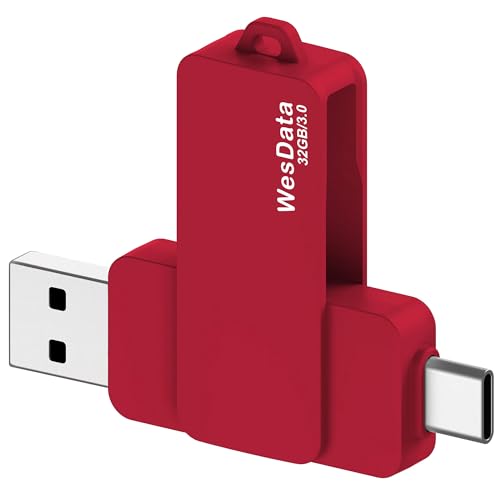
【Product Design Concept】To optimize its suitability for mobile phones, the outer casing is crafted from lightweight plastic. The clip protective cap prevents the loss of the Flash Drive cover. The top opening makes it more convenient for you to carry and not easy to lose

USB-C 2-in-1 storage OTG: The Lexar JumpDrive Dual Drive D40E features USB Type-A and Type-C connectors in a slim, portable form factor for easy device compatibility
What Is Thunderbolt?

Thunderbolt is an advanced connectivity standard that combines multiple functionalities like data transfer, video output, and power delivery, all through one port. Developed by Intel and Apple, Thunderbolt 3 standardized USB-C, making it compatible with various devices.
Key Features:
- High-Speed Data Transfer: Thunderbolt 3 and 4 support speeds up to 40 Gbps, while Thunderbolt 5 can reach 80-120 Gbps.
- Video Transmission: Supports high-quality video output, allowing users to run multiple displays through a single connection.
- Power Delivery: Supplies power to connected devices, reducing cable clutter.
- Daisy-Chaining: Connect several devices through one Thunderbolt port without losing performance.
- Security: Includes advanced protective measures for secure data transfer.
Thunderbolt 4 docks often add features like multiple display outputs, Ethernet, and high wattage charging via a single hub, improving desktop connectivity and workflow multiport docking.
Recommended Products

8-in-1 Massive Expansion: The 8-in-1 Thunderbolt 4 Dock is equipped with 3x Thunderbolt 4(40Gbps, 15W), 3x USB A 3.2(10Gbps), a gigabit ethernet, and a 140W DC power ports, which can meet all your high-performance expansion needs

13-in-1 All-in-One Connectivity: Includes 3×TBT4,3× USB-A 5Gbps, 2× USB-C 10Gbps (1 with 20W PD), SD/TF 3.0 dual card reader (200MB/s), Gigabit Ethernet, 3.5mm audio jack, DP1.4, and 3× Thunderbolt 4 ports

POWERFUL MULTIDISPLAY SUPPORT: Up to 4 4K monitors per HDMI 2.1, DP 1.4, USB-C and Thunderbolt 4 — ideal for creative, data, or AI work.
What Is Displayport?

DisplayPort is a versatile digital display interface developed by VESA, designed primarily for connecting video sources to monitors. It supports high resolutions like 4K and 8K, making it excellent for gaming and media consumption.
Key features of DisplayPort include:
- High Bandwidth: The latest version, DisplayPort 2.1, offers up to 80 Gbps, ensuring smooth video and audio transmission.
- Daisy-Chaining: We can connect multiple displays from a single output, reducing cable clutter and creating efficient setups.
- Audio Support: It handles both audio and video signals, enhancing our viewing experience.
For optimal performance with high-refresh-rate gaming and 4K@120Hz, pairing DisplayPort with a 48Gbps cable is recommended.
Key Differences Between USB-C, Thunderbolt, and DisplayPort

As we explore the key differences between USB-C, Thunderbolt, and DisplayPort, it’s important to understand how each technology serves distinct purposes.
- USB-C is a versatile connector supporting various standards for data transfer, power delivery, and video output. However, not all USB-C ports support all these features.
- Thunderbolt utilizes the USB-C connector to provide exceptionally high data transfer speeds, reaching up to 40 Gbps with Thunderbolt 3 and 4, and up to 120 Gbps with Thunderbolt 5. It can also support multiple device connections and daisy-chaining.
- DisplayPort, on the other hand, focuses on high-definition video and audio output, supporting high-resolution external displays with bandwidth up to 80 Gbps.
- Many users also choose to combine video support with ergonomic accessories like lumbar support to maintain comfort during long workstation sessions.
Recommended Products

Enjoy Crisp 4K Resolution: This USB C to Display Port cable allows you to easily connect USB-C (Thunderbolt 3/4 compatible) laptops, tablets, Android phones, and other devices to a DP monitor or projector. It supports up to 4K@60Hz (2K@144Hz, 2K@165Hz, 2K@170Hz, 1080p, 720p) resolution, providing you with a smooth and stable visual experience. 📌𝐍𝐨𝐭𝐞: 𝐎𝐧𝐥𝐲 𝐬𝐮𝐩𝐩𝐨𝐫𝐭𝐬 𝐮𝐧𝐢𝐝𝐢𝐫𝐞𝐜𝐭𝐢𝐨𝐧𝐚𝐥 𝐔𝐒𝐁-𝐂 𝐭𝐨 𝐃𝐢𝐬𝐩𝐥𝐚𝐲 𝐏𝐨𝐫𝐭, 𝐍𝐨 𝐬𝐮𝐩𝐩𝐨𝐫𝐭 𝐃𝐏 𝐭𝐨 𝐔𝐒𝐁-𝐂.

8K USB C to DP Cable: The UGREEN USB C to Displayport 1.4 cable connects a phone or computer with a USB Type-C or Thunderbolt 4/3 port to a monitor with DisplayPort and there is no need for a driver, or software. This USB C to Display Port cable supports up to 8K@60Hz resolution (backward supports 4K@240Hz, 2K@360Hz). With Dynamic HDR, you could enjoy more realistic photographs and videos with brighter colors and higher contrast. Note: Uni-directional transmission only from USB C to DP

High-Performance Video Output: This unidirectional USB-C to DisplayPort cable connects USB-C or Thunderbolt 4/5 computers to DP monitors. Supports up to 8K@60Hz or 4K@240Hz for ultra-clear visuals and high-refresh-rate gaming, content creation, and professional design work. Important: Achieving 8K@60Hz or 4K@240Hz requires a USB-C port with DisplayPort 1.4 HBR3 + DSC output (commonly found on Thunderbolt 4/USB4 laptops with 11th Gen Intel CPUs or newer).
Choosing the Right Connectivity Option

When deciding on the right connectivity option, what factors should we keep in mind?
- USB-C: Great for general use, offering charging and data transfer speeds up to 20 Gbps. It’s suitable for everyday devices like smartphones and external drives.
- Thunderbolt: Ideal for heavy data transfer needs, like video editing. It supports high speeds up to 40 Gbps and natively connects multiple 4K or single 8K monitors.
- DisplayPort: Focused on high-quality video and audio, supporting up to 80 Gbps. It’s fantastic for high-resolution monitor setups but lacks Thunderbolt’s versatility.
We should evaluate our device specifications carefully, as USB-C ports might not uniformly support all functionalities, impacting our connectivity choices based on intended use. A reliable adapter often uses a proven chipset like PL2303 to ensure compatibility and stable performance.
Recommended Products

The Thunderbolt 3 (USB-C) to Thunderbolt 2 Adapter lets you connect Thunderbolt and Thunderbolt 2 devices — such as external hard drives and Thunderbolt docks — to any of the Thunderbolt 3 (USB-C) / USB 4 ports on your Mac.

The Anker Advantage: Join the 65 million+ powered by our leading technology.

USB-C to DisplayPort adapter in aluminum housing connects a computer or smartphone with a USB Type-C or Thunderbolt 5/4/3 port to a monitor with DisplayPort input; USB C to DisplayPort adapter requires DisplayPort Alternate Mode support to view video over USB-C. Enjoy all of the DisplayPort 1.4 features this DisplayPort to USBC adapter can offer
Practical Applications and Use Cases
Understanding the practical applications of USB-C, Thunderbolt, and DisplayPort can help us choose the best option for our needs.
- USB-C: Ideal for everyday tasks. It handles charging smartphones, transferring data up to 20 Gbps, and connecting multiple devices.
- Thunderbolt: Perfect for high-performance tasks, like video editing and gaming. It supports daisy-chaining multiple 4K monitors or high-speed external storage with speeds up to 40 Gbps, making it great for workstation setups requiring data transfer, video signals, and power.
- DisplayPort: Best suited for connecting monitors. It supports high-resolution displays and high refresh rates, with bandwidth reaching 80 Gbps for peak video performance.
- For wired, high-bandwidth networking needs, consider Cat 8 cables which support up to 40Gbps and enhanced shielding for reduced interference.
Recommended Products

Huge Expansion: Equipped with an 85W laptop-charging USB-C port, an 18W Power Delivery USB-C port, a USB-C data port, 3 USB-A ports, 2 HDMI ports, a DisplayPort, an Ethernet port, SD/microSD card slots, a 3.5 mm AUX port, and a DC input.

Detachable 2-in-1 Design for Desk & Travel — Features a 13-in-1 desktop docking station with a detachable 6-in-1 portable hub that snaps off for on-the-go use. One docking station replaces two, covering both your home office setup and mobile work needs without buying separate devices.

14-in-1 Connectivity: Bring together all your devices with a 14-in-1 solution, perfect for charging, transferring data quickly, and managing dual displays.
Frequently Asked Questions
What Is the Difference Between USB-C and Thunderbolt Display?
USB-C displays offer versatility and compatibility, while Thunderbolt displays provide superior speed and performance. We can connect multiple Thunderbolt devices, but USB-C charging and peripherals remain essential for everyday use and flexibility.
Is There a Difference Between Displayport and USB-C?
Yes, there’s a difference! DisplayPort offers high resolutions and audio features, while USB-C provides versatility for charging and peripherals. We can benefit from both, depending on our needs for DisplayPort compatibility or USB-C advantages.
What Is the Difference Between Thunderbolt and Displayport?
Imagine racing cars: Thunderbolt zooms ahead with incredible speed and seamless compatibility for multiple devices, while DisplayPort excels in stunning resolution and audio. Each has its features, but Thunderbolt’s versatility truly shines through.
How to Distinguish USB-C From Thunderbolt?
To distinguish USB-C from Thunderbolt, we should look for lightning icons, note speed differences, and check compatibility. Understanding cable types and device support helps guarantee we get ideal power delivery and audio/video quality.


