As an Amazon Associate, we earn from qualifying purchases. Some links on this site are affiliate links at no extra cost to you. Our recommendations are based on thorough research and editorial judgment.


Fast Ingest Workflow: Card Readers, Naming, Checksums

To achieve a fast ingest workflow, we should prioritize the following key areas:
- Card Readers: Use high-speed card readers that support multiple card types for efficient data transfers.
- Naming Conventions: Implement consistent naming for files to improve organization and retrieval.
- Checksums: Utilize checksums like XXH64BE to guarantee data integrity during transfers.
By focusing on these elements, we can streamline our processes and enhance our overall workflow. Stick with us, and you’ll discover more tips to optimize your data management.
Key Takeaways
- Utilize advanced card readers for simultaneous data transfer from multiple memory cards, maximizing speed and efficiency in the ingest process.
- Implement standardized naming conventions including date, project name, and location to facilitate quick identification during post-production.
- Use XXH64BE checksums for fast and accurate error detection, ensuring data integrity throughout the transfer process.
- Extract metadata and employ pre-configured folder structures to enhance organization, simplifying file retrieval and management.
- Automate repetitive tasks with tools like Hedge, reducing manual workload and streamlining workflow for faster data ingestion.
The Importance of Card Readers in Data Transfer Speed
When we consider data transfer in photography and videography, using card readers is essential for maximizing speed and efficiency. Card readers greatly enhance data transfer speeds, allowing us to fully utilize high-speed memory cards. They enable simultaneous transfers from multiple memory cards, streamlining data management for our projects.
Additionally, using dedicated card readers keeps our cameras free for shooting, maintaining workflow continuity. Compatibility is another major advantage, as they support various card types, eliminating the hassle of multiple adapters. The BENFEI adapter, for example, supports multiple card formats and high-speed transfers, making it a versatile choice for photographers.
Recommended Products

Boasting enough horsepower to allow Canon's highest resolution mirrorless sensor to shoot a speedy 30 fps and capture 8K60p raw video, the EOS R5 Mark II Mirrorless Camera is the multimedia professional's solution for versatility, image quality, and intelligence. An all-new 45MP sensor's stacked, back-illuminated design joins a brand new processor to provide upgrades in nearly every category, creating a do-it-all camera that gets the job done.

Extreme Intel Core Ultra 9 Gaming Performance – The Alienware 16 Area-51 Gaming Laptop is powered by the Intel Core Ultra 9 275HX processor featuring 24 cores, 24 threads, up to 5.4GHz turbo boost, 40MB L2 cache, and 36MB L3 cache for elite-level gaming and multitasking performance. Designed for competitive gamers, creators, and power users, this Alienware 16 Gaming Laptop delivers ultra-fast responsiveness for AAA gaming, streaming, rendering, and intensive workloads.

SONY USA Authorized - Includes Full USA Warranty | Sony Alpha 7R V Full-frame Mirrorless Camera. Evolved imaging intelligence . Next-generation AI-based Real-time Recognition AF with human pose estimation deep learning combine with extraordinary 61MP picture quality, spectacular 8K24p/4K60p movies, and advanced connectivity and workflow to create a higher level of imaging performance. A7R V is an important turning point toward the future of imaging.
Establishing a Consistent Naming Convention

To improve our media management process, establishing a consistent naming convention for files during ingest is essential. Here are some key components to take into account:
- Include essential elements: Incorporate the date of the shoot, project name, and relevant sequences or locations. This clarity aids organization.
- Use standardized prefixes: These facilitate quick identification in post-production, enhancing collaboration among team members.
- Implement version numbers: Adding these can help us track changes, minimizing confusion between project iterations.
Many teams also choose drives with high transfer speeds like PCIe NVMe to shorten ingest times and keep workflows moving.
Recommended Products

WIDE MEDIA DEVICE COMPATIBILITY OF : NVMe, M key and B+M key for M.2 SSD, SATA Express M.2, PCIE SSD, 18TB+ capacities, MBR and GPT partitioning.

OPEN PLATFORM DESIGN PROVIDES WIDE DEVICE COMPATIBILITY OF : NVMe, M key and B+M key for M.2 SSD, SATA Express M.2, PCIE SSD, 18TB+ capacities, MBR and GPT partitioning.

Up to 238,273 random read IOPS and 5,819 MB/s sequential read performance
Implementing Checksums for Data Integrity

Implementing checksums during our data ingest process is essential for maintaining data integrity. By using checksums like MD5, XXH, and SHA1 during the copy process, we can quickly detect errors if the checksums don’t match after transferring data from cards. XXH64BE checksums are particularly recommended for modern workflows due to their speed, making them efficient without sacrificing accuracy.
This practice helps us avoid issues with corrupted files or unplayable clips, ensuring reliable data management during our shoots. Additionally, automatic checksum verification enhances the archiving process by re-checking transferred data, maintaining its integrity throughout storage. Overall, incorporating checksums into our workflow is a straightforward way to safeguard our valuable data. Many production teams also use XXH64BE checksums to speed up verification while preserving accuracy.
Organizing Data for Efficient Retrieval
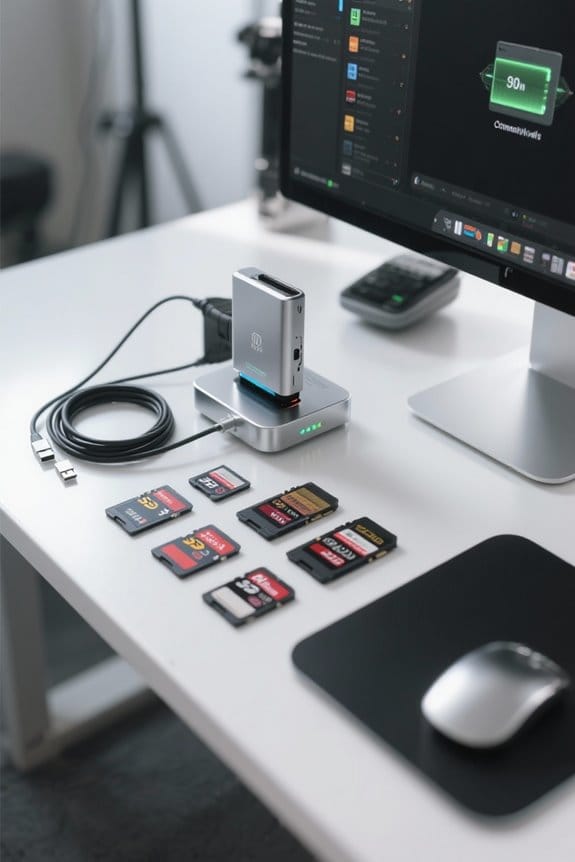
Organizing data efficiently is fundamental for our workflow, especially when we’re dealing with large volumes of media. Here are key strategies we can use for effective organization:
- Standardized Naming Conventions: Adopting a consistent naming system allows us to quickly identify and access files.
- Metadata Extraction: This improves organization by automatically categorizing media files based on their technical details and descriptions.
- Pre-Configured Folder Structures: Setting up specific folder templates for different projects enables swift sorting and reduces time spent searching.
- Media Asset Management (MAM): Regularly updating our MAM with new metadata guarantees files are cataloged correctly, enhancing retrieval efficiency.
- File Integrity Checks: Employing checksums during transfers safeguards against corruption, maintaining accurate cataloging for easier access to assets.
A practical enhancement is to integrate portable scanning devices like the AOZBZ Portable Scanner into the ingest process to quickly digitize physical media and attach metadata during capture.
Streamlining Workflow With Enhanced Tools and Practices

In today’s fast-paced media environment, using the right tools and practices can greatly streamline our workflow. Here’s how we can enhance our efficiency:
- Card Readers: Advanced card readers allow us to transfer data from multiple memory cards simultaneously, speeding up the ingest process.
- File Organization: A consistent naming convention for files helps streamline our workflow by making it easier to find specific footage.
- Checksum Verification: Implementing checksum methods guarantees data integrity during transfers, preventing data loss.
- Automation: Utilizing tools for automation like Hedge facilitates tasks such as audio synchronization and metadata extraction, minimizing manual work.
- Memory Card Maintenance: Regular checks can prevent performance degradation, ensuring our cards perform at their best during high-demand shoots.
Many teams also rely on durable accessories such as dual rubber tips styluses for quick on-set notes and tablet navigation.
Recommended Products

1big Dock is an external hard drive and laptop docking station for filmmakers looking to centralize their desktop peripherals and store a massive portfolio of work with high-performance Thunderbolt 4 compatible technology

1big Dock is an external hard drive and laptop docking station for filmmakers looking to centralize their desktop peripherals and store a massive portfolio of work with high-performance Thunderbolt 3 technology

INCREDIBLE SPEED - Features a 40Gbps Thunderbolt 3 interface, ensuring blazing-fast transfer speeds for RED MINI-MAG media, saving you valuable time on data offloads.
Frequently Asked Questions
What Are the Best Card Readers for High-Speed Data Transfer?
We believe the best card readers for high-speed data transfer include models with USB Type C and Thunderbolt technology. Look for durability, speed ratings, multi-slot functionality, and check user reviews for brand comparisons and price analysis.
How Can I Efficiently Manage Large Quantities of Media Files?
When it comes to managing large media files, we need to get our ducks in a row. Let’s explore file organization strategies, cloud storage solutions, and effective collaboration tools to optimize our workflow and enhance metadata management.
What Backup Methods Complement a Fast Ingest Workflow?
To complement a fast ingest workflow, we should utilize cloud storage, RAID systems, and external drives, while implementing incremental backups, automated scripts, and version control, ensuring offsite and snapshot backups for added security and disk cloning for efficiency.
Can I Automate File Naming During the Ingest Process?
Absolutely, we can elegantly streamline file naming during the ingest process. By utilizing automated scripts, preset templates, and effective batch processing, we enhance our directory structure and guarantee seamless workflow integration through standardized naming conventions and metadata tagging.
How Often Should I Verify Checksums After Data Transfer?
We should verify checksums immediately post-transfer and regularly after that, using automated verification tools. By implementing integrity check intervals and redundancy strategies, we can guarantee reliable archival integrity checks and effective error detection techniques.


