As an Amazon Associate, we earn from qualifying purchases. Some links on this site are affiliate links at no extra cost to you. Our recommendations are based on thorough research and editorial judgment.


Laptop Battery Health: What Affects Real Lifespan

We all want our laptop batteries to last longer, right? Several factors affect real lifespan, including:
- Charge Cycles: Each full discharge contributes to battery wear.
- Temperature: Keeping your laptop cool prevents capacity loss.
- Charging Practices: Following the 20-80 rule can lower stress on battery materials.
You may be interested



By managing these aspects, we can improve battery health. We’ll explore more best practices to keep your battery thriving.
Key Takeaways
- Lithium-ion batteries lose capacity over time due to chemical aging and usage, impacting their overall lifespan.
- Each full discharge counts as a charge cycle, contributing to battery degradation and reduced performance.
- Extreme temperatures can accelerate battery aging; ideal operating temperatures range from 32°F to 95°F.
- Following the 20-80 charging rule minimizes stress on battery materials and prolongs overall battery health.
- Regular software updates and power management settings can enhance battery longevity by optimizing performance.
Understanding Laptop Battery Health
When we talk about laptop battery health, we’re fundamentally discussing how well the battery performs and how long it lasts. A new lithium-ion battery starts at 100% health, but performance declines considerably below 80%.
To understand battery health, we need to take into account:
- Charge Cycles: Each battery has 300 to 1000 cycles; extensive usage decreases health.
- Battery Capacity: Regular monitoring of battery capacity helps us track health.
- Chemical Aging: Over time, batteries deteriorate due to chemical aging.
- External Factors: Extreme temperatures and heavy usage impact performance negatively.
Utilizing the 20-80 rule, where we keep our battery between 20% and 80% charge, can extend battery life. By effectively managing our battery health, we can guarantee ideal performance over its lifespan. High-capacity external battery packs can provide emergency power without stressing your laptop’s internal battery when used properly, especially models with multi-port capabilities that allow charging multiple devices.
Factors Impacting Battery Lifespan

Several key factors can greatly impact the lifespan of a laptop battery, and understanding these can help us manage our devices more effectively.
- Battery Age: Lithium-ion batteries naturally lose capacity over time due to chemical aging and usage patterns.
- Charge Cycles: Each time we use 100% of the battery, it counts as a charge cycle, contributing to degradation; most batteries endure 300 to 1,000 cycles.
- Extreme Temperatures: Both high and low temperatures can harm battery health, leading to faster aging and reduced capacity.
- Power Management: Optimizing software settings can extend lifespan by improving usage patterns and minimizing power drain.
- Maintenance Practices: Keeping the battery charged between 20% and 80% and avoiding deep discharges can noticeably prolong battery lifespan.
Battery selection also matters, since choosing a compatible replacement with the proper battery capacity and safety certifications can preserve performance and longevity.
Recommended Products

Package Contents and Policies: HT03XL Battery, 2 Screwdrivers, User Manual for L11119-855 battery. For assistance with the HTO3XL Hp Laptop Battery or the hp ht03xl rechargeable li-ion battery, please visit our product detail page. Note: Both HT03XL and HW03XL are compatible with HP Pavilion 15 17 Series. But HT03XL Battery is not compatible with HW03XL
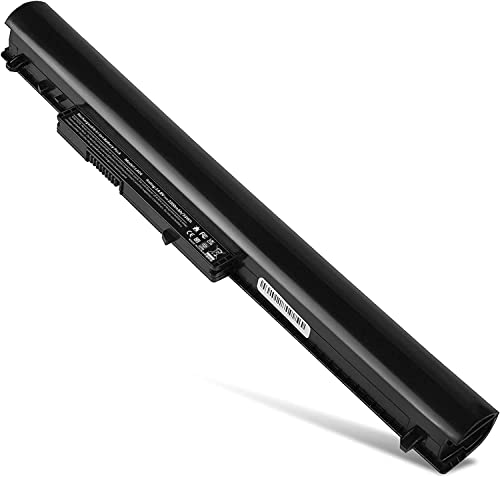
Battery Type: Li- ion; Voltage: 33wH/2200MAH/14.4V (Compatible with 14.4V) Compatible List: 4 Cell Spare Battery for HP Pavilion 14 15 Notebook TouchSmart PC series We only use grade A battery cells that provide up to 500 charging cycles.

【Specifications】Battery type:Polymer. Color:Black. Voltage: 7.6V. Capacity: 60Wh. Cells: 4-cell. 100% New from Manufacturer. We only use grade A battery cells that provide up to 500 charging cycles.
Optimal Charging Practices
Managing our laptop battery health is not just about understanding contributing factors; it also includes adopting ideal charging practices. To optimize our battery life and lifespan, we should follow several guidelines:
- Follow the 20-80 Rule: Keep our charge between 20% and 80% to minimize stress on battery materials.
- Avoid Deep Discharges: Letting the battery drop below 20% can reduce its lifespan considerably.
- Use Original Chargers: Always charge with the original charger to guarantee it provides the correct voltage and maintains health.
- Prefer Partial Charges: Short, frequent charging cycles are better than complete charges, reducing strain.
- Regulate Temperatures: While we haven’t discussed this in detail, keeping usage and charging temperatures moderate helps maintain battery health.
- Consider using a portable charger with USB-C Power Delivery when you need fast, reliable charging on the go.
Recommended Products
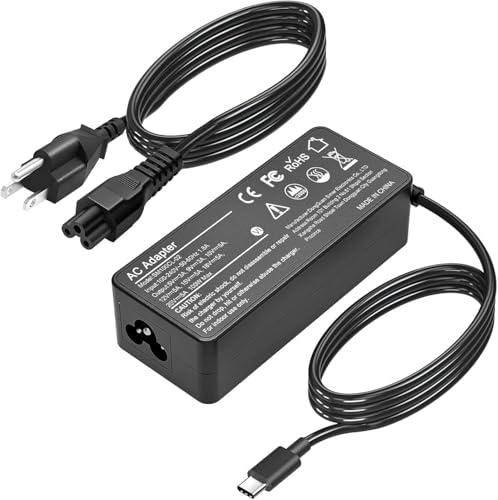
Fast Charging: ELECBRAIN 100W USB-C Power Adapter will smart identify your devices automatically. its Charging power Up to 96W, 90W, 87W, 67W, 65W, 61W, 45W, 30W, 29W, 25W, 20W,18W ; PD 20V=5A; 18V=5A; 15V = 5A; 10V=5A; 9V=3A; 5V=3A. It supports USB-C PD 3.0 Charging protocol. Quick charge for your USB-C devices

100W Power Trio: Charge Fast, Charge Three! 100W for laptops and fast-charging devices simultaneously. Unmatched speed and efficiency.
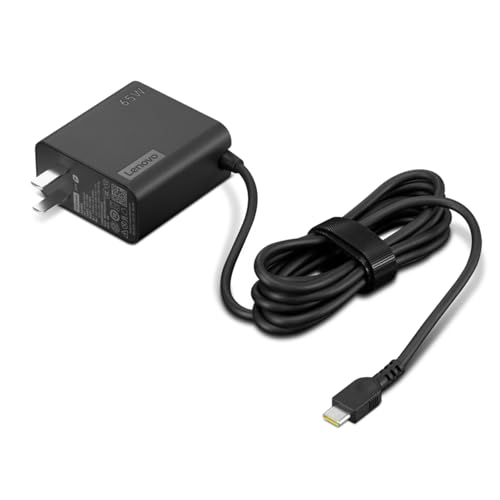
[PORTABLE CHARGING] Slim, light design and extra-long 1.7 m (5.9 ft) cable lets you charge in any spot, making powering up more convenient.
Temperature Management for Battery Longevity
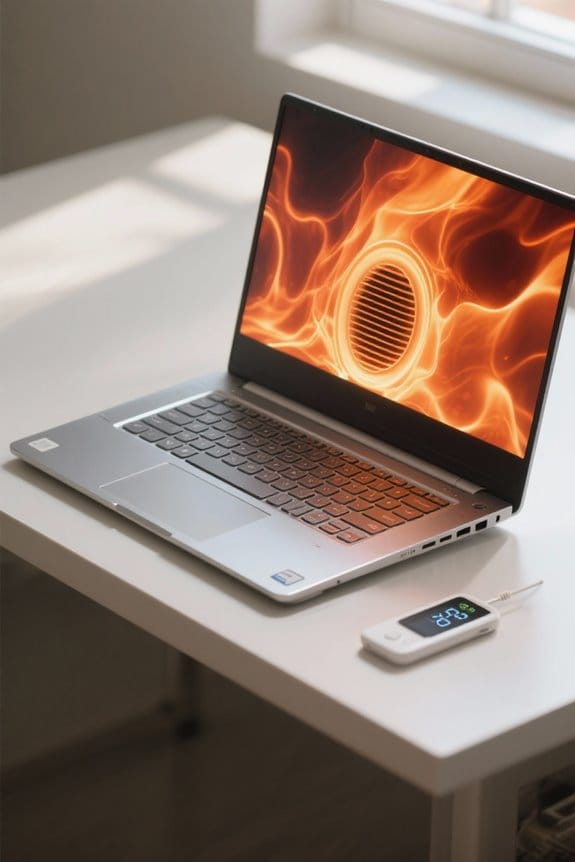
To guarantee our laptop batteries last longer, effectively managing temperature is essential. Lithium-ion batteries function best within an ideal range of 32°F to 95°F.
- Avoid Overheating: Prolonged exposure to higher temperatures can lead to capacity loss and battery degradation, especially during charging.
- Enhance Ventilation: Keeping our laptops well-ventilated helps prevent overheating during intensive tasks, which can extend battery lifespan.
- Regular Maintenance: We should regularly check and clean ventilation systems to eliminate dust buildup that contributes to overheating issues.
- Cool Charging Environment: Charging our batteries in a cooler environment can greatly support their health and minimize degradation linked to elevated temperatures.
Using external cooling accessories like multiple quiet fans can further reduce operating temperatures and help preserve battery capacity.
Recommended Products

Ultra-Portable: Slim, portable, and light weight allowing you to protect your investment wherever you go

👍【Triple Efficient Fans】TECKNET laptop cooling pad with 3 powerful fans works at 1200 RPM to pull in cool air from the bottom to prevent your laptop, notebook, netbook, Ultrabook, Apple MacBook Pro cool from overheating during extended use or intense gaming.

Keep Cool While Working: Targus 17" Dual Fan Chill Mat gives you a comfortable and ergonomic work surface that keeps both you and your laptop cool
Power Management Strategies

When we prioritize effective power management, it can greatly enhance our laptop’s battery lifespan and overall performance. Here are some strategies we can adopt:
- Adjust Power Management Settings: Lowering screen brightness and enabling battery saver modes helps extend battery lifespan considerably.
- Charge Wisely: Following the 20-80 rule for charging maximizes charging times and reduces stress on battery materials.
- Disable Unnecessary Applications: Turning off background processes conserves battery usage, preventing considerable power drain.
- Regular Maintenance: Keeping our software updated can improve battery health and power management algorithms.
- Temperature Management: Maintaining ideal temperatures between 32°F and 95°F is essential to prevent overheating, which can degrade battery performance.
Choosing accessories with surge protection can help protect your laptop and charging equipment from electrical spikes.
Recommended Products

Whisper-Quiet Operation: Enjoy a noise-free and interference-free environment with super quiet fans, allowing you to focus on your work or entertainment without distractions.

SMART COOLING — From idle to full load, keep the laptop running smoothly with our first laptop cooling pad that changes fan speeds automatically to manage system temperatures based on the settings

Targeted Cooling Design:Feel like the airflow directly above the fans isn’t as strong as expected? Don’t worry — simply move your hand between the two fans and you’ll notice a surprisingly cool. The TECKNET cooling pad for laptop features two large fans paired with an internal channel design. This cleverly draws air from the sides and bottom, directing a concentrated, cool flow right to the center of your laptop — CPU gets hottest — for efficient, targeted cooling.It's a great gift as a work or gaming computer cooling pad
Monitoring and Maintaining Battery Health
After applying effective power management strategies, we can focus on monitoring and maintaining battery health for peak laptop performance. Here’s how to do it:
- Use Battery Reports: Access your laptop’s battery report to check capacity and cycle count. This helps us know when it’s time to replace the battery.
- Maintain Charge Levels: Keeping charge levels between 20% and 80% reduces stress on the battery, extending its lifespan.
- Avoid Extreme Temperatures: Storing our laptops in temperatures between 32°F and 95°F is key. Extreme heat can degrade battery health.
- Original Chargers: Using original chargers and performing periodic battery calibrations will enhance performance and accuracy of readings over time.
Many replacement batteries offer safety certifications such as UL, CE, and FCC to help ensure reliable performance and user protection.
Recommended Products

Specifications: 53Wh Battery H5CKD , Battery Model: 53Wh Standard Rechargeable Li-ion battery Type H5CKD, Voltage: 15V Capacity: 53Wh ; Cells: 4-cell; Color: Black ,Packages includes: 1x H5CKD Battery,2 x Free Screwdrivers(Easy to Install),1x Instruction for Dell 53WH Type H5CKD Battery

COMPATIBLE P/N : 41.04Wh HW03XL L97300-005 HWO3XL HW03041XL HW03041XL-PL HSTNN-IB90 HSTNN-IB9O HSTNN-LB8U HSTNN-OB2A L96887-1D1 L96887-421 L96887-AC1 for HP Pavilion 15-EG, 15-EH, 15T-EG, 15Z-EH, 17-CN, 17-CP, 17S-CU, 17T-CN, 17Z-CP Series laptop

♣Battery type: Li-ion; Capacity: 2200mAh/33WH; Cells: 4-cell; Voltage: 14.8V. The battery is durable and has overcurrent protection, anti-overcharge, anti-overdischarge and temperature control functions.
Frequently Asked Questions
What Affects the Battery Life of a Laptop the Most?
The battery life of our laptops is mostly affected by charging habits, battery usage, temperature impact, application demands, and battery cycles. By optimizing power settings, keeping software updated, and following energy-saving tips, we can extend longevity.
What Is the 40 80 Rule for Laptop Batteries?
They say, “An ounce of prevention is worth a pound of cure.” We should keep our battery charging between 40% and 80%, optimizing usage habits and energy efficiency for better health and longevity through smart maintenance tips.
Is a 76% Battery Health Good?
A 76% battery health isn’t ideal for peak battery performance. We should be mindful of usage patterns, charging habits, and heat exposure; considering battery replacements and calibration techniques can help extend lifespan expectations.
What Kills a Laptop Battery the Most?
Like a car tire wearing out, our laptop batteries suffer from heat exposure, deep discharges, charging habits, and heavy usage. We should monitor software updates and power settings to prevent premature age deterioration and maximize battery storage.