As an Amazon Associate, we earn from qualifying purchases. Some links on this site are affiliate links at no extra cost to you. Our recommendations are based on thorough research and editorial judgment.

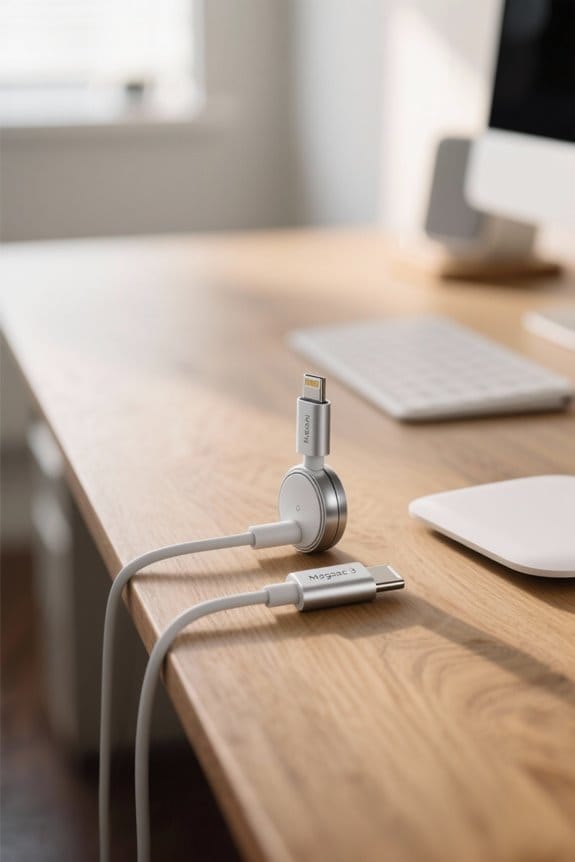
Magsafe 3 Vs Usb‑C: How It Works and When to Use Each

When considering MagSafe 3 and USB-C, we see distinct advantages for each. MagSafe 3 offers rapid charging up to 140W with a magnetic connection, ideal for select MacBooks. USB-C supports various devices with up to 100W power delivery and high-speed data transfer. For durability, MagSafe reduces wear on ports, while USB-C is versatile across tech. Choosing between them depends on your device and needs. Continue on to uncover more essential insights and practical tips.
Key Takeaways
- MagSafe 3 provides rapid charging up to 140W with a magnetic connection, ideal for compatible MacBook models, enhancing user experience and convenience.
- USB-C supports up to 100W power delivery, offers versatile connectivity across devices, and is excellent for data transfer and video output.
- MagSafe 3 reduces wear on charging ports and has a clear LED indicator for charging status, while USB-C is more prone to damage from frequent plugging.
- For optimal battery health, maintain charge levels between 20% and 80% regardless of charging method to prevent overheating and prolong battery lifespan.
- Choose MagSafe 3 for fast charging of MacBooks and USB-C for universal compatibility with a variety of devices in diverse charging scenarios.
Understanding MagSafe 3 and USB-C Charging Technologies
You may be interested

When we compare MagSafe 3 and USB-C charging technologies, it’s essential to recognize their distinct features and functionalities.
MagSafe 3:
- Utilizes a magnetic connection for seamless attachment and detachment.
- Features an LED indicator: amber for charging, green for fully charged.
- Optimized to deliver up to 140W, making it the fastest charging option for select MacBook models.
USB-C:
- A universal connection standard, supporting charging, data transfer, and video output.
- Provides power delivery of up to 100W.
- Offers greater versatility, as it can be used with various devices, though charging speeds are generally slower for MacBooks.
Many users also accessorize their MacBooks with ultra-thin webcam covers to protect privacy without affecting device aesthetics.
Design and User Experience

Design and user experience play an essential role in how we interact with charging technologies like MagSafe 3 and USB-C.
- MagSafe 3:
- Features a magnetic connection for quick attachment and detachment.
- Has an LED indicator that shows charging status: amber for charging and green for fully charged.
- Delivers a user-friendly experience, especially for MacBook users.
- USB-C:
- Lacks the magnetic mechanism and visual cues of MagSafe 3, which can lead to confusion.
- Offers a universal design with interchangeable connections, making it versatile for various devices beyond laptops.
While MagSafe 3 enhances convenience, USB-C’s versatility is undeniable. Choosing between them ultimately depends on personal charging needs and preferences. Many users also consider multi-device connectivity when deciding, since USB-C commonly supports connecting multiple device types.
Charging Speed Comparison

Charging speeds are often a decisive factor when selecting a charging solution, especially for users who prioritize efficiency.
- MagSafe 3: Supports rapid charging speeds of up to 140W, making it the fastest option for the latest MacBook models. It lets users reach a 50% charge quicker than USB-C, ensuring devices are ready swiftly.
- USB-C Charging: Typically delivers a maximum of 100W through the Thunderbolt protocol. While this is fast, it doesn’t match MagSafe 3 for demanding scenarios. Additionally, USB-C can provide high-speed data transfer rates of up to 40 Gbps, which benefits tasks needing rapid data exchange.
Thunderbolt 3/4 and USB4 compatibility are common considerations when choosing charging and connectivity solutions, since they also affect data transfer and peripheral support.
Recommended Products

This 2-meter charge cable features a magnetic MagSafe 3 connector that helps guide the plug to the charging port of your Mac notebook.
This 2-meter charge cable features a magnetic MagSafe 3 connector that helps guide the plug to the charging port of your Mac notebook.
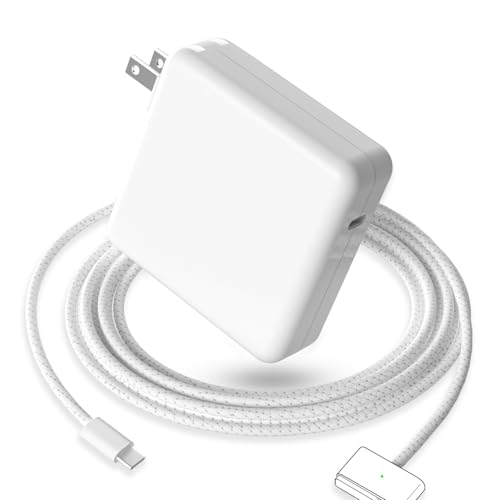
【Full Compatibility】 Works with Mac Book Pro 14"/16" (2021-2026) & Mac Book Air 13"/15" (2022-2026) including M1/M2/M3/M4/M5 chip models.
Device Compatibility Overview

Understanding device compatibility is essential for making informed choices about our charging solutions. Here’s a brief overview of how MagSafe 3 and USB-C stack up:
- MagSafe 3:
- Exclusively compatible with select MacBook models, such as the 2026 MacBook Air and the 2021/2023 MacBook Pro series.
- Offers optimized charging for these devices but is limited to them.
- USB-C:
- A universal standard that connects to a diverse range of devices, including smartphones, tablets, and peripherals.
- Ideal for users with various gadgets, as it simplifies charging your MacBook and other products.
For those with multiple devices, USB-C may be the more versatile option, enhancing overall convenience. Many users pair USB-C MacBooks with high-quality accessories like USB-C hubs to add Ethernet, HDMI, and extra USB ports for greater functionality.
Recommended Products

Ultra-Fast 10Gbps: 5-in-1 USB C Hub with 4 USB-C 3.2 Gen 2 ports, offering 10Gbps high-speed data transfer which can transfer 1GB of files in 1 second. As a USB-C hub for laptops it effortlessly transfers large files, quickly uploads and edits videos, and backs up data with ease.📌📌𝐍𝐎𝐓𝐄: 𝐅𝐨𝐫 𝐟𝐮𝐥𝐥 𝟏𝟎𝐆𝐛𝐩𝐬 𝐬𝐩𝐞𝐞𝐝, 𝐩𝐥𝐞𝐚𝐬𝐞 𝐜𝐨𝐧𝐧𝐞𝐜𝐭 𝐭𝐨 𝐚 𝟏𝟎𝐆𝐛𝐩𝐬-𝐜𝐚𝐩𝐚𝐛𝐥𝐞 𝐩𝐨𝐫𝐭 𝐚𝐧𝐝 𝐮𝐬𝐞 𝐚 𝐡𝐢𝐠𝐡-𝐬𝐩𝐞𝐞𝐝 𝐝𝐞𝐯𝐢𝐜𝐞.

5-in-1 Connectivity: Equipped with a 4K HDMI port, a 5 Gbps USB-C data port, two 5 Gbps USB-A ports, and a USB C 100W PD-IN port. Note: The USB C 100W PD-IN port supports only charging and does not support data transfer devices such as headphones or speakers.

The Anker Advantage: Join the 80 million+ powered by our leading technology.
Durability and Safety Features

When we consider durability and safety features, we find that both MagSafe 3 and USB-C have unique attributes worth noting.
- MagSafe 3 Cable: The magnetic connection considerably reduces wear on the charging port, lowering the risk of damage over time. Its integrated LED indicator confirms charging status, minimizing unnecessary plugging and unplugging.
- USB-C Ports: While high-quality USB-C cables can endure regular use, the ports themselves are more susceptible to damage from repeated plugging when compared to MagSafe 3’s design.
In terms of safety features, MagSafe 3 is superior; it lessens accidental disconnections during charging, enhancing reliability. Therefore, for those prioritizing durability and safety, MagSafe 3 might be the better choice overall. A number of ergonomic accessories, such as high-density memory foam wrist supports, can further reduce strain during prolonged device use.
Recommended Products

Powerfully Fast Charging: Compatible with MacBook Pro with M1 Pro and M1 Max (2021, 14-inch and 16-inch), MacBook Air with M2 (2022), and MacBook Pro with M2 (2023, 14-inch and 16-inch). This cable supports up to 140W power delivery for rapid and efficient charging, featuring an LED indicator to monitor status.

【140W PD 3.1 ULTRA-FAST CHARGING】 Experience the pinnacle of power with our 140W MagSafe 3 cable. Engineered with PD 3.1 technology, it delivers a full-speed charge to your MacBook Pro 16-inch from 0% to 50% in just 30 minutes when paired with a 140W power adapter. Don't settle for slow alternatives; power up your M5/M4 MacBook with the efficiency it deserves.

Please Check Your Macbook Model Before Purch: USB-C to Magnetic 3 Cable Only the following 10 models are supported: MacBook Pro 14-in (M1,2021), MacBook Pro 16-in (M1,2021), MacBook Pro 14-in (M2,2023), MacBook Pro 16-in (M2,2023), MacBook Air 13-in (M2,2022), MacBook Air 15-in (M2,2023), MacBook Air 13-in (M3,2024), MacBook Air 15-in (M3,2024), MacBook Pro 14-in (M4,2024), MacBook Pro 16-in (M4,2024) NOTE: This is USB-C Connector, NOT USB-A Connector
Multi-Device Charging Capabilities
How do multi-device charging capabilities differ between MagSafe 3 and USB-C?
When it comes to multi-device charging, USB-C stands out as a versatile choice. Here are some key points:
- Broader Compatibility: USB-C cables can charge not just MacBooks, but also smartphones and tablets.
- Simultaneous Charging: A single USB-C charger can power multiple devices at once, enhancing convenience.
- Ideal for Accessories: For users with Apple’s USB-C enabled devices, like AirPods Pro and iPhone 15 Pro, a universal USB-C charger is highly effective.
- Powerful Charging: The 240W USB-C Charge Cable provides robust power for high-performance devices.
In contrast, the MagSafe charger is specifically designed for MacBooks and lacks the wider compatibility that USB-C offers for a multi-device setup. Additionally, many USB-C accessories, such as headsets with USB-C connectors, offer features like in-line controls and noise-canceling microphones that make them suitable for multi-device use with laptops and phones USB-C headsets.
Recommended Products
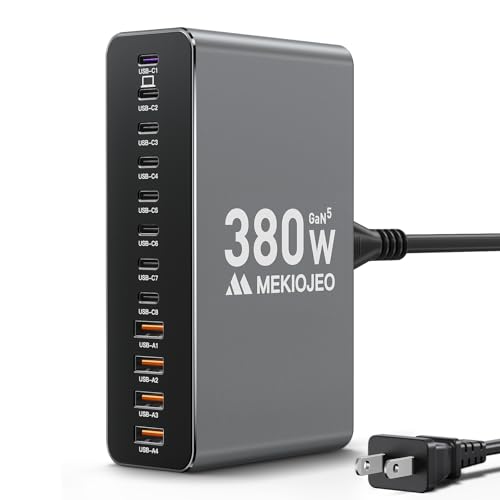
380W Multiport USB-C & A Charging Station: Never run out of ports again! This charging station fast charges devices simultaneously through its 12 ports (8 USB-C + 4 USB-A), with intelligent power distribution to keep all your gadgets charging at optimal speeds. This charger block includes a dedicated 65W PD port for laptops and multiple 30W ports for phones and tablets. To highlight that our first port can reach up to 65W unlike most chargers with false advertising and outputs that slow down when multiple ports are used.
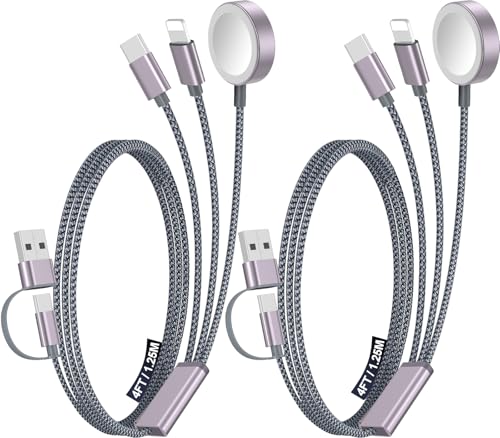
【Advanced Safe & Stable Charging】Experience enhanced safety and fast,delivering efficient power output to your devices.This certified multi charger cable supports USB Type C cable charging and USB lightning cable compatibility, delivering rapid power to iPhone cable, USB C cable pack, and for Apple Watch and Xbox Series X & S .(3A+ adapter recommended for best results). Please Note: *Charging speed depends on your device's capabilities, battery status, and the power adapter used.If your device does not charge or charges intermittently, it may be due to poor contact caused by a thick phone case. Try removing the case for a more reliable charging experience.
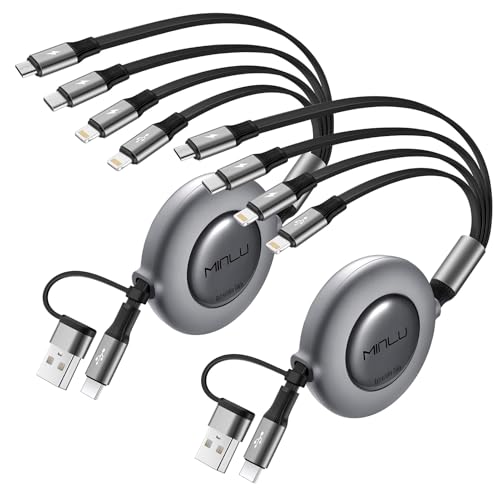
【4 in 2 Multi Chargers for All Devices】: The up-to-date 4 in 2 retractable design with USB A/C to 4 different USB ports. Including Dual Lightning, Micro-USB and USB Type C connectors support to charger most of the cell phones available on market.Perfect for home use, office, travel, car, uber lyft business or sharing with friends.
Battery Health Considerations
As we explore battery health considerations, it’s important to recognize how charging methods influence overall battery longevity.
- Heat Generation: Wireless charging with MagSafe tends to generate more heat, leading to increased battery wear. In contrast, USB-C charging typically produces lower heat levels.
- Charging Efficiency: Both methods leverage Apple’s battery management features, but USB-C is often viewed as more efficient for battery health.
- Optimal Charging Range: It’s recommended to keep devices charged between 20%-80% for the best battery health, regardless of the charging method used.
- Alternating Methods: Balancing between MagSafe and USB-C can help alleviate heat issues and combat battery wear while maintaining performance.
Fast, efficient charging options like the MacBook Pro 120W can reduce charge time while offering built-in safeguards against overheating and short circuits.
Best Use Cases for MagSafe 3 and USB-C
In today’s tech landscape, selecting between MagSafe 3 and USB-C often comes down to specific use cases that fit our needs.
Best Use Cases for Each:
- MagSafe 3 Cable:
- Great for MacBook users prioritizing safety and convenience.
- Its magnetic connection prevents accidental disconnections, making it perfect for fast charge scenarios with up to 140W for high-speed charging.
- USB-C Charge Cable:
- Ideal for users with multiple devices needing universal solutions.
- Supports not only charging but also data transfer and video output.
- It excels in scenarios requiring single device charging or portability, accommodating smartphones and tablets as well.
- Many users also value USB-C for its versatile connectivity across laptops, phones, and accessories.
Recommended Products

Please Check Your Macbook Model Before Purch: LISEN USB-C to Magnetic 3 Cable Only the following 10 models are supported: MacBook Pro 14-in (M1,2021), MacBook Pro 16-in (M1,2021), MacBook Pro 14-in (M2,2023), MacBook Pro 16-in (M2,2023), MacBook Air 13-in (M2,2022), MacBook Air 15-in (M2,2023), MacBook Air 13-in (M3,2024), MacBook Air 15-in (M3,2024), MacBook Pro 14-in (M4,2024), MacBook Pro 16-in (M4,2024) NOTE: This is USB-C Connector, NOT USB-A Connector

COMPATIBLE WITH MACBOOK:This USB-C to Magnetic 3 Cable only Compatible with MacBook Air (15''/13'' M3 2024, 15" M2 2023, 13" M2 2022), MacBook Pro (16"/14" 2023/2021), Please check your Macbook Model and choose the right one
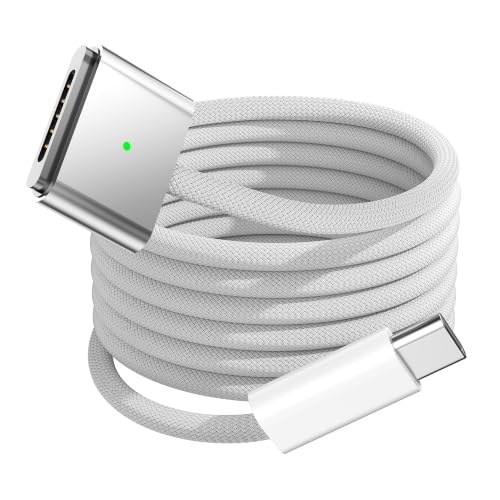
140W Fast Charging: The USB-C to Magnetic 3 cable supports up to 140W power delivery, it can can charge your MacBook Air or MacBook Pro to 50% in 30 minutes. We recommend using a 96W or 140W USB-C PD power adapter to charge your MacBook.
Tips for Maximizing Charging Performance
When it comes to maximizing charging performance, there are several key strategies we can implement.
- Use Certified Accessories: Always connect the charger using certified accessories. This guarantees consistent power delivery and protects our devices.
- Maintain Battery Health: To optimize battery charging, try to keep our device’s battery level between 20% and 80%. This helps avoid deep discharges and overcharging.
- Proper Placement: Avoid placing devices on soft surfaces while charging, especially with MagSafe. This allows for better cooling during the charging process.
- Remove Cases: For efficient MagSafe charging, it’s best to remove thick or metal cases that can interfere with the magnetic connection.
- Alternate Charging Methods: By mixing USB-C power with MagSafe, we can balance performance and charging speed effectively.
Using a high-quality car charger can also help maintain charging efficiency on the go, especially models with fast charging capabilities.
Final Thoughts on Choosing Your Charging Method
Choosing the right charging method can make a significant difference in our device usage. For those of us with a MacBook, the MagSafe 3 offers rapid charging speeds of up to 140W, ideal for quick power boosts. We enjoy the magnetic connection, which helps reduce wear on charging ports. On the other hand, the USB-C connector is versatile, charging multiple devices, including power banks and smartphones. It’s perfect for those who prefer universal compatibility.
Ultimately, considering our diverse needs is essential. A combination of both MagSafe and USB-C may provide the best user experience, allowing us to cater to different situations and device types. Take some time to weigh our priorities before deciding which charging method to use. Using a multi-port USB-C charger can simplify charging multiple devices simultaneously and is great for travel, especially models with high wattage outputs that reduce charging times.
Frequently Asked Questions
Why Magsafe 3 Instead of USB-C?
We prefer MagSafe 3 for its charging efficiency and magnetic connection, ensuring design convenience and enhanced safety features. Plus, it’s optimized for our MacBook, providing better device compatibility than standard USB-C options.
What’s the Point of Magsafe 3?
The point of MagSafe 3 lies in its advantages: a magnetic connection ensuring safe release, enhanced charging efficiency, and broad device compatibility. It simplifies our charging experience while minimizing wear and tear on our devices.
What Happens if You Use Magsafe and USB-C at the Same Time?
We’re in the same boat; if we use MagSafe and USB-C at the same time, our device only charges from one source for efficiency. It’s wise to stick with one to avoid confusion and maximize power output.
What Is the USB-C to Magsafe 3 Cable Used For?
The USB-C to MagSafe 3 cable’s used for efficient charging, ensuring device compatibility across models. Its durability maximizes power delivery while managing heat, giving us peace of mind during those essential power sessions.


