As an Amazon Associate, we earn from qualifying purchases. Some links on this site are affiliate links at no extra cost to you. Our recommendations are based on thorough research and editorial judgment.


SD & Microsd Standards: Uhs‑I Vs Uhs‑Ii Vs V30/V90

When choosing SD and microSD cards, understanding the differences between UHS-I and UHS-II is essential. UHS-I offers speeds up to 104 MB/s, while UHS-II can reach up to 312 MB/s. Video Speed Classes provide additional specifications: V30 guarantees a minimum write speed of 30 MB/s, suitable for 4K, while V90 supports 90 MB/s for 8K. For high-resolution video needs, selecting the right class is critical. Stay with us to explore ideal card selections for your devices.
Key Takeaways
- UHS-I cards provide speeds up to 104 MB/s, suitable for everyday use and basic video recording.
- UHS-II cards reach speeds of 312 MB/s, ideal for high-burst photography and 4K video.
- V30 class cards ensure a minimum write speed of 30 MB/s, suitable for recording standard 4K video.
- V60 and V90 classes guarantee higher write speeds (60 MB/s and 90 MB/s), essential for high-frame rate 4K and 8K video.
- UHS and video speed classes determine a card’s compatibility and performance, impacting quality during recording.
Understanding UHS-I and UHS-II
When it comes to SD and MicroSD cards, understanding UHS-I and UHS-II is essential for choosing the right one for our needs.
- UHS-I can achieve maximum data transfer speeds of up to 104 MB/s, making it suitable for everyday use.
- UHS-II features a dual row of pins, allowing speeds up to 312 MB/s, beneficial for data-intensive applications.
Both card types support different speed classes for video recording. UHS-I handles V30, suitable for full HD, while UHS-II can accommodate V60 and V90, ideal for 4K and professional video production.
In practical terms, if we need fast read speeds and plan high-burst photography or video, opting for UHS-II is a smart choice—thanks to its enhanced performance capabilities.
Top UHS-II cards can reach considerably higher sustained write speeds for professional workflows, including some models offering up to 312 MB/s for faster transfers.
Key Features of UHS Speed Classes

Understanding the key features of UHS Speed Classes is essential for selecting the right SD or MicroSD card for your needs.
- Speed Ratings:
- UHS-I offers up to 104 MB/s.
- UHS-II provides much higher speeds, reaching 312 MB/s due to a dual-row pin design.
- Minimum Write Speeds:
- U1 guarantees a minimum write speed of 10 MB/s.
- U3 guarantees a minimum of 30 MB/s, perfect for recording high-resolution video.
- Compatibility:
- UHS Speed Class cards are backwards-compatible; a UHS-II card will work in a UHS-I device, but at UHS-I speeds.
When choosing a card, consider the demands of your equipment, especially for 4K video requiring higher speeds like V30 or U3 ratings. Manufacturers often combine performance with durable materials to improve longevity and stability in everyday use.
Video Speed Classes Explained

Video Speed Classes serve as an essential part of selecting SD and MicroSD cards, especially for video recording. These classes are indicated by a “V” followed by a number, such as V30, V60, and V90.
- V30: Recommended for recording 4K video at standard rates.
- V60 and V90: Ideal for professional use, supporting high-frame rate 4K, 6K, and even 8K video recording.
UHS-I cards commonly support up to V30, suitable for consumer devices. In contrast, UHS-II cards can achieve higher speeds, enabling V60 and V90 capabilities.
Selecting a card with the right Video Speed Class guarantees that we capture high-quality video without interruptions, allowing for peak performance tailored to our recording needs. Many top U3 cards, like the Samsung PRO Plus, also include durability features that protect your footage in harsh conditions.
Minimum Write Speed Requirements for V30 to V90

Selecting the right SD or MicroSD card requires a clear understanding of the minimum write speed requirements for different Video Speed Classes, especially V30, V60, and V90.
- V30: Guarantees a minimum write speed of 30 MB/s, perfect for 4K video recording at standard frame rates.
- V60: Requires 60 MB/s, making it ideal for capturing high-frame-rate 4K video and some 6K footage.
- V90: Offers a minimum write speed of 90 MB/s, vital for recording 8K video and high-bitrate 4K production.
These Video Speed Class ratings guarantee reliable performance during sustained writing, which is imperative for high-resolution video applications. By choosing a card that meets or exceeds these standards, we can avoid frustrating issues like video frame drops and recording errors. Many modern cards also balance compact design with strong sustained write performance for use in small devices.
Compatibility of UHS Cards With Devices
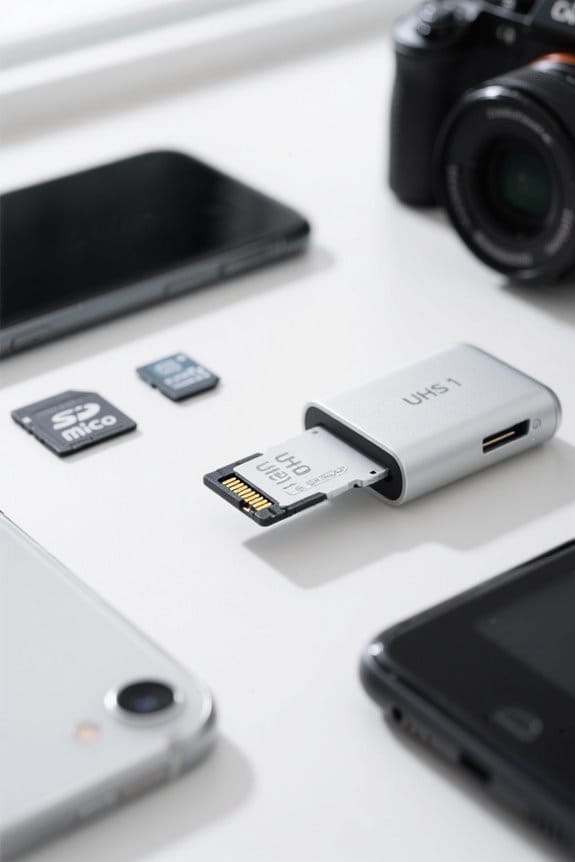
When we’re looking at the compatibility of UHS cards with various devices, it’s vital to reflect on how different UHS classifications interact. Here’s what we need to know:
- UHS-I Cards: Compatible with UHS-I and UHS-II devices but perform at UHS-I speeds (up to 104MB/s) in UHS-II hosts.
- UHS-II Cards: Can be used in UHS-I devices, limited to UHS-I speeds (up to 104MB/s).
- U1 and U3 Memory Cards: Utilize the UHS-I interface, guaranteeing a wide compatibility range.
It’s important to confirm our chosen memory card’s UHS classification matches or exceeds device specifications. This way, we achieve ideal recording speeds and performance, tailoring our equipment to meet our specific needs. Additionally, considering factors like device compatibility and build materials can help ensure durability and proper fit in varied setups.
Real-World Performance Comparisons
In our exploration of real-world performance comparisons, it’s essential to recognize how different SD card standards impact their usability across various applications.
- UHS-I vs. UHS-II: UHS-I cards max out at 104MB/s, while UHS-II can reach 312MB/s. This is vital for tasks like video recording.
- Video Speed Classes: V30 cards guarantee write speeds of at least 30MB/s, ideal for 4K videos, while V90 offers a minimum of 90MB/s, making it suitable for professional recordings.
- Compatibility Considerations: If you use a UHS-I device with a UHS-II card, you’ll only get UHS-I speeds.
Real-world testing indicates that the performance of these cards varies considerably depending on the combination of card and reader used, so practical testing is essential. Card readers with dual slots and USB 3.0 support can significantly affect transfer rates and workflow efficiency.
Practical Applications for UHS and Video Speed Classes
Understanding the practical applications of UHS and Video Speed Classes is vital for maximizing our recording experiences.
UHS-I vs. UHS-II
- *UHS-I*: Offers up to 104 MB/s, suitable for standard 4K recording with V30 (30 MB/s minimum write speed).
- *UHS-II*: Reaches 312 MB/s, perfect for professional uses demanding V60 (60 MB/s) or V90 (90 MB/s) speeds, especially for high-bitrate 4K and 8K.
Video Speed Classes
- *V30*: Effective for drone photography and general high-resolution videos.
- *V60/V90*: Critical for recording high frame, multi-file 8K content without drops.
Matching card types to video resolution helps guarantee peak performance and prevents data loss during important recordings. Selecting wisely can enhance our overall experience considerably. Fast charging and extended use are also relevant when managing power-hungry devices with long battery life for extended shoots.
Choosing the Right Memory Card for High-Resolution Video
How do we decide which memory card is best for high-resolution video recording? First, we consider the Video Speed Class ratings. For 4K video, cards rated at V30 or higher are vital, providing at least 30MB/s write speeds.
Next, we need to look at UHS-I versus UHS-II. UHS-I cards support speeds up to 104MB/s, but UHS-II offers much better performance, boasting speeds up to 312MB/s. This is especially important for continuous shooting and high-bitrate video.
For advanced videographers, cards rated V60 or V90 are required for high frame rates in 4K or for professional 8K video. Finally, we should always verify our device is compatible with the chosen card’s UHS and Video Speed Class ratings for peak performance. Many professional workflows also benefit from using high-speed cables and reliable chargers to ensure fast offloading and uninterrupted power during shoots.
Future-Proofing Your Storage Solutions
As we look towards the future of digital storage, it’s crucial to contemplate not just our current needs, but also what advancements may come next. Investing in UHS-II cards can future-proof our storage solutions, enabling faster write speeds vital for high-bitrate video recording and evolving file formats like 8K.
- Why Choose UHS-II?
- Supports higher data rates for quick data transfers.
- Compatible with newer technology, including burst photography.
- Consider Class Ratings:
- V60 and V90 cards guarantee sustained write speeds for demanding applications.
- These ratings position us well for upcoming technology needs.
With rapid advancements in memory card technology, opting for UHS-II and higher class ratings is a smart move to meet future demands. Portable scanners like the AOZBZ demonstrate the value of choosing devices optimized for high resolutions when handling large, high-quality files.
Tips for Selecting the Best MicroSD Card
What factors should we consider when selecting the best microSD card for our devices?
- Speed Requirements: Choose microSD cards that meet or exceed your device’s speed requirements. For instance, a V30 card is ideal for 4K video, requiring a minimum write speed of 30MB/s.
- UHS Ratings: If your device supports it, opt for UHS-II cards, which offer transfer speeds up to 312MB/s. UHS-I cards max out at 104MB/s.
- Capacity Needs: Consider how much storage you need. Larger capacities, like 128GB or 256GB, are great for multiple high-definition videos or images.
- Compatibility: Always check compatibility with your device to guarantee peak performance. A UHS-I card in a UHS-II device will limit transfer speeds.
- Endurance: Look for a high-endurance rating if using the card for high-write applications, assuring long-lasting reliability.
- Many users also consider read/write performance when choosing a reader or card to ensure fast, reliable transfers.
Recommendations for Specific Use Cases
When selecting the right microSD card for specific use cases, we should carefully consider the device’s requirements. Here’s a quick guide:
- Drone Photography: Use a UHS-I U3 or V30 card. These offer write speeds of at least 30 MB/s, great for high-resolution imagery.
- GoPro Cameras: Opt for high-endurance microSD cards with UHS-I or V30 ratings. They’re essential for effective 4K video recording.
- Gaming Consoles (e.g., Valve Steam Deck): A high-capacity UHS-I U3 card enhances loading times and improves gameplay.
- Creative Professionals: For 4K and 8K video recording, choose V60 or V90 cards for reliable sustained write speeds.
- Dash Cams: UHS-I or V30 ratings guarantee continuous recording and dependable performance.
Happy filming and gaming!
Frequently Asked Questions
What Is the Difference Between V30 and V90 SD Card?
When we compare V30 performance, it’s suitable for everyday use, while V90 advantages shine in high-bitrate scenarios. We should consider speed class significance, compatibility concerns, and price differences before choosing the right card for our needs.
Which Is Better, UHS I or UHS-II?
When we weigh UHS-I against UHS-II, UHS-II dazzles with faster speeds and future-proofing benefits, ideal for demanding tasks. Yet, device compatibility and price comparison often steer us to balance performance and need.
Is V90 Overkill for Photography?
Yes, V90 can be overkill for photography. While its benefits boost workflow efficiency and manage large file sizes, we may not need that speed for typical photography tasks unless our camera truly demands it.
Is V30 Enough for 4K?
While V30 cards can handle 4K video at 30 frames per second, they might struggle with higher frame rates. For seamless editing efficiency and data transfer, we should consider storage capacity and card compatibility for our needs.


