As an Amazon Associate, we earn from qualifying purchases. Some links on this site are affiliate links at no extra cost to you. Our recommendations are based on thorough research and editorial judgment.


USB4 Vs Thunderbolt 4: Real‑World Differences That Matter

When comparing USB4 and Thunderbolt 4, we find key differences that can impact our choices. USB4 offers versatility with dual speeds (20Gbps and 40Gbps) and is backward compatible. In contrast, Thunderbolt 4 guarantees a consistent 40Gbps across all certified devices and mandates minimum power delivery of 15W. Both support high-resolution video, but Thunderbolt 4 cables guarantee performance up to 2 meters. Understanding these differences helps us choose the best option for our specific needs, and offers more insights to explore.
Key Takeaways
- USB4 offers flexible data transfer speeds of 40Gbps or 20Gbps, whereas Thunderbolt 4 guarantees a consistent 40Gbps across all certified devices.
- Thunderbolt 4 mandates a minimum power delivery of 15W and supports up to 100W, while USB4 has no strict power delivery standards.
- Thunderbolt 4 cables maintain full 40Gbps speed up to 2 meters, unlike USB4 cables that can lose speed over longer distances.
- Thunderbolt 4 supports up to one 8K or two 4K displays, while USB4’s video output capabilities can vary by device.
- USB4 is ideal for users needing cost-effective, backward-compatible solutions, while Thunderbolt 4 suits those requiring high performance for demanding applications.
Overview of USB4 and Thunderbolt 4
When we look at USB4 and Thunderbolt 4, we see two powerful standards designed to elevate our data transfer and connectivity experiences.
- Data Transfer Speeds: Both support maximum speeds of 40Gbps, but USB4 offers a 20Gbps option.
- USB-C Connector: Both exclusively use the USB-C connector, ensuring universal compatibility.
- Backward Compatibility: USB4 is backward compatible with older USB standards without needing certification, while Thunderbolt 4 requires Intel certification for guaranteed performance.
- Video Output: Thunderbolt 4 supports multiple displays, like two 4K or one 8K display, whereas USB4 typically supports only one display.
- Power Delivery: Both technologies allow for power delivery up to 100W along with data transfer and video output.
Hubs with 10Gbps data are common for USB-C devices and can influence real-world transfer times.
Key Specifications Comparison
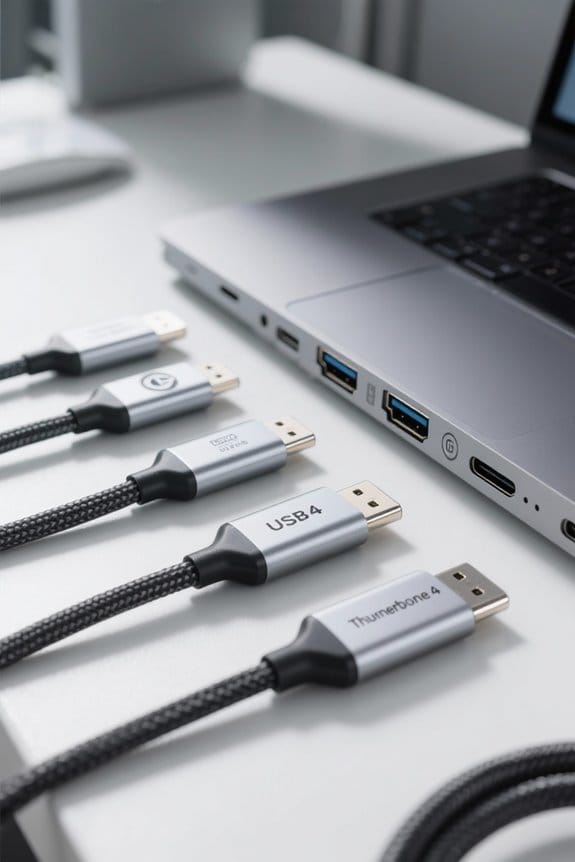
- Data Transfer Speed: Both USB4 and Thunderbolt 4 can reach up to 40Gbps. However, Thunderbolt 4 mandates this speed, unlike USB4, which offers flexibility with 40Gbps and 20Gbps options.
- High-Resolution Displays: Thunderbolt 4 guarantees support for dual 4K displays or a single 8K display, whereas USB4’s support for displays varies by device.
- Minimum Power Delivery: Thunderbolt 4 requires at least 15 watts, aiding device charging. USB4 lacks strict power delivery standards.
- Backward Compatibility: Thunderbolt 4 cables are guaranteed USB4 certified, while not all USB4 cables come with this certification.
Many USB-C cables also advertise enhanced durability with materials like nylon braided jackets and aluminum alloy connectors to improve longevity.
Recommended Products
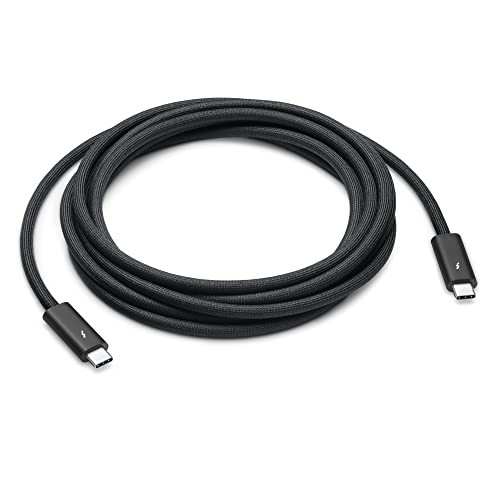
Featuring a black braided design that coils without tangling, this 3-meter cable supports Thunderbolt 3, Thunderbolt 4, and USB 4 data transfer up to 40Gb/s, USB 3.1 Gen 2 data transfer up to 10Gb/s, DisplayPort video output (HBR3), and charging up to 100W.
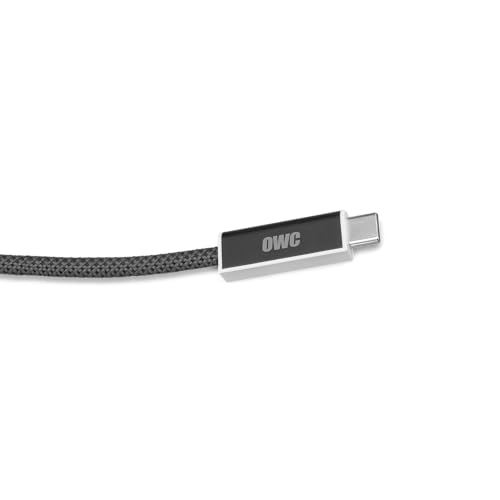
Generation 2 cable with Updated firmware for expanded compatibility
Performance Standards Explained

Understanding performance standards is essential for anyone traversing the world of USB4 and Thunderbolt 4 technologies.
- Thunderbolt 4 guarantees a consistent 40Gbps bandwidth across all certified devices, ensuring reliable performance in various setups.
- USB4 offers flexibility with two performance levels: a maximum of 40Gbps and a lower tier of 20Gbps. This allows manufacturers to tailor costs and features.
- Unlike USB4, which lacks certification requirements, Thunderbolt 4 must undergo strict performance standards to validate its capabilities.
- Thunderbolt 4 also supports features like connecting two 4K displays or one 8K display.
- All Thunderbolt 4 cables are USB4 certified, but not all USB4 cables meet Thunderbolt 4’s performance specifications, which can affect quality.
- Many USB-C devices also emphasize storage capacities up to 2TB, which influences how manufacturers prioritize port performance.
Compatibility With Devices

Compatibility with devices is essential for anyone looking to make the most of USB4 and Thunderbolt 4 technology. Here’s how they stack up:
- USB4 Compatibility: It’s backward compatible with older USB standards like USB 3.2 and USB 2.0, which broadens our device connectivity.
- Thunderbolt 4 Compatibility: This standard supports Thunderbolt 3 and Newer USB protocols. All Thunderbolt 4 cables can connect to USB devices, ensuring versatility.
- Cables and Ports: While all Thunderbolt 4 cables work with USB standards, not every USB4 cable supports Thunderbolt 4. This can lead to potential compatibility issues.
- Data Transfer Rates: USB4 devices might offer variable speeds like 20Gbps, whereas Thunderbolt 4 requires a consistent 40Gbps across all devices.
Understanding these compatibility aspects helps us utilize our technology effectively. Additional peripherals like USB microphones often include both USB and XLR connectivity to maximize compatibility across setups.
Recommended Products

High-capacity desktop RAID, ideal for PC, iPad USB-C, and MAC users with a massive 48TB storage

Professor:Intel Core i9-13900K processor Up to 5.8 GHz Intel Thermal Velocity Boost, 125W unlocked, 24 cores (8P+16E), 32 threads, 36MB Intel Smart Cache, Intel UHD Graphics 770.【Note】The Orignal CPU is Intel core i5-13600K,we change it to Intel core-i9-13900K.

Ultra-Fast: Over 6000MB/s...up to 2x faster than Thunderbolt 4 and USB4
Power Delivery Capabilities

When considering our options, power delivery capabilities stand out as a significant feature in both USB4 and Thunderbolt 4 technologies.
- USB4 can support power delivery of up to 100W, allowing for efficient charging devices through its USB-C connectors. However, its performance varies across different implementations.
- Thunderbolt 4, on the other hand, mandates a minimum power delivery of 15W, ensuring all compatible devices receive enough power for operation.
- Additionally, Thunderbolt 4 guarantees consistent 100W power delivery, making it reliable compared to the inconsistencies we may experience with USB4 devices.
Both technologies allow simultaneous power, data, and video transmission through a single cable, enhancing our overall user experience. Choosing between them depends heavily on our specific power delivery needs. Many users also prefer accessories like waterproof nylon organizers to protect their cables and chargers when traveling.
Recommended Products

6K IPS Panel with 99% DCI-P3:500-Nit Brightness,delivers deeper blacks, brighter highlights, and balanced visuals for immersive gaming, HDR content, and professional editing. The advanced IPS panel enhances dark scenes while maintaining 99% sRGB and DCI-P3 color accuracy (ΔE<2), ensuring lifelike details and vibrant colors.

[Get Up to a 30% Tax Credit] You may be eligible for the Residential Clean Energy Credit on qualified solar electric property costs. Check with your utility provider to confirm your eligibility and understand the requirements for the program.

Advanced Amplification, Extraordinary Sound: Hear every note, every detail, every dynamic shift with stunning precision. The POWERNODE features Bluesound's advanced closed-loop DirectDigital platform with Gallium Nitride (GaN) transistors. Faster switching, lower noise, and an extreme damping factor deliver 100W per channel in stereo and 80W per channel in 3-channel LCR mode.
Video Output Features
Video output features play an essential role in how we experience visuals through our devices.
- Thunderbolt 4 supports impressive video output capabilities, enabling connections for one 8K display or two 4K displays simultaneously.
- It guarantees consistent performance standards, ensuring high-quality resolution across all certified devices.
- In contrast, USB4 can handle video output up to 4K at 144Hz via DisplayPort 1.4a but varies in performance based on the device.
- Both standards use the USB-C connector, simplifying our setup by transmitting video, power, and data through a single cable.
- While USB4 offers dynamic bandwidth allocation for video and data, Thunderbolt 4 mandates minimum performance levels, making it more reliable for complex display configurations.
- Many users choose adapters that support 4K@60Hz output to ensure wide compatibility with displays and streaming services.
Recommended Products
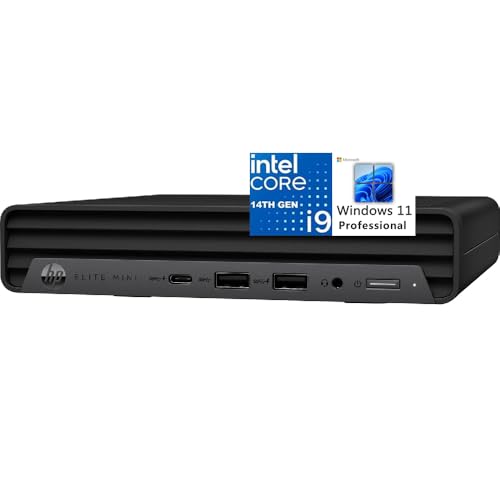
[Powerful Performance] Intel 14th Gen Core i9-14900T, 24 Cores (8P + 16E) / 32 Threads, Max Turbo up to 5.5GHz, 32 MB Cache.

49 inches ultrawide 32: 9 dual QHD (5120 X 1440) Display

POWERFUL BUSINESS PERFORMANCE – Intel Core Ultra 5 225H processor (14 cores, up to 4.9GHz) with integrated AI Boost (13 TOPS) delivers exceptional speed for multitasking, data processing, accounting software, and coding. 64GB DDR5 RAM and 1TB PCIe SSD ensure smooth operation of demanding business applications.
Cable Requirements and Differences
As we look at the cable requirements for USB4 and Thunderbolt 4, it’s important to understand how these differences can impact our device setups.
- Speed and Distance: Thunderbolt 4 cables consistently support 40Gbps speeds up to 2 meters, while USB4 can only achieve this within 1 meter before dropping to 20Gbps.
- Compatibility: Thunderbolt 4 is fully backward compatible with Thunderbolt 3, ensuring reliable connections. In contrast, not all USB4 cables guarantee compatibility without certification.
- Cable Quality: Thunderbolt 4 cables must meet strict performance standards. USB4, being an open standard, allows many manufacturers to produce cables, which may lead to variations in quality.
Ultimately, choosing the right cable for our setup can greatly influence performance and reliability. Many users also consider audio and video peripherals when selecting cables, since USB4 and Thunderbolt 4 differ in how they handle high-resolution audio and display bandwidth.
Recommended Products
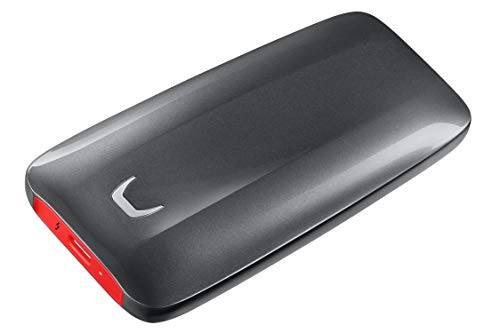
THUNDERBOLT 3 AND NVMe POWER: First ever NVMe-based portable SSD from Samsung featuring Thunderbolt 3 technology, the X5 delivers up to 40Gb/s data transfer speeds

Shock and drop resistant up to 2 m in non-operating mode, conforming to military standard 810-F

Razer Thunderbolt 4 Cable: With up to 40 gigabits lightning-fast data speeds delivering up to 8K resolution, the Razer Thunderbolt 4 cables stand out in performance and value.
Real-World Usage Scenarios
In real-world usage scenarios, understanding how USB4 and Thunderbolt 4 perform can help us make informed decisions for our setups.
- USB4: It offers flexible data transfer speeds, with 20Gbps options suitable for general tasks. When docked, it may support one 4K display but can handle lower bandwidth efficiently for peripherals.
- Thunderbolt 4: This delivers a consistent 40Gbps, ideal for high-performance tasks like video editing or gaming. It supports DisplayPort, connecting two 4K displays or one 8K display. Additionally, it guarantees fast charging with a minimum power delivery of 15 watts through docking stations.
In essence, Thunderbolt 4 proves more reliable for demanding applications, while USB4 caters to versatile usage without heavy requirements. Many professional users prefer hubs that support 10Gbps data to balance speed and compatibility.
Choosing the Right Option for Your Needs
When choosing between USB4 and Thunderbolt 4, it’s important to contemplate our specific needs and usage scenarios.
Consider USB4 if:
- You need flexibility with data transfer speeds, offering both 40Gbps and 20Gbps options.
- Backward compatibility is a priority; it works with existing USB standards, saving on costs.
Opt for Thunderbolt 4 if:
- You require consistent performance with a guaranteed 40Gbps bandwidth.
- You need to support dual 4K displays for demanding applications, like professional videography.
- Robust performance is essential, especially for gaming or when using a docking station for multiple high-resolution displays.
For users handling very large media files or high-throughput workflows, consider Thunderbolt SSDs like the SABRENT Rocket XTRM 5 for 64Gbps transfer speeds and sustained performance.
Future Developments in Connectivity Standards
As the demand for faster and more versatile connectivity continues to grow, we can expect significant advancements in USB4 and Thunderbolt 4 technologies. Both standards are becoming more prominent in devices, especially with new laptops from manufacturers like ASUS and Lenovo.
- USB4’s open certification encourages diverse products, promoting quicker innovations in connectivity technologies.
- Thunderbolt 4 guarantees consistent performance standards, enhancing user confidence and compatibility across devices.
- We might see varying USB4 performance levels, such as 20Gbps options, occasionally affecting pricing and quality.
- New cables will play a key role, indicating bandwidth capabilities to integrate devices seamlessly.
Ultimately, understanding these developments helps us make informed decisions as we navigate the evolving landscape of data transfer. Expect more devices supporting 40Gbps transfer speeds as Thunderbolt 3/4 and USB4 become standard.
Frequently Asked Questions
What Are the Main Differences Between USB4 and Thunderbolt 4?
When we compare USB4 features to Thunderbolt 4 capabilities, Thunderbolt 4 guarantees higher performance benchmarks, better compatibility, and robust device support, while USB4 may face compatibility issues and lacks thorough future-proofing technology for demanding users.
Can USB-C Do Everything Thunderbolt 4 Does?
USB-C can’t fully match Thunderbolt 4 features. While USB-C has decent capabilities, it lacks Thunderbolt’s consistent data transfer speeds, advanced power delivery options, and accessory support differences, leading to performance limitations we should consider.
Is USB 4.0 Worth the Upgrade?
Absolutely, upgrading to USB 4.0’s incredible benefits is vital! It boosts performance, guarantees cable compatibility, and future-proofs our tech. Plus, with varying prices, we’ll easily justify the cost for enhanced device availability and functionality.
What Is the Main Difference Between USB and Thunderbolt?
The main difference between USB formats and Thunderbolt lies in their data transfer speeds, cable compatibility, device support, and power delivery. Thunderbolt typically offers faster speeds and reliable performance, though it often comes at a higher cost.


